


TryHackMe SOC Level 2: What Changed, and What It Says About the Future of the SOC Analyst Role
Exploring the new skills, technologies and investigative mindset behind TryHackMe's updated L2 curriculum


In this writeup, we will solve Tasks 9 and 10 from the Wireshark Traffic Analysis room on TryHackMe. These bonus tasks focus on identifying cleartext credentials inside packet captures and generating actionable firewall rules directly from suspicious traffic.
If you are preparing for blue team roles, SOC analyst positions, or improving your packet analysis skills, this walkthrough will help you understand how to extract sensitive authentication data and transform network evidence into defensive rules.
Use the “Desktop/exercise-pcaps/bonus/Bonus-exercise.pcap” file. What is the packet number of the credentials using “HTTP Basic Auth”?
Process:
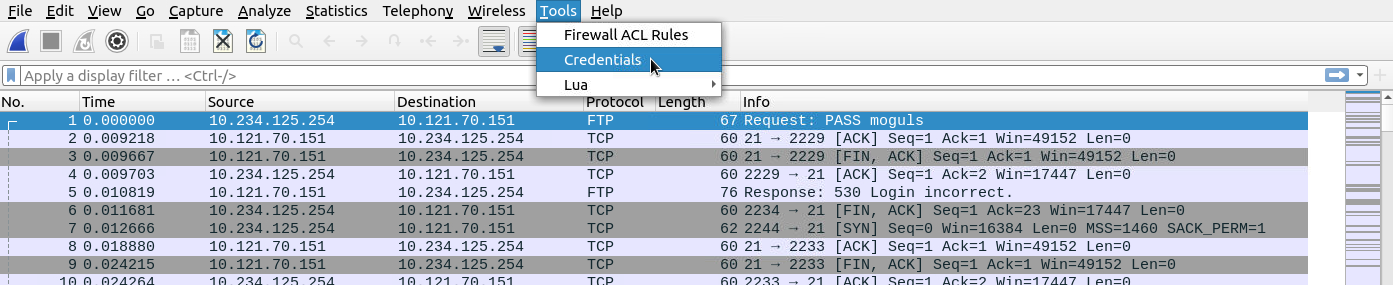
I went to Tools > Credentials and checked the list provided.
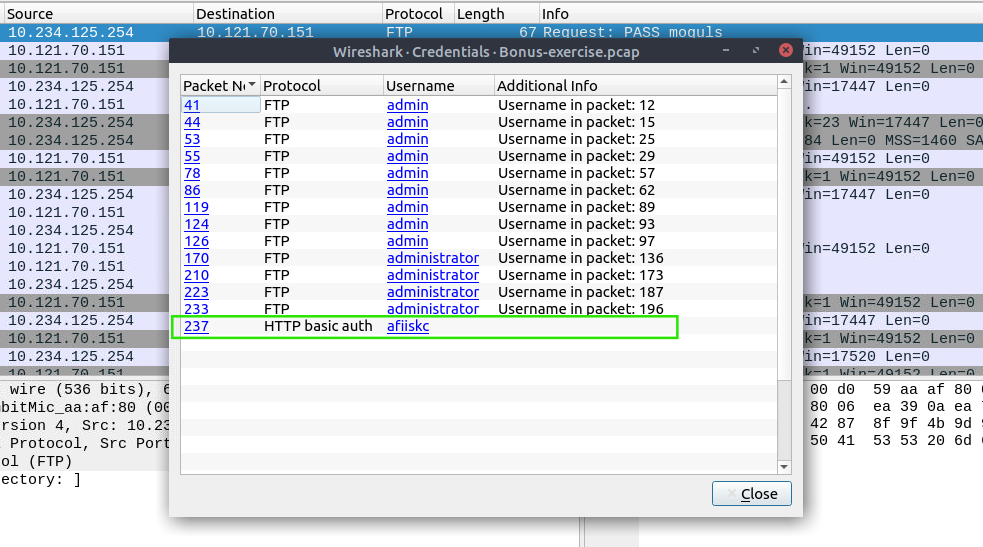
Answer: 237
What is the packet number where “empty password” was submitted?
Process:
I used the filter ftp.request.command == "PASS", which reveals all passwords sent in the FTP authentication process.
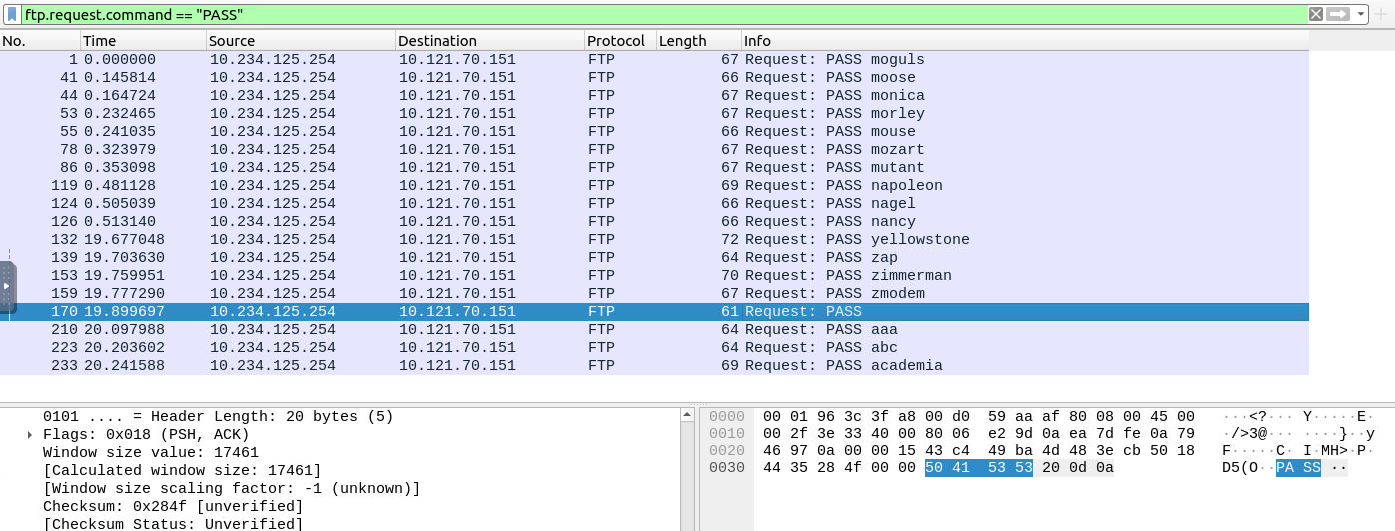
Answer: 170
Use the “Desktop/exercise-pcaps/bonus/Bonus-exercise.pcap” file. Select packet number 99. Create a rule for “IPFirewall (ipfw)”. What is the rule for “denying source IPv4 address”?
Process:
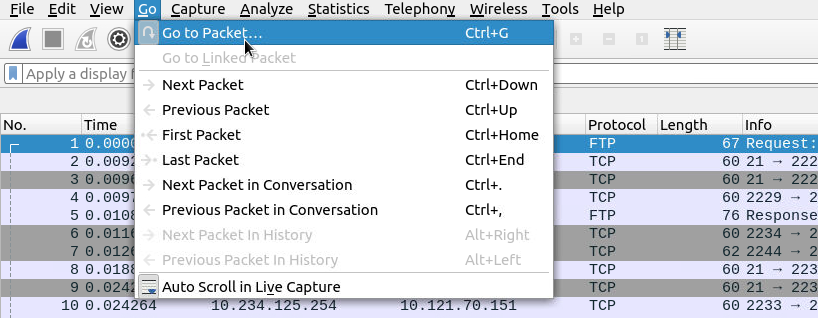
First, I went to Go > Go to Packet and searched for “99”.
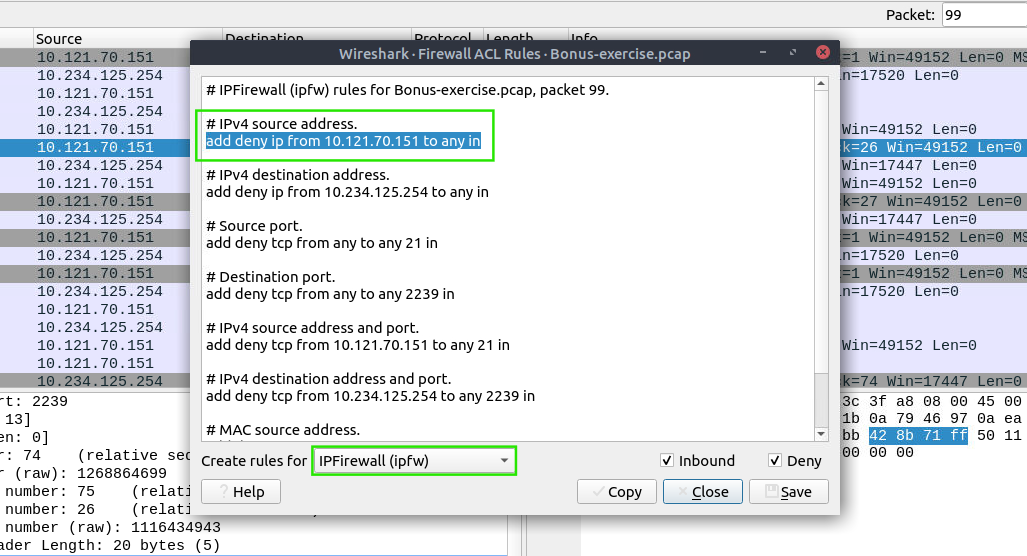
Then I selected the packet and navigated to Tools > Firewall ACL Rules.
There, I selected the requested firewall type and looked for the rule to deny the source IP address.

Answer:
add deny ip from 10.121.70.151 to any in
Select packet number 231. Create “IPFirewall” rules. What is the rule for “allowing destination MAC address”?
Process:
First, I went to Go > Go to Packet and searched for “231”.
Then I selected the packet and navigated to Tools > Firewall ACL Rules.
There, I selected the requested firewall type, deselected the “deny” option, and looked for the rule to allow the destination MAC address.


Answer:
add allow MAC 00:d0:59:aa:af:80 any in
Tasks 9 and 10 demonstrate how easily cleartext credentials can be identified in packet captures and how network traffic analysis can directly translate into actionable defensive measures. By leveraging Wireshark’s built-in credential detection and firewall rule generation features, we can quickly move from detection to mitigation.
These techniques are very useful for SOC analysts, incident responders, and anyone working in network security monitoring.
Exploring the new skills, technologies and investigative mindset behind TryHackMe's updated L2 curriculum
Root Cause Analysis, Fixes and Lessons Learned During My SOC Homelab Deployment
A Complete Write-Up Demonstrating Real SOC Investigation Methodology