



TryHackMe SOC Level 2: What Changed, and What It Says About the Future of the SOC Analyst Role
Exploring the new skills, technologies and investigative mindset behind TryHackMe's updated L2 curriculum


In the world of cybersecurity, mastering log analysis is crucial for identifying malicious activity and ensuring system integrity. One of the most powerful tools for this task is the Elastic Stack (ELK), a set of open-source products that helps professionals search, analyze, and visualize log data in real time. In this article, we’ll walk through the tasks from the TryHackMe Elastic Stack: The Basics room, focusing on Tasks 4 and 5. These tasks are designed to teach essential techniques for investigating and querying logs, skills that are indispensable for any SOC analyst.
Question 1:
Select the index vpn_connections and filter from 31st December 2021 to 2nd February 2022. How many hits are returned?
Process:
vpn_connections.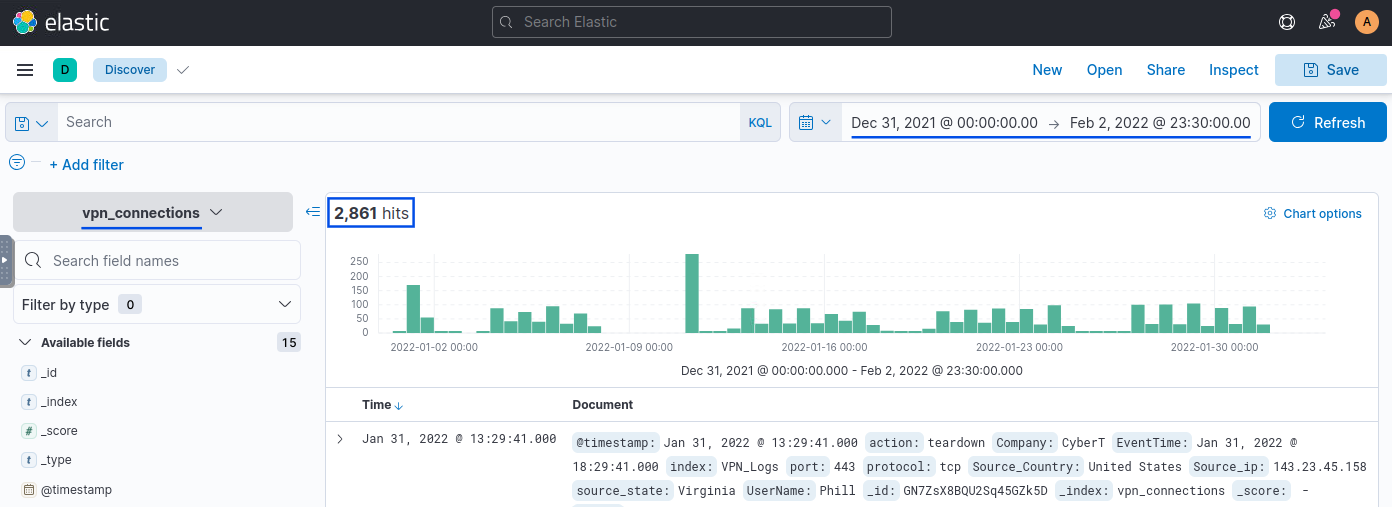
Answer: 2861
Question 2:
Which IP address has the maximum number of connections?
Process:
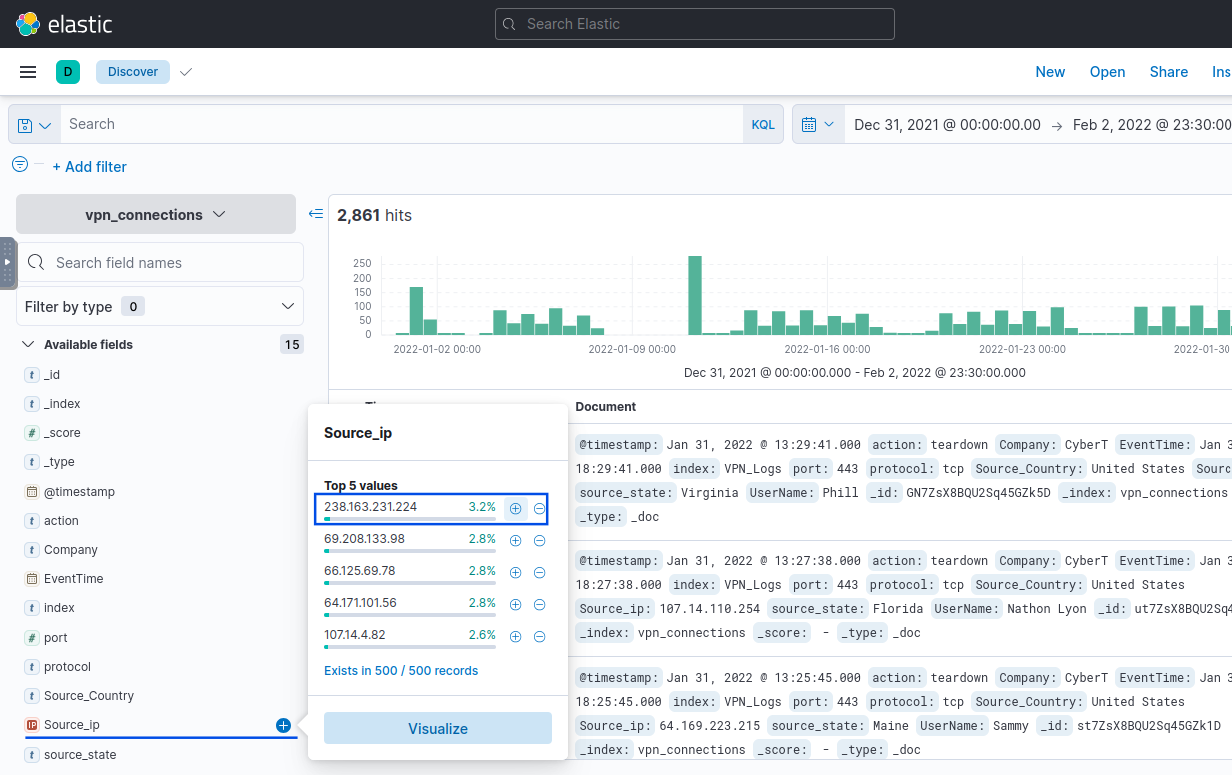
Answer: 238.163.231.224
Question 3:
Which user is responsible for the overall maximum traffic?
Process:
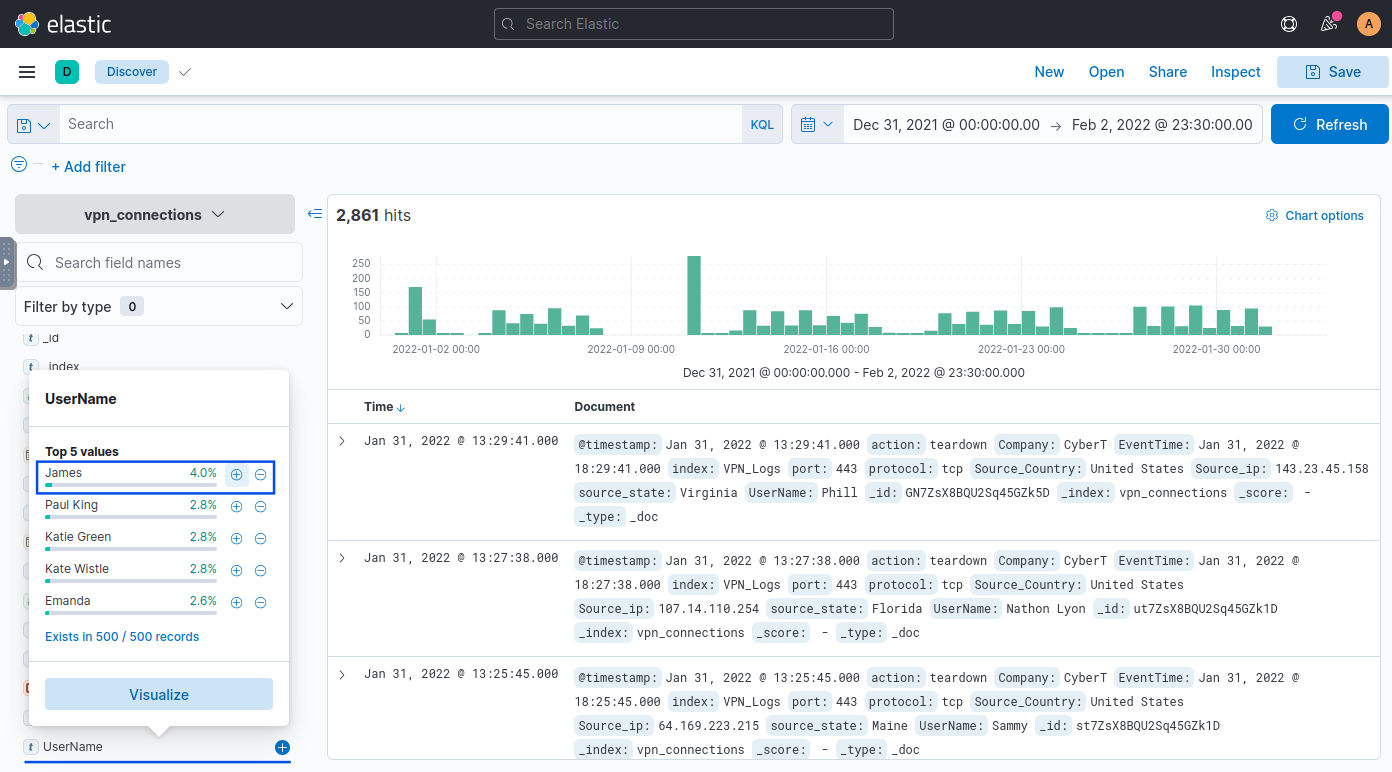
Answer: James
Question 4:
Apply filter on UserName “Emanda”; which SourceIP has max hits?
Process:
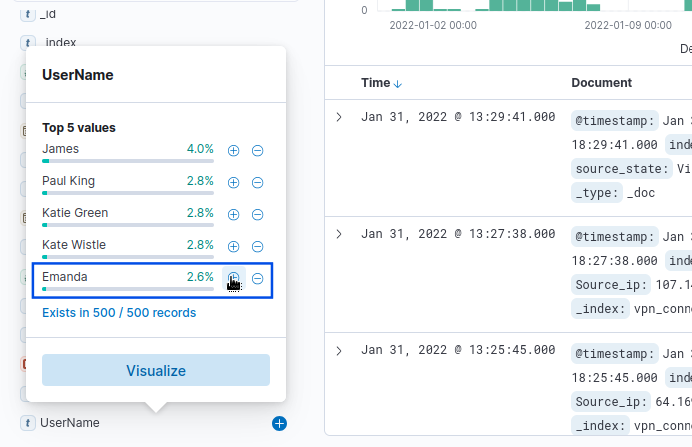
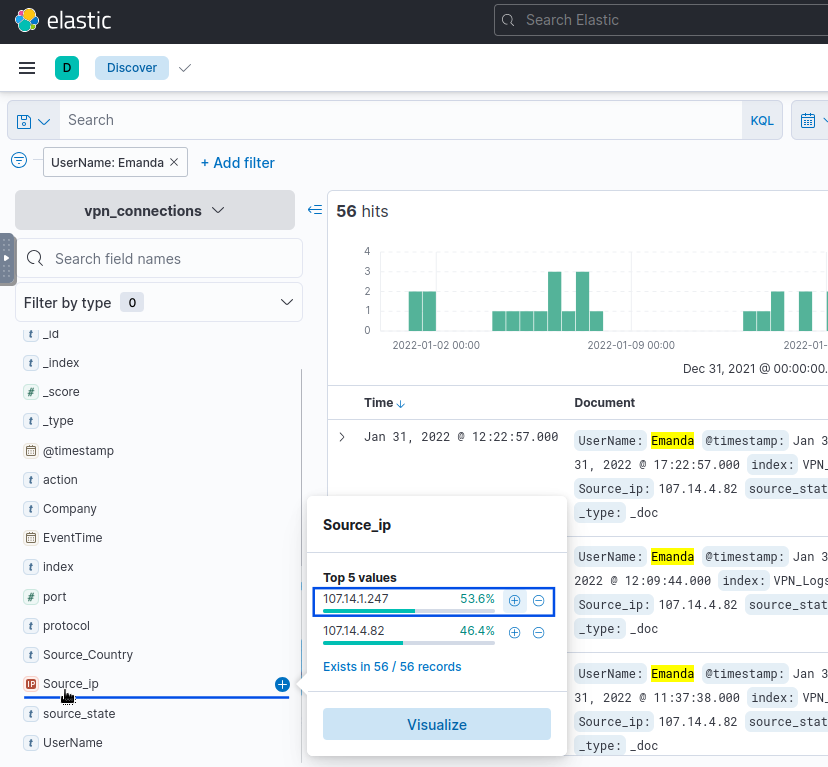
Answer: 107.14.1.247
Question 5:
On 11th January, which IP caused the spike observed in the time chart?
Process:
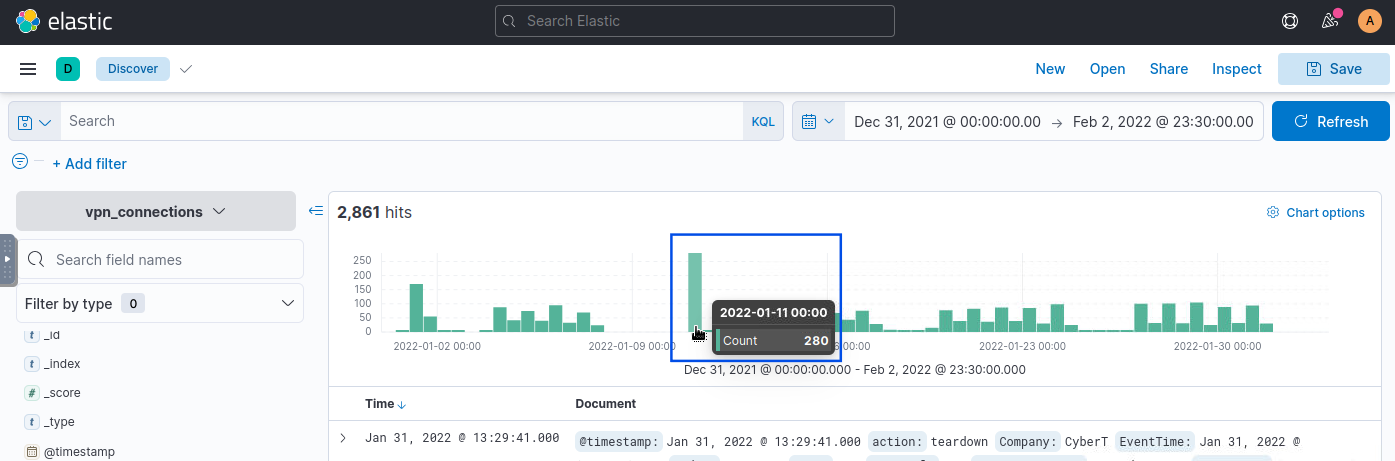
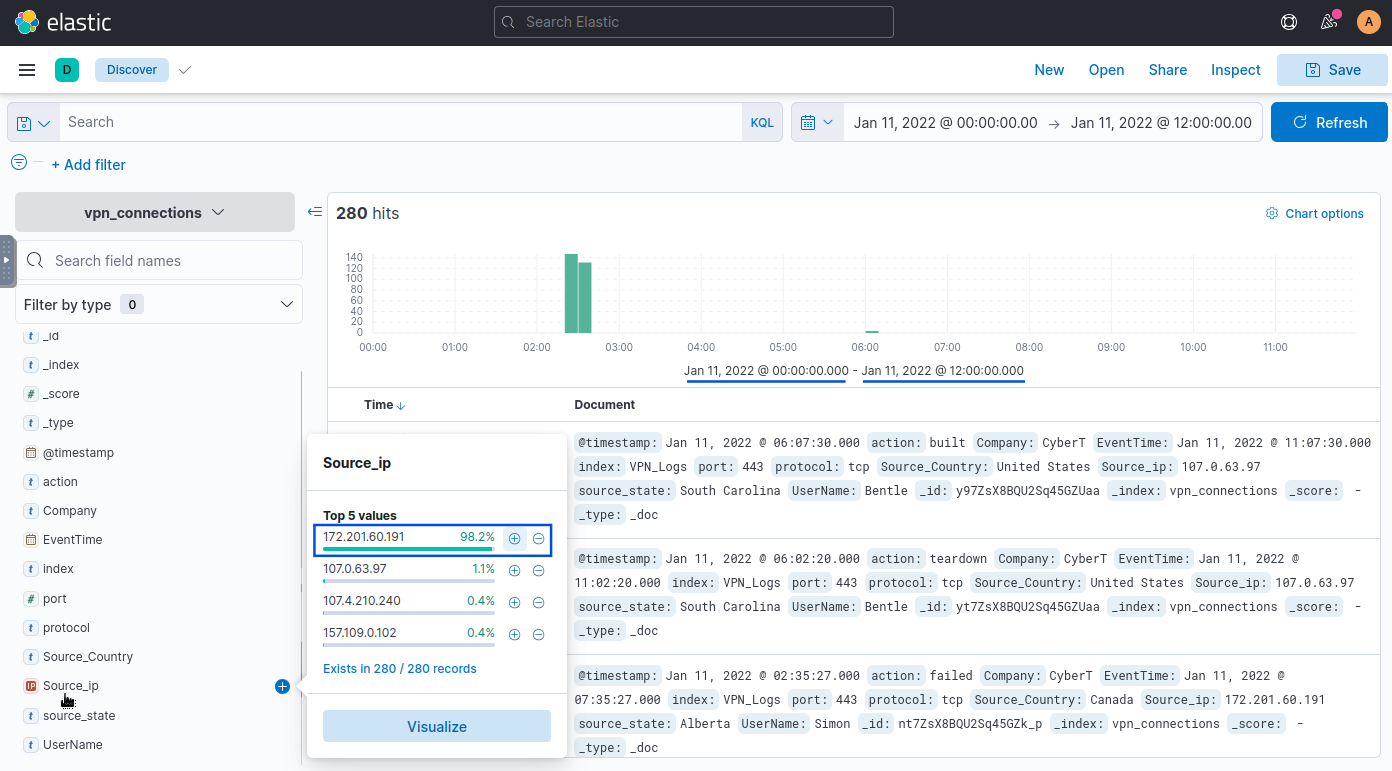
Answer: 172.201.60.191
Question 6:
How many connections were observed from IP 238.163.231.224, excluding the state of New York?
Process:
238.163.231.224.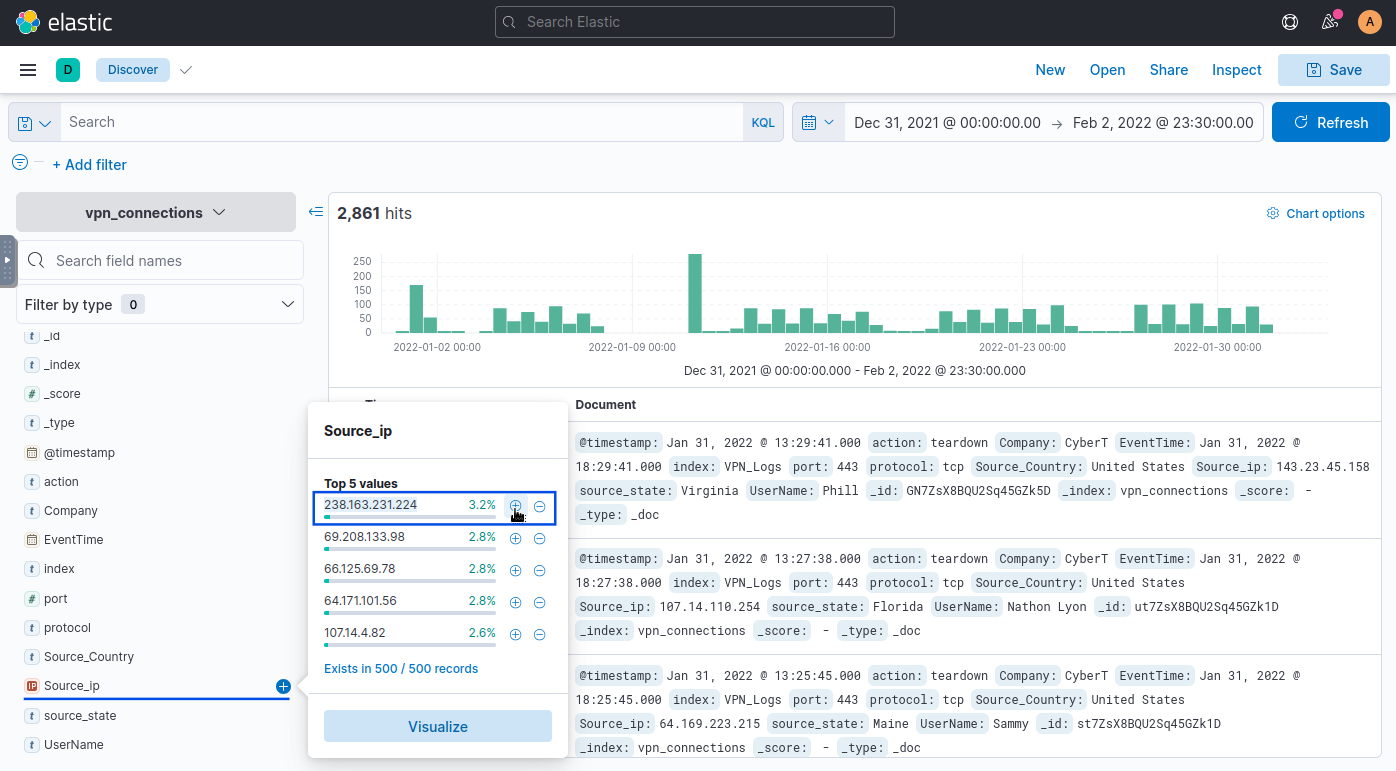
New York using the source_state field.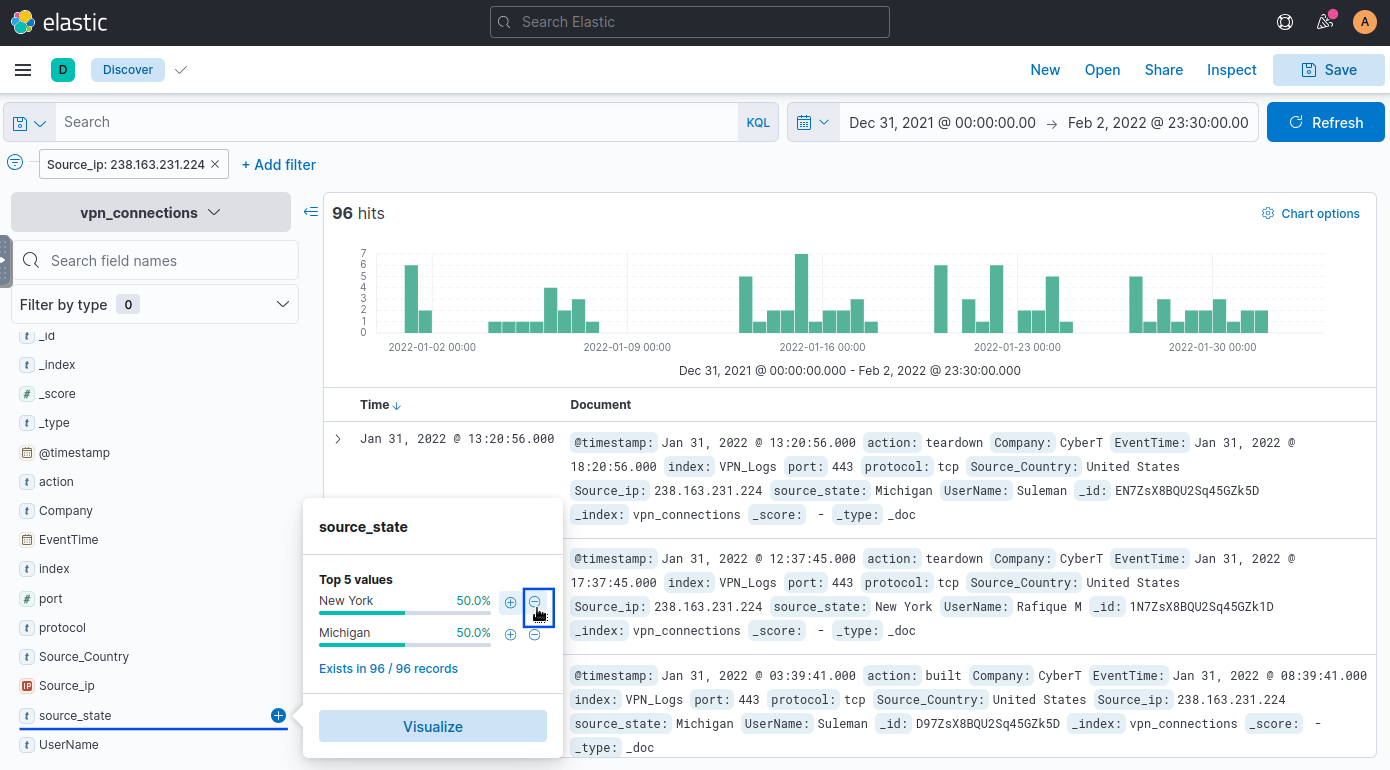
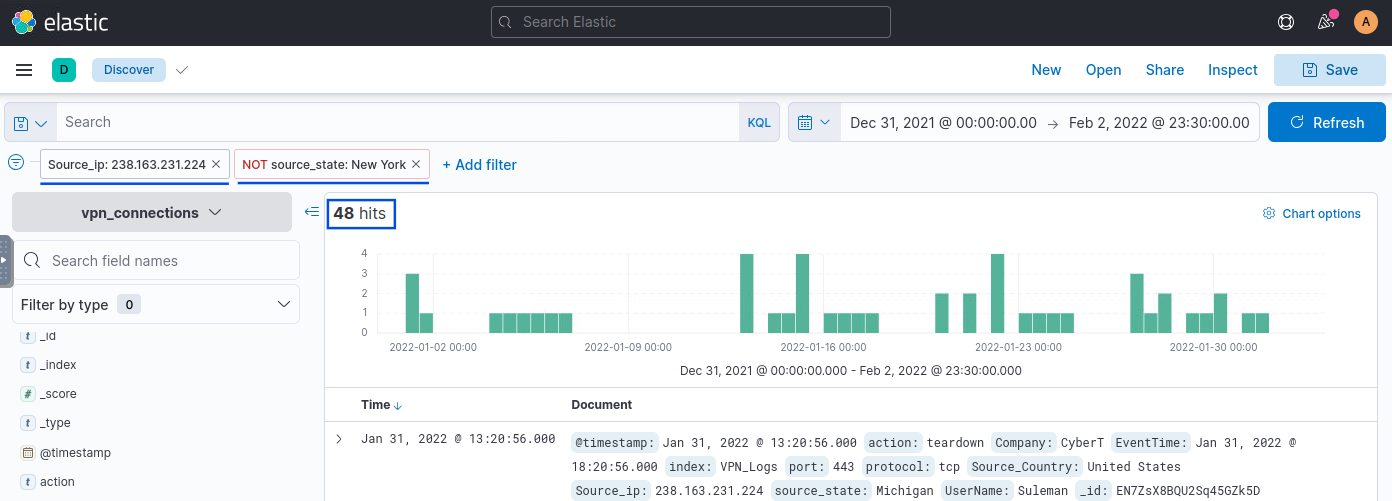
Answer: 48
Question 7:
Create a table with the fields IP, UserName, Source_Country and save.
Process:
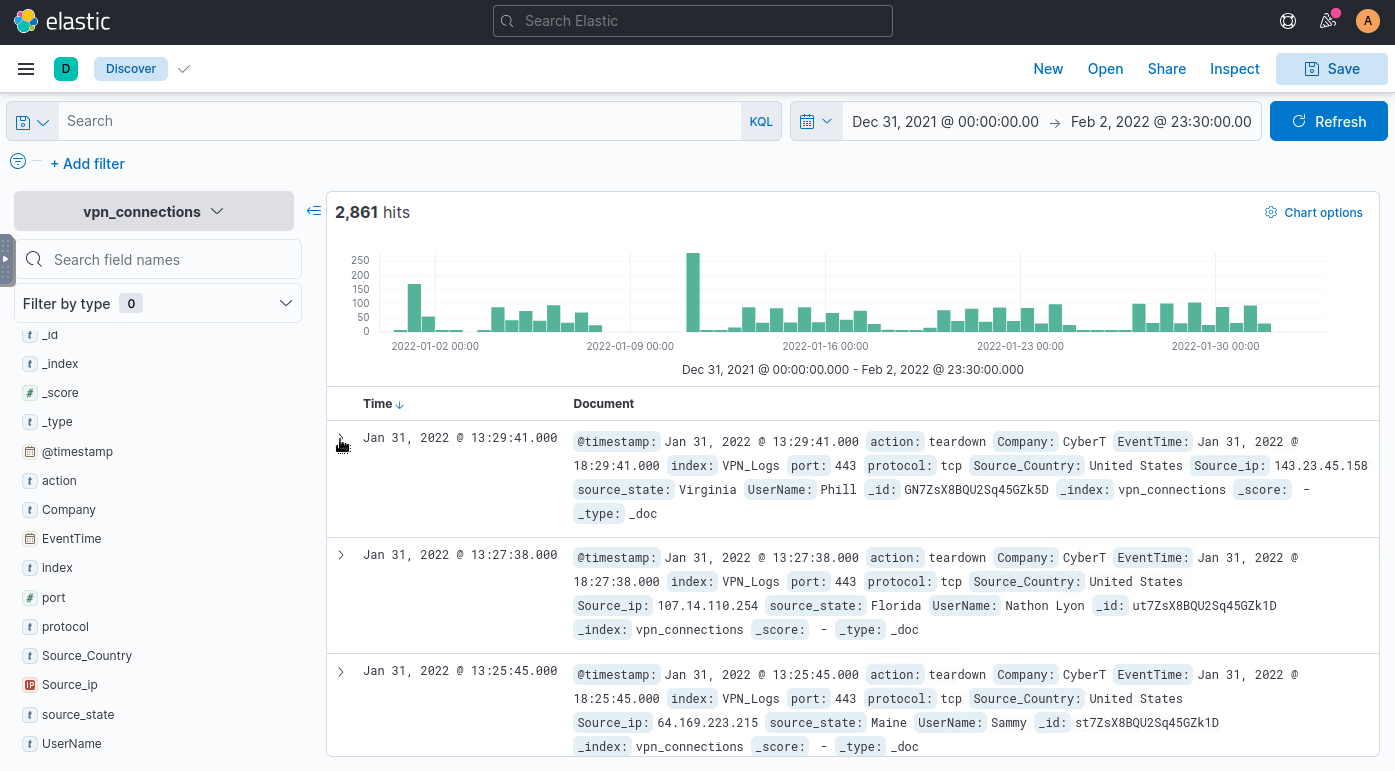
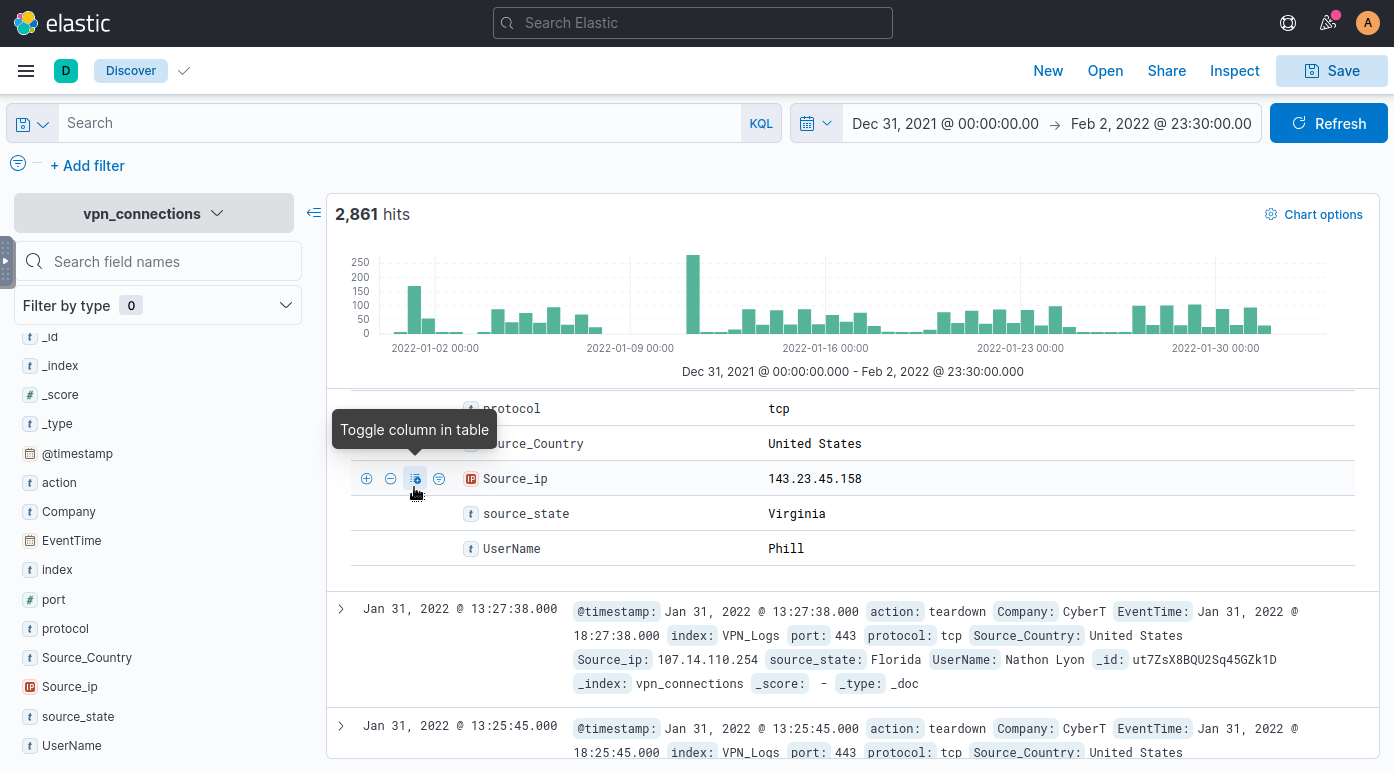

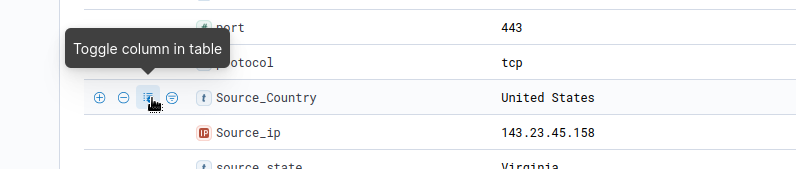
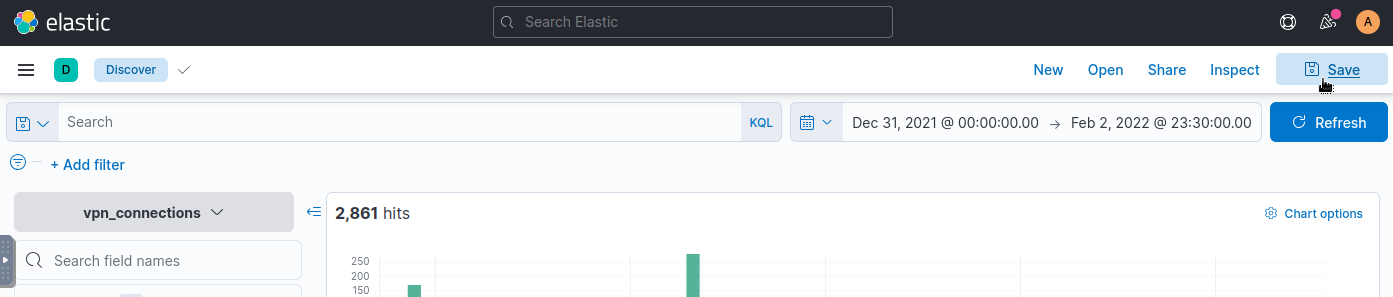
Answer: No specific answer provided (this is an exercise in creating a table structure).
Question 1:
Create a search query to filter the logs where Source_Country is United States and show logs from User James or Albert. How many records were returned?
Process:
Source_Country: "United States" AND UserName: "James" OR UserName: "Albert".
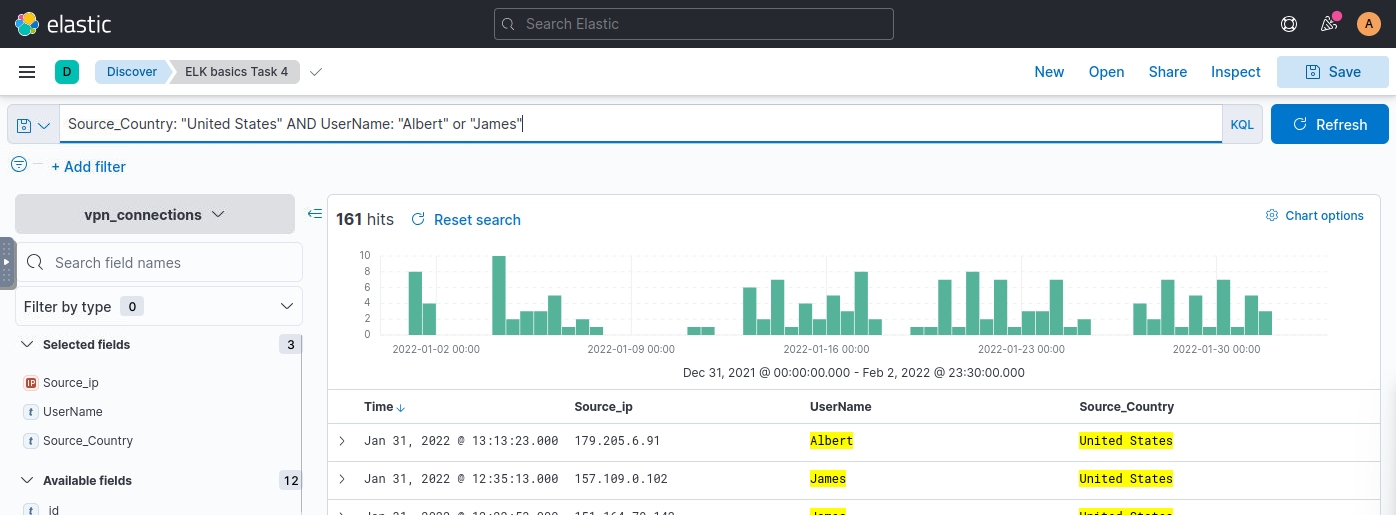
AND & OR are case insensitive in KQL
Answer: 161
Question 2:
As UserJohny Brown was terminated on 1st January 2022, create a search query to determine how many VPN connections were observed after his termination.
Process:
UserName:"Johnny Brown" AND @timestamp > "2022-01-01T00:00:00"
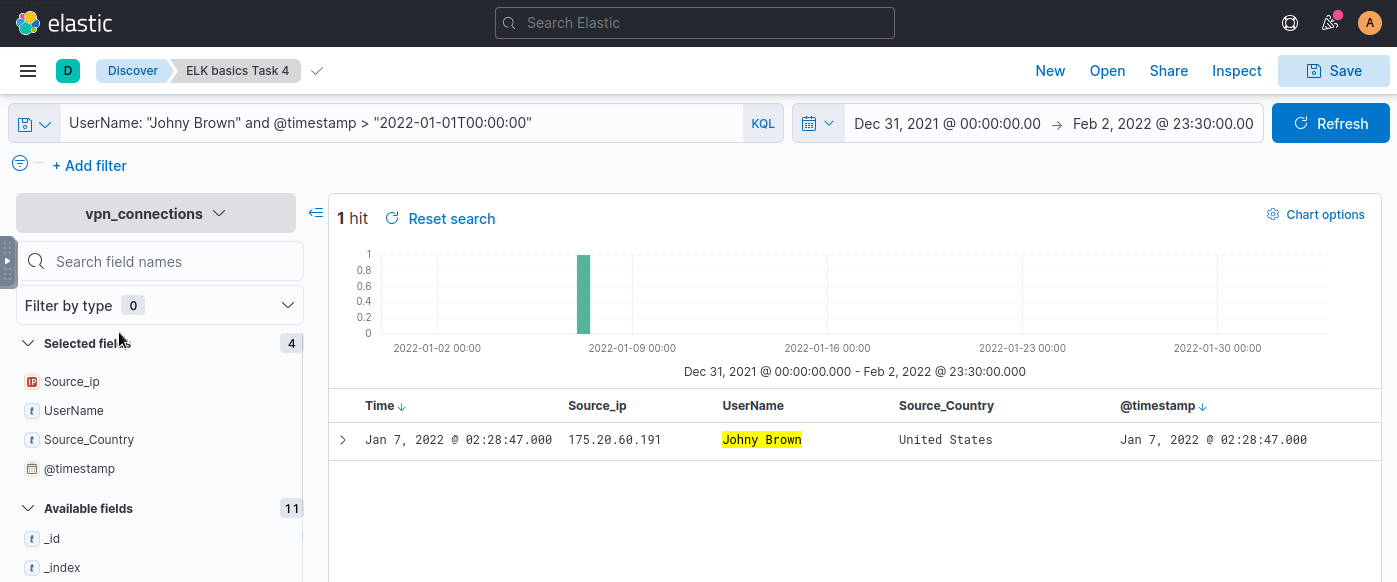
Answer: 1
The Elastic Stack (ELK) is an invaluable tool for Security Operations Center (SOC) professionals, offering powerful capabilities for log analysis and investigation. By working through these TryHackMe tasks, we’ve covered fundamental skills like filtering log data, creating queries with Kibana Query Language (KQL), and identifying key metrics that can point to malicious activity. Mastering these skills not only enhances your ability to respond to security incidents but also builds a solid foundation for advanced log analysis techniques.
Exploring the new skills, technologies and investigative mindset behind TryHackMe's updated L2 curriculum
Hands-on Splunk investigation covering ransomware deployment, persistence mechanisms, lateral movement, and AWS data exfiltration
A SOC Threat Intelligence Investigation into Brute Force, File Upload Exploitation, and Web Shell Persistence