



Exposing a Network-Based Attack: TryHackMe First Shift CTF — Task 7: The Crown Jewel
Network Traffic Analysis and Forensics to Identify C2 Channels, ARP Spoofing, and Data Exfiltration Techniques


In this article, we’ll walk through the process of analyzing network traffic to identify key data points such as ARP requests, HTTP packets, and sniffed login credentials. These techniques are often used in penetration testing and security research to understand how network traffic can be intercepted and manipulated in a Man In The Middle (MITM) attack.
Process:
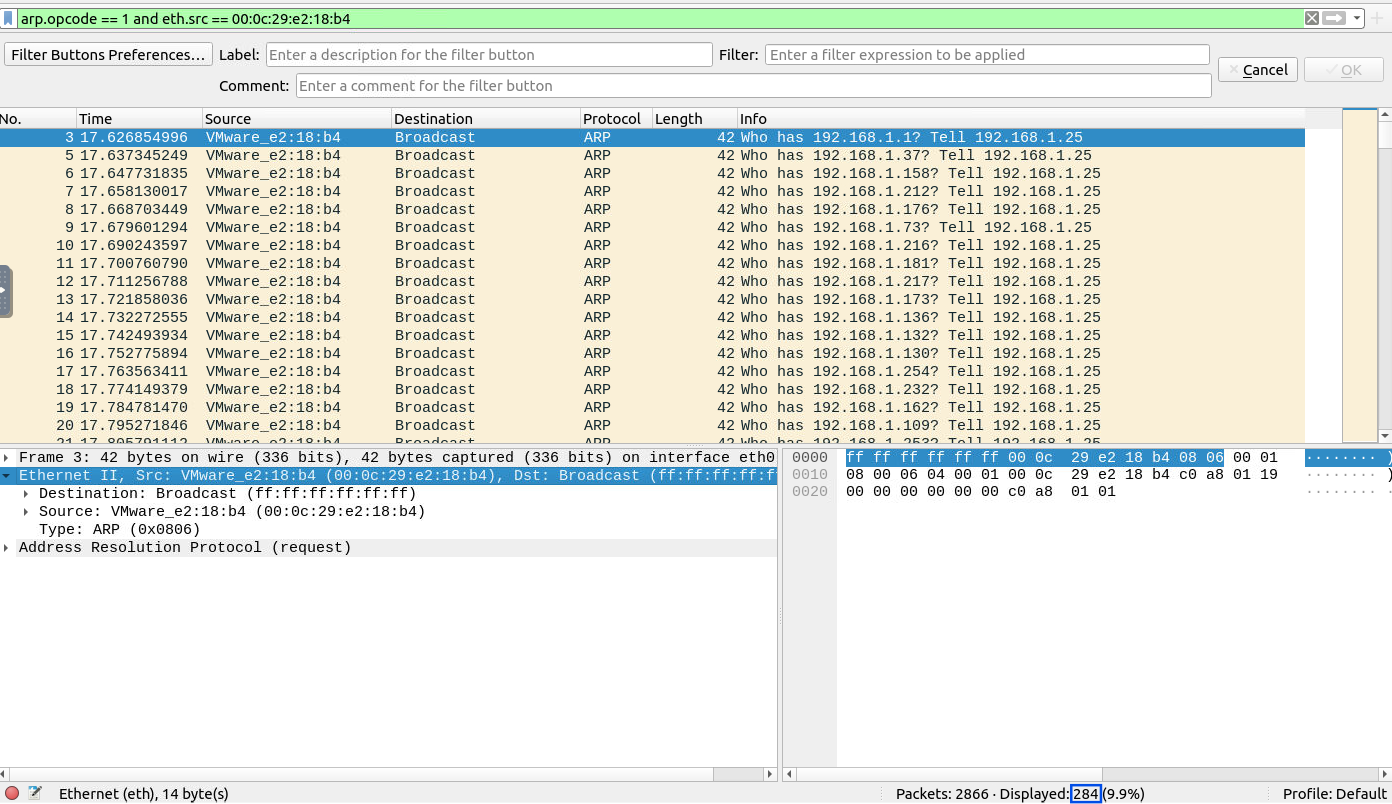
The ARP requests crafted by the attacker can be identified by applying the following filter:
arp.opcode == 1 and eth.src == 00:0c:29:e2:18:b4
This filter captures ARP request packets sent by the attacker.
Answer:
284
Process:
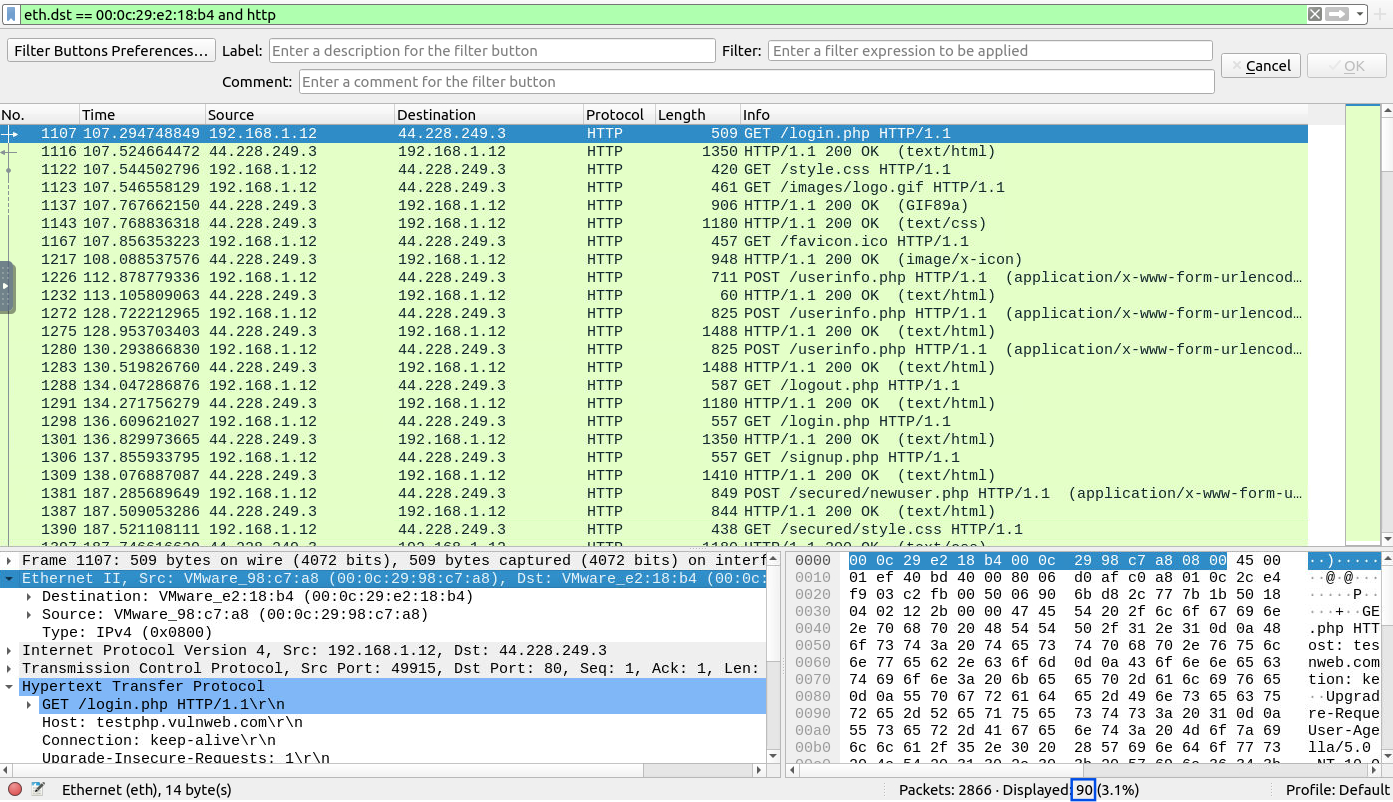
To find the number of HTTP packets received by the attacker, I applied the following filter:
eth.dst == 00:0c:29:e2:18:b4 and http
This filter isolates HTTP packets directed to the attacker’s MAC address.
Answer:
90
Process:
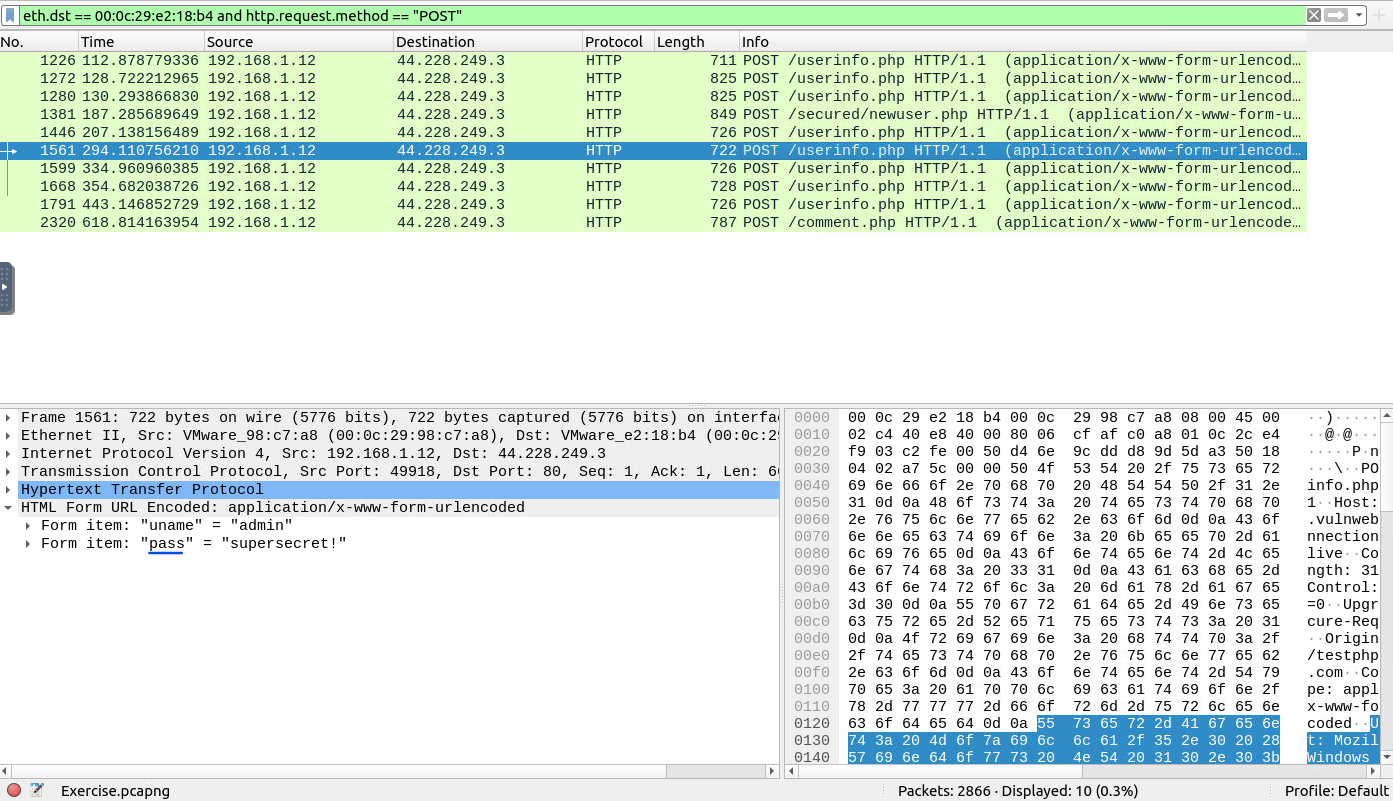
To find sniffed credentials, I used the filter:
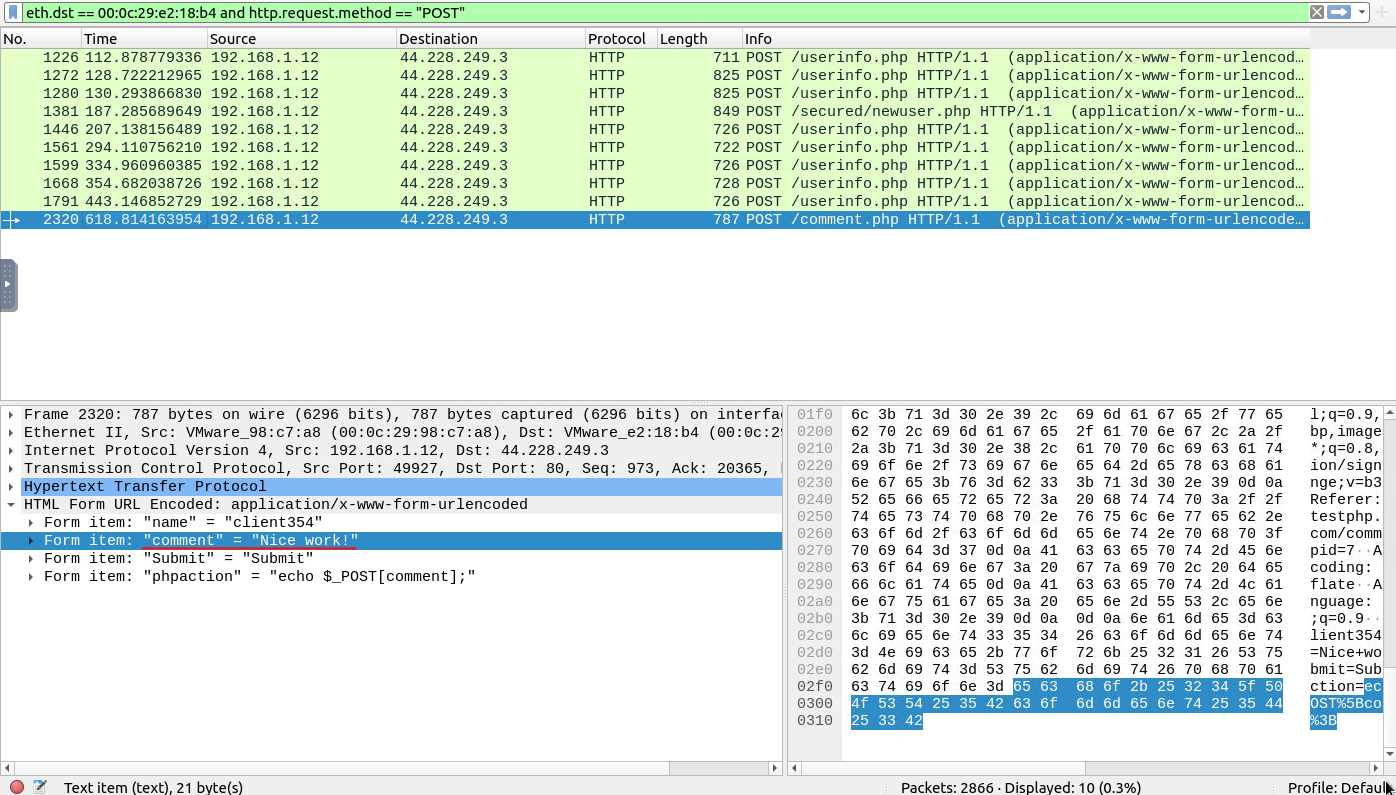
eth.dst == 00:0c:29:e2:18:b4 and http.request.method == "POST"
I followed the TCP stream, but it contained too much information. By searching for the term “pass,” I was able to narrow down the entries related to passwords. Although there were some irrelevant results, it was easier to find and count the valid username and password pairs.
Answer:
6
Process:
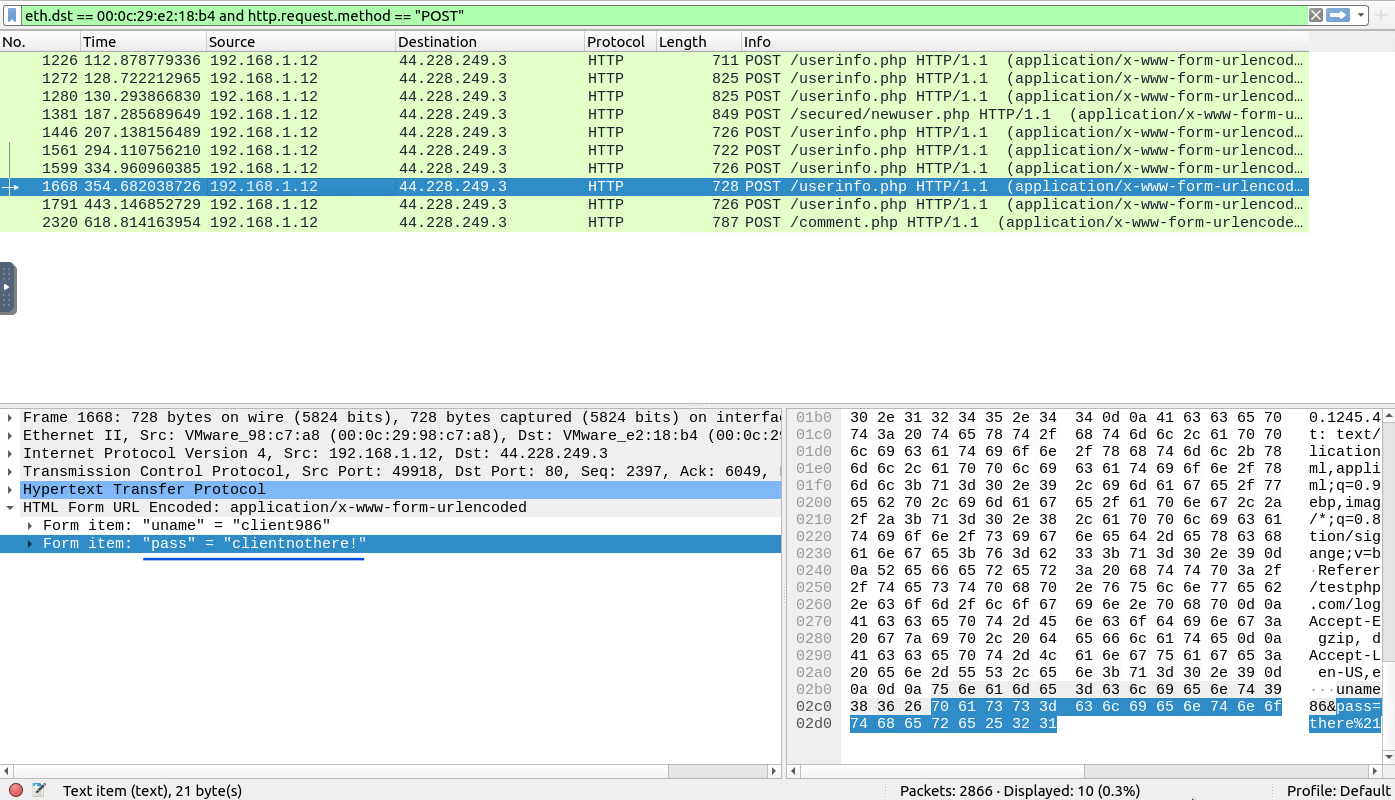
From the results of Question 3, I located the password for the “Client986” by searching through the filtered HTTP POST requests.
Answer:
clientnothere!
Process:
Similarly, I found the comment provided by “Client354” in the HTTP POST results from Question 3.
Answer:
Nice work!
This exercise provides an excellent demonstration of how an attacker can use ARP poisoning to intercept network traffic and sniff sensitive information like usernames, passwords, and comments. Through Wireshark filters and TCP stream analysis, we were able to identify crucial network activity, including HTTP packets and login data. Understanding these techniques is vital for anyone studying network security, as it highlights the potential risks and methods attackers might use to compromise sensitive data.
Network Traffic Analysis and Forensics to Identify C2 Channels, ARP Spoofing, and Data Exfiltration Techniques
A Complete Guide to Solving TryHackMe’s Wireshark Traffic Analysis Room - A Step-by-Step Walkthrough of All Tasks and Insights
Identifying cleartext credentials inside packet captures and generating actionable firewall rules