



TryHackMe SOC Level 2: What Changed, and What It Says About the Future of the SOC Analyst Role
Exploring the new skills, technologies and investigative mindset behind TryHackMe's updated L2 curriculum


Threat hunting is a crucial component of cybersecurity, helping professionals detect, investigate, and mitigate advanced persistent threats (APTs) within networks. In this write-up, we explore how Brim, a tool designed for network traffic analysis, can be leveraged to investigate various security incidents. By walking through several tasks in the TryHackMe Brim Room, we demonstrate how Brim’s powerful searching, filtering, and correlation capabilities can aid in identifying malicious activities, such as CobaltStrike malware infections and crypto mining operations.
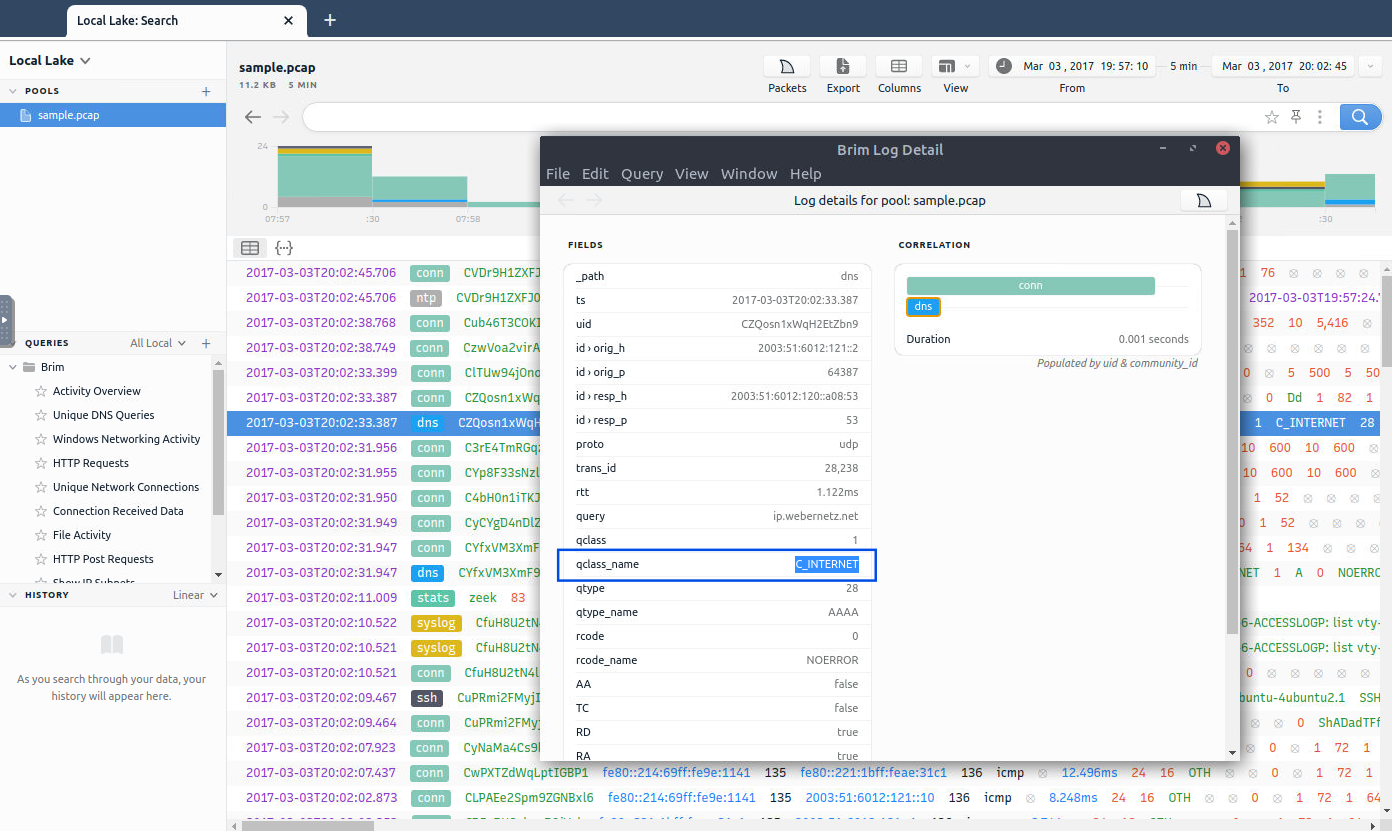
Answer: C_INTERNET
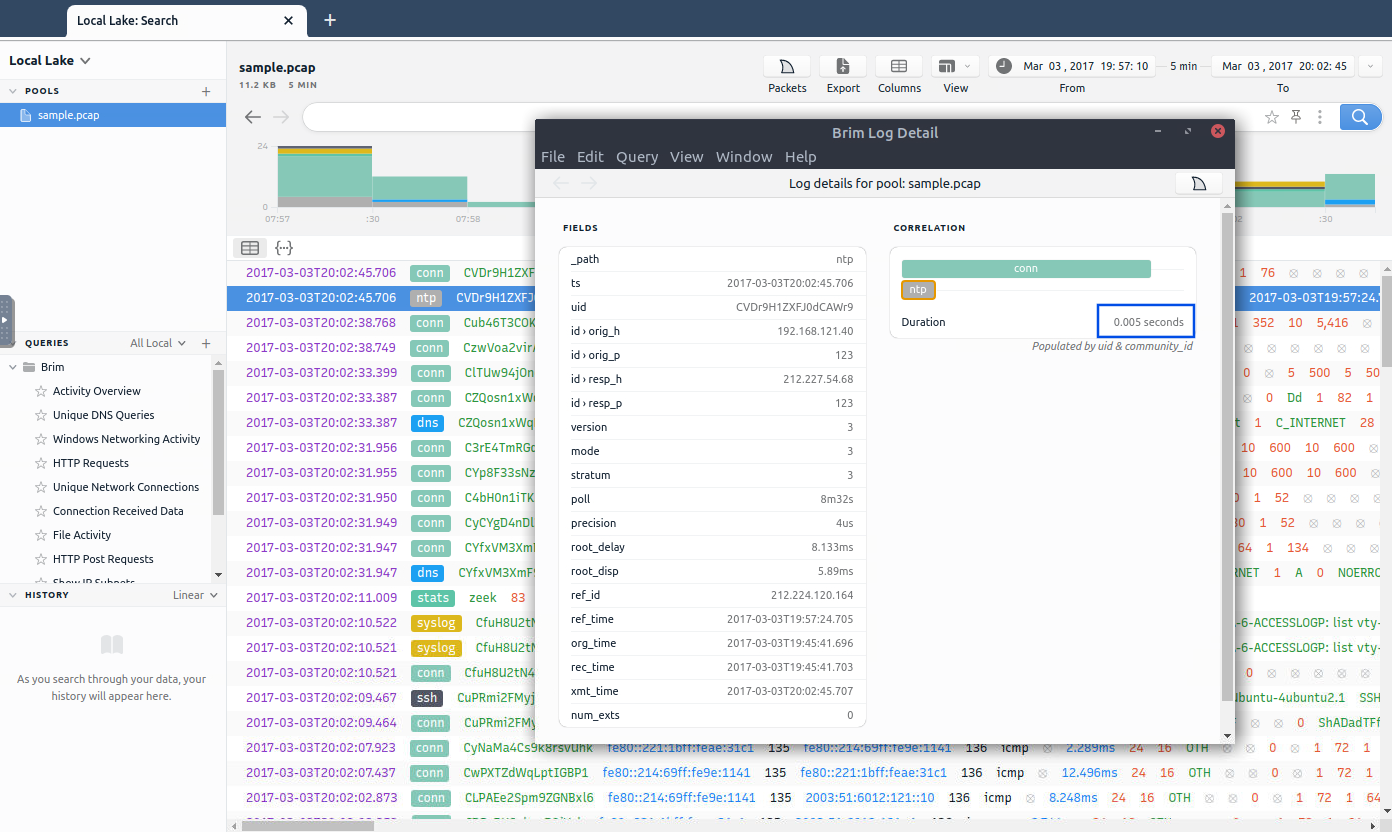
Answer: 0.005
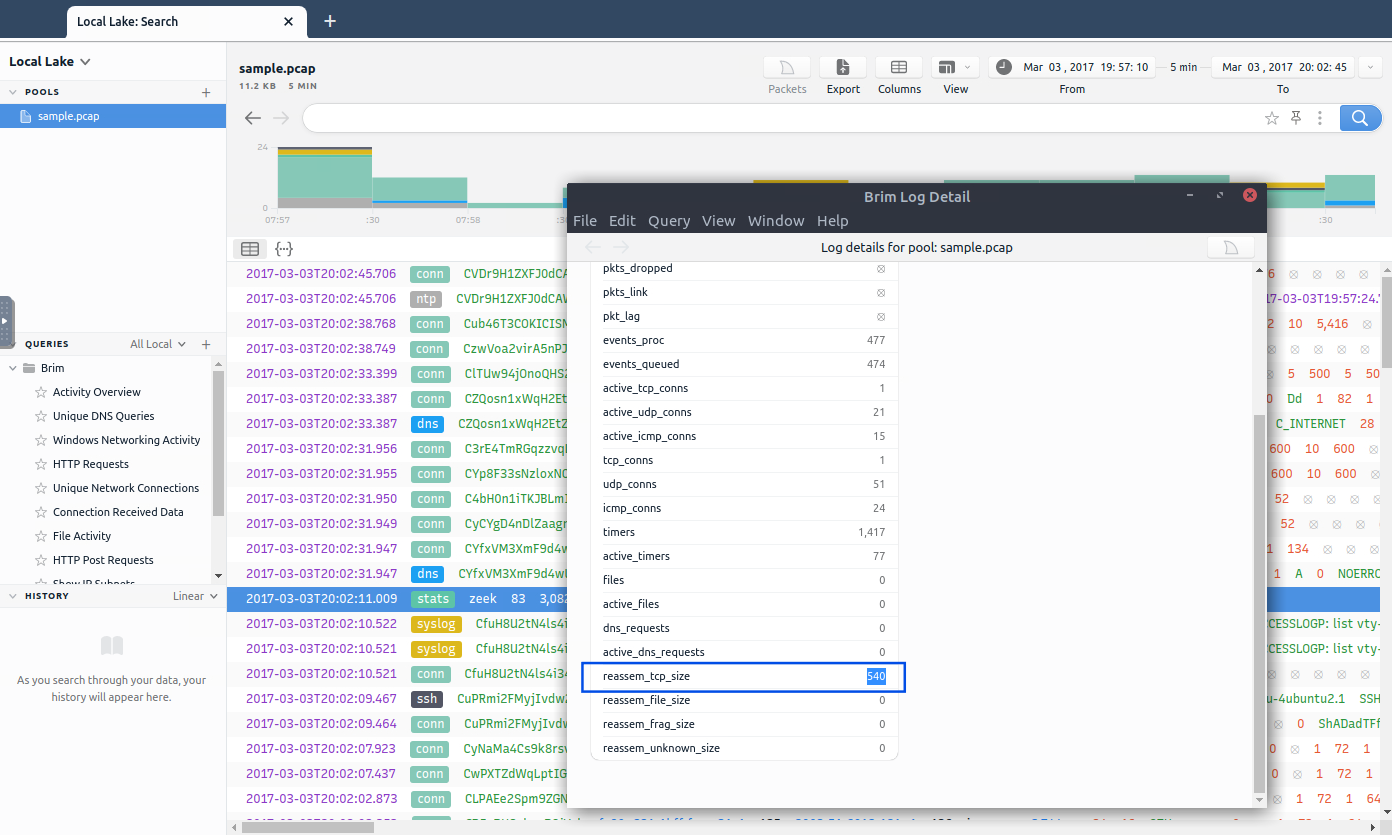
Answer: 540
I opened the file located in /home/ubuntu/Desktop/Exercise-Files/task4-sample-b.pcap, then I went to Queries > File Activity.
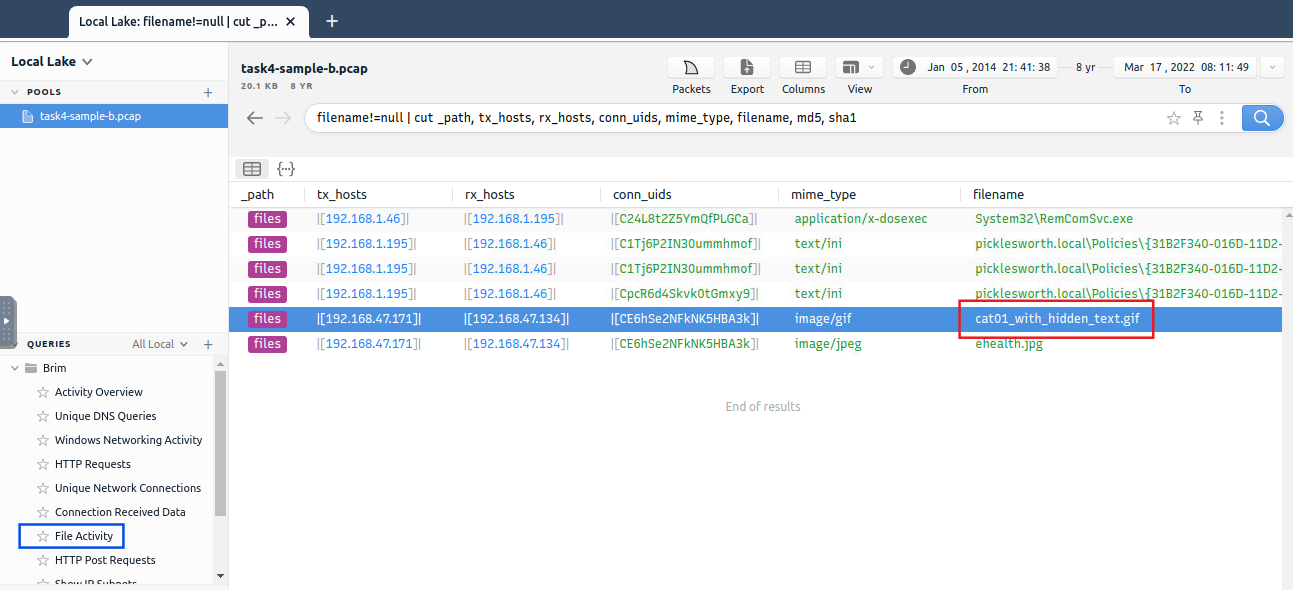
Answer: cat01_with_hidden_text.gif
conn logfile. What is the number of identified city names?In the general view, I investigated a conn connection to check the naming corresponding to the city data field. Then, I created a query searching for connections and showing only the city fields with contents:
_path=="conn" | cut geo.resp.city | !geo.resp.city==""
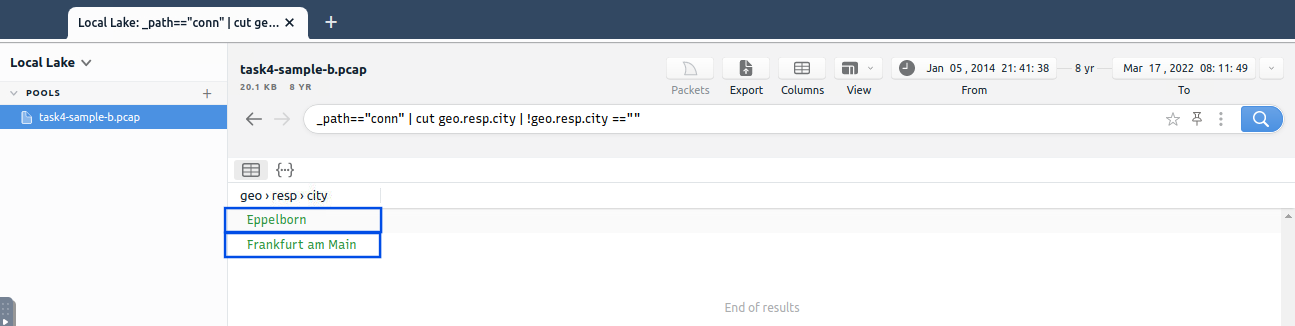
Answer: 2
In the general view, I investigated a Suricata alert (named “alert”) to check the naming corresponding to the signature ID and the category (to identify the requested one). Then, I created a query searching for alerts and showing only those fields:
event_type=="alert" | cut alert.category, alert.signature_id
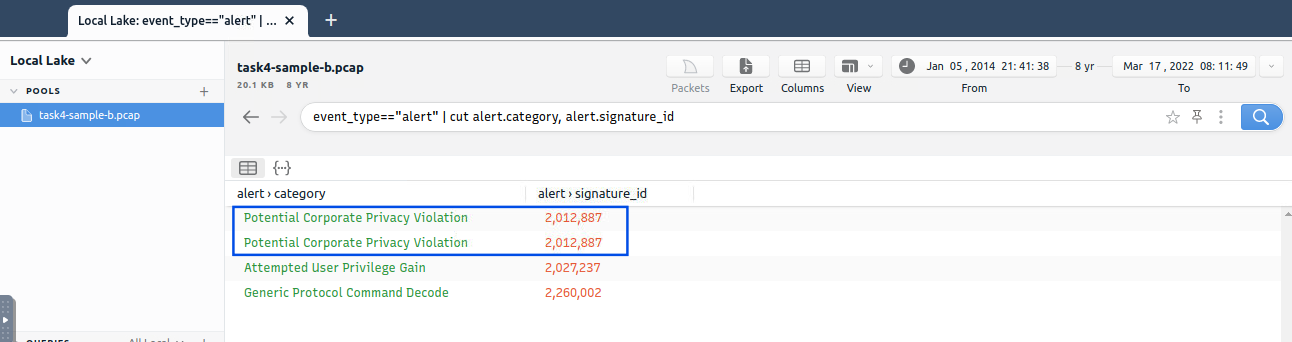
Answer: 2,012,887
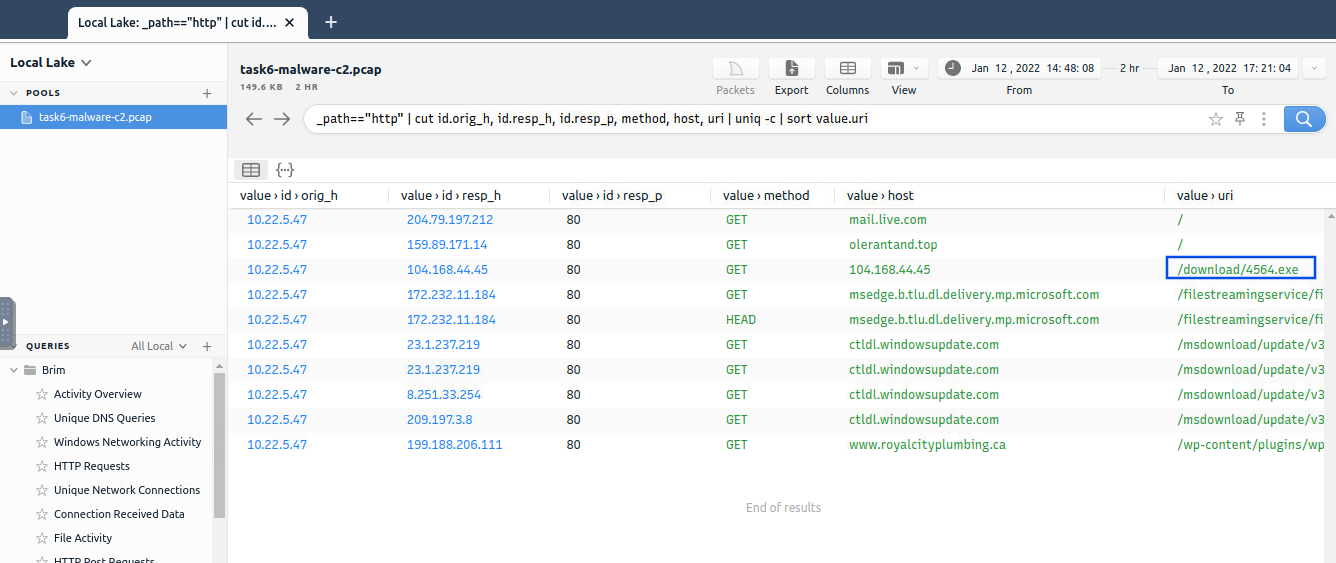
Answer: 4564.exe
Using a query that filters by responding port 443 and responding IP 104.168.44.45 (identified as CobaltStrike’s), counting unique coincidences and sorting by number, I got the amount of connections done by CobaltStrike using that port.
_path=="conn" | cut id.resp_p, id.resp_h | id.resp_p==443 id.resp_h==104.168.44.45 | sort | uniq -c | sort -r count
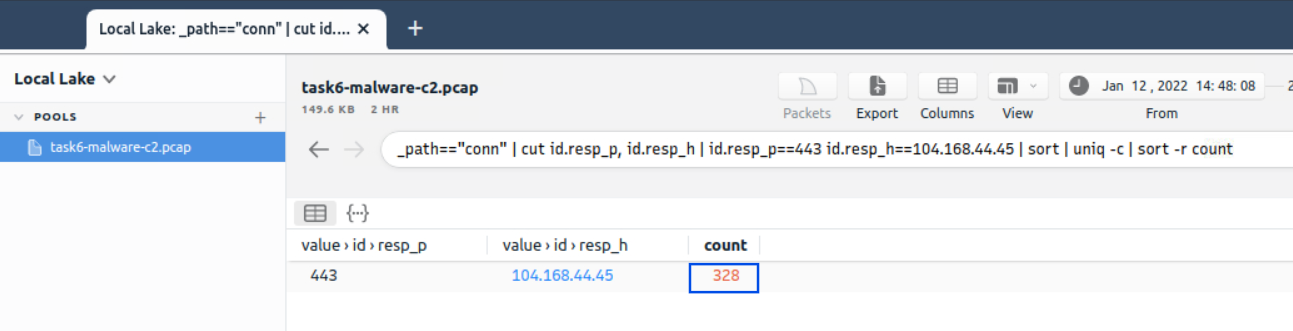
Answer: 328
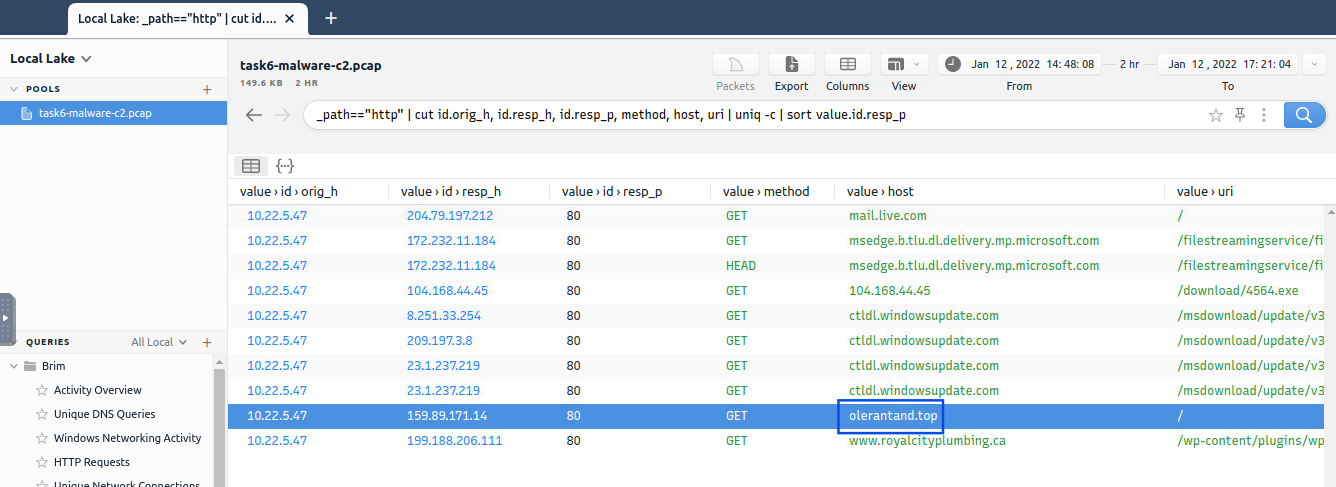
I went back to the query searching for HTTP activity using:
_path=="http" | cut id.orig_h, id.resp_h, id.resp_p, method, host, uri | uniq -c | sort value.id.resp_p
I found another suspicious domain called olerantand.top. After checking it against VirusTotal, it seemed to be malicious, and in the Relations tab, it displayed two of the IPs included in the results query. In addition, one of the referring files indicated the name of the secondary C2 channel: IcedID. This name was also found in a comment in the community tab.
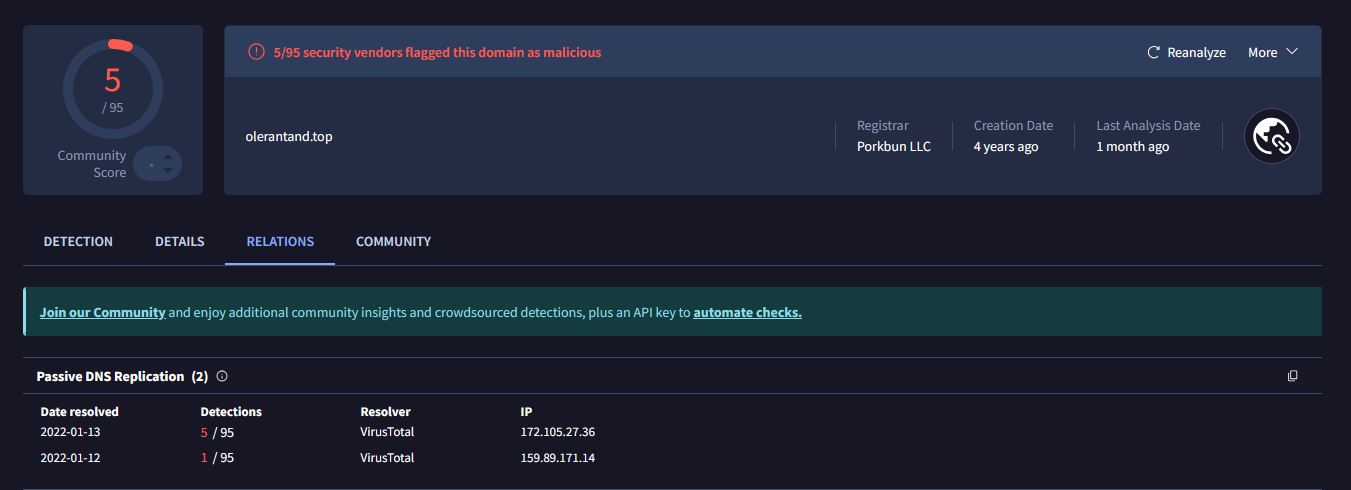

Answer: IcedID
_path=="conn" | cut id.resp_p, service | id.resp_p==19999 | sort | uniq -c | sort -r count
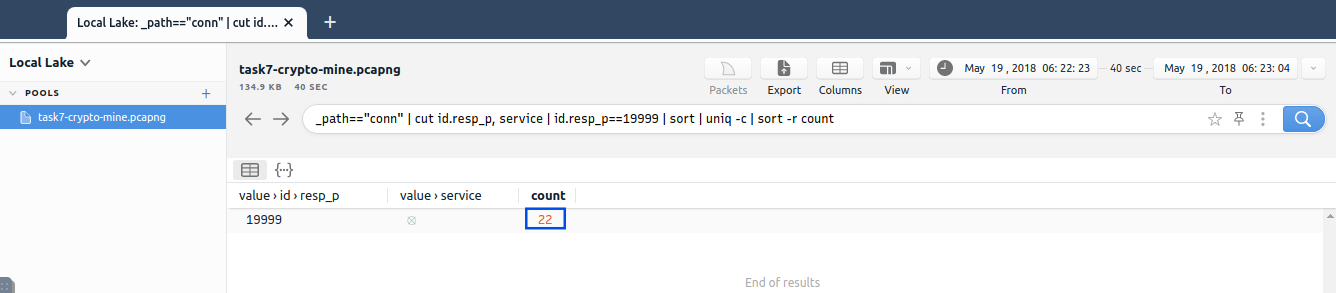
Answer: 22
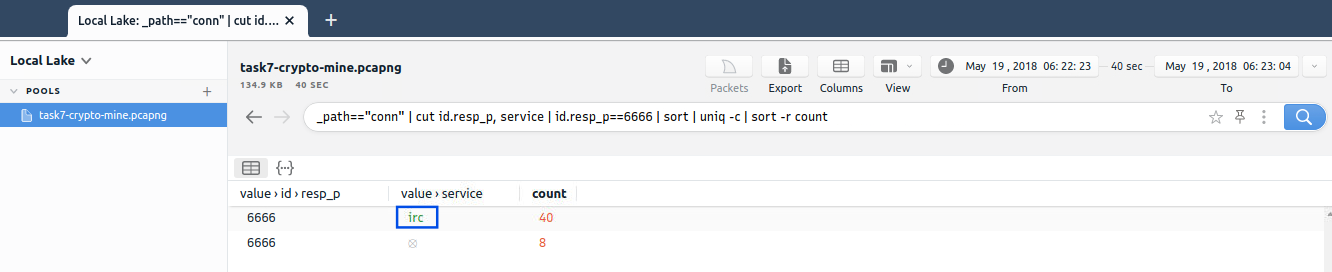
Answer: irc
_path=="conn" | put total_bytes := orig_bytes + resp_bytes | id.resp_p==8888 AND id.resp_h==101.201.172.235 | sort -r total_bytes | cut uid, id, total_bytes
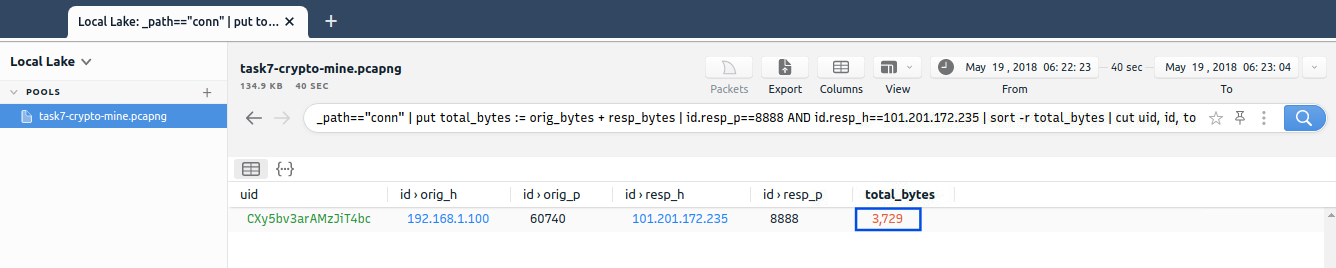
Answer: 3,729
event_type=="alert" | cut alert.category, alert.metadata.mitre_technique_name, alert.metadata.mitre_tactic_id, alert.metadata.mitre_tactic_name | sort | uniq -c | sort value.alert.metadata.mitre_technique_name
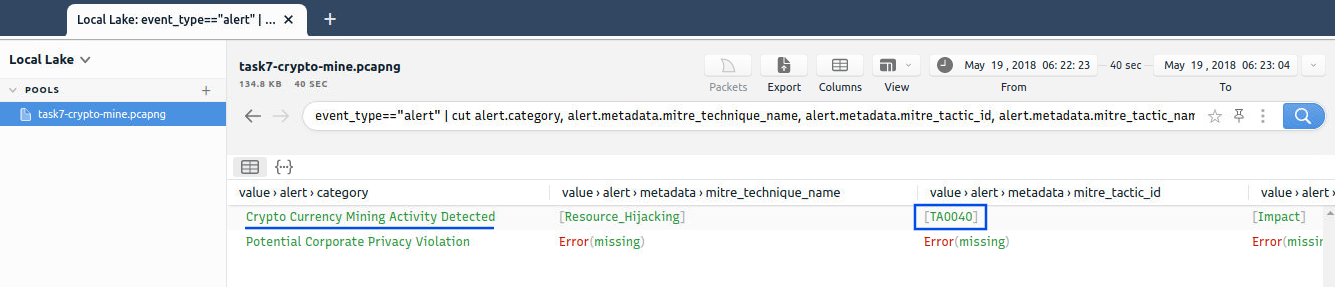
Answer: TA0040
In this article, we’ve seen how Brim can streamline the process of threat hunting through efficient data analysis and query-based investigations. From identifying DNS queries and Suricata alerts to detecting malware communication channels and cryptojacking activities, Brim provides security analysts with the tools needed to respond quickly to potential threats.
Exploring the new skills, technologies and investigative mindset behind TryHackMe's updated L2 curriculum
A Complete Write-Up Demonstrating Real SOC Investigation Methodology
Simulating Real-World SOC Triage, Threat Hunting, and Incident Reporting Through a Conti Ransomware Investigation