



Exposing a Network-Based Attack: TryHackMe First Shift CTF — Task 7: The Crown Jewel
Network Traffic Analysis and Forensics to Identify C2 Channels, ARP Spoofing, and Data Exfiltration Techniques


For this task, I was given a .pcap file and tasked with investigating the details of a suspected Nmap scan. I used Wireshark as my primary tool to examine the traffic and answer a series of questions regarding the scan.
Process:
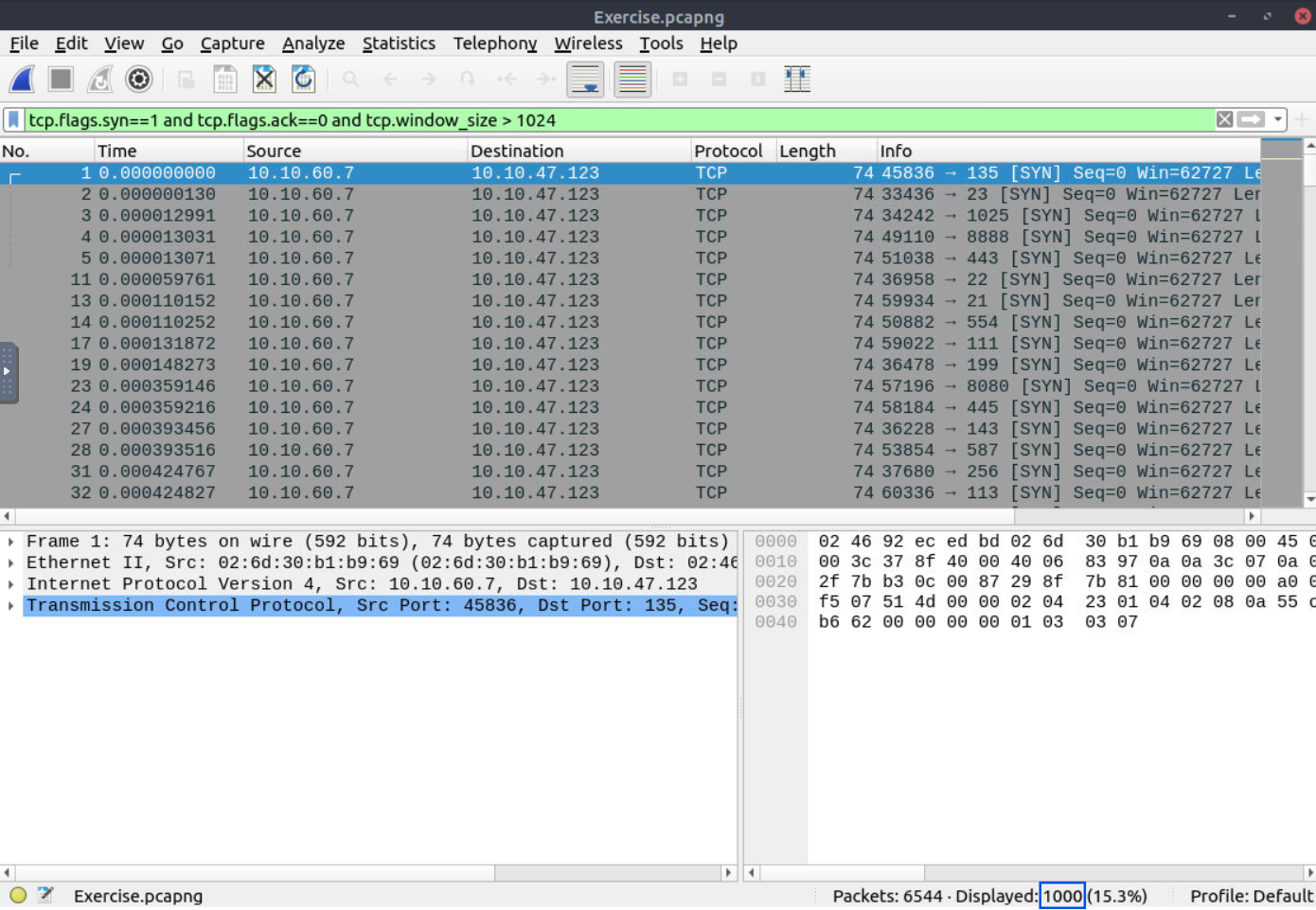
To identify TCP Connect scans, I filtered the traffic using the following Wireshark filter:
tcp.flags.syn==1 and tcp.flags.ack==0 and tcp.window_size > 1024
This filter isolates TCP packets with the SYN flag set (indicating the start of a connection) and a window size greater than 1024, which is common for TCP Connect scans.
Answer:
1000
Process:
To analyze the scan targeting TCP port 80, I filtered the traffic with:
tcp.port==80
This allowed me to isolate all TCP packets to and from port 80. I then observed a complete handshake:
[SYN] — [SYN/ACK] — [ACK] — [RST] with a window size greater than 1024, which is characteristic of a TCP Connect scan.

Answer:
TCP Connect
A Note:
At this point, you might wonder if there’s another scan type involved here. I also noticed an incomplete handshake [SYN] — [SYN/ACK] — [RST] with a window size of 1024, just underneath the previous one, which matches the signature of a SYN scan. Could this be a case of both scan types being present? The answer is still TCP Connect, as the window size and handshake characteristics strongly suggest it. But this raises an interesting point for further discussion. Let me know your opinions.
Process:
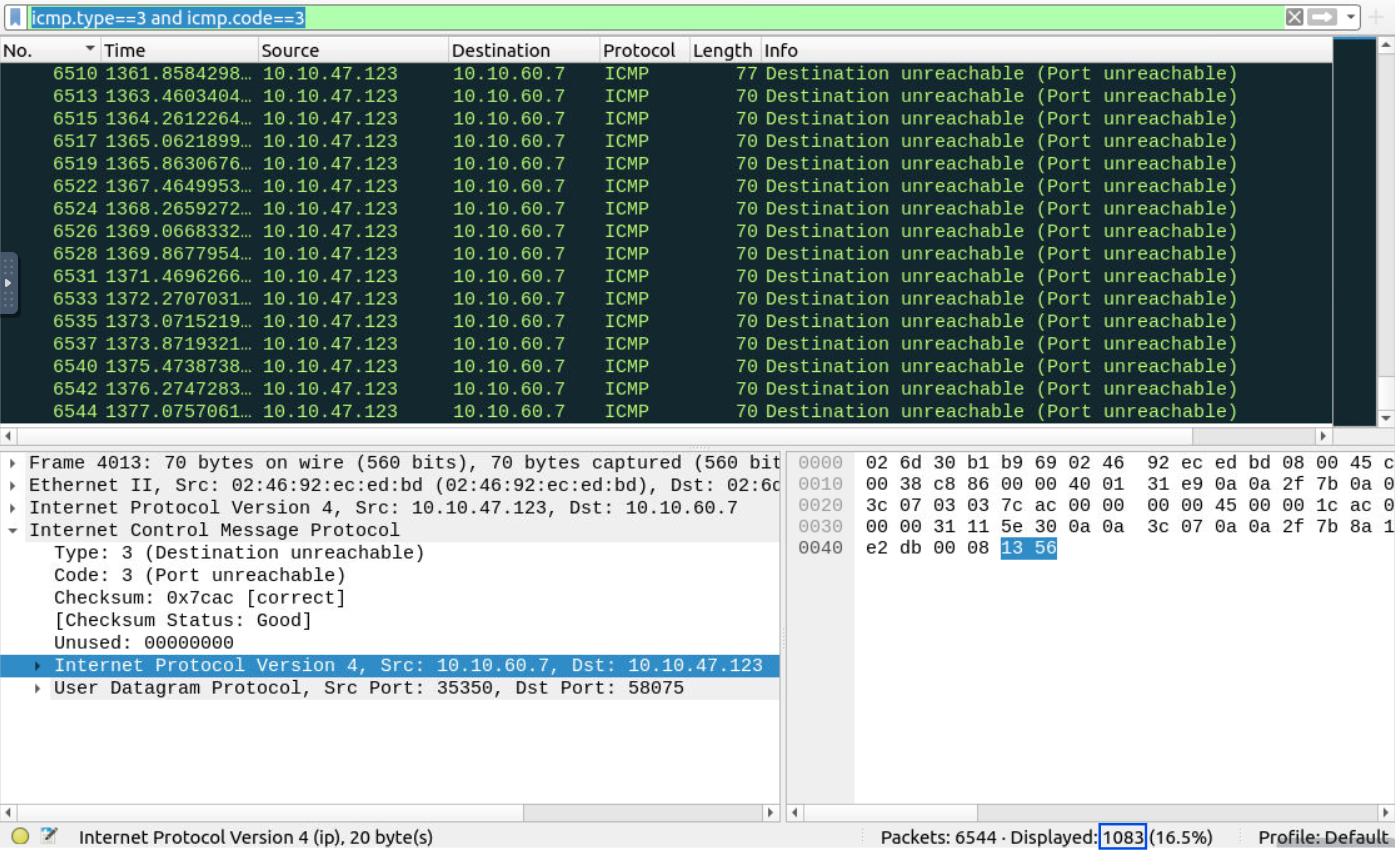
To find “UDP close port” messages, I filtered for ICMP Type 3, Code 3, which corresponds to “Destination Unreachable” messages due to “Port Unreachable.” This filter captured all instances where a UDP scan was followed by a “Port Unreachable” message, a common result of closed UDP ports.
Answer:
1083
Process:
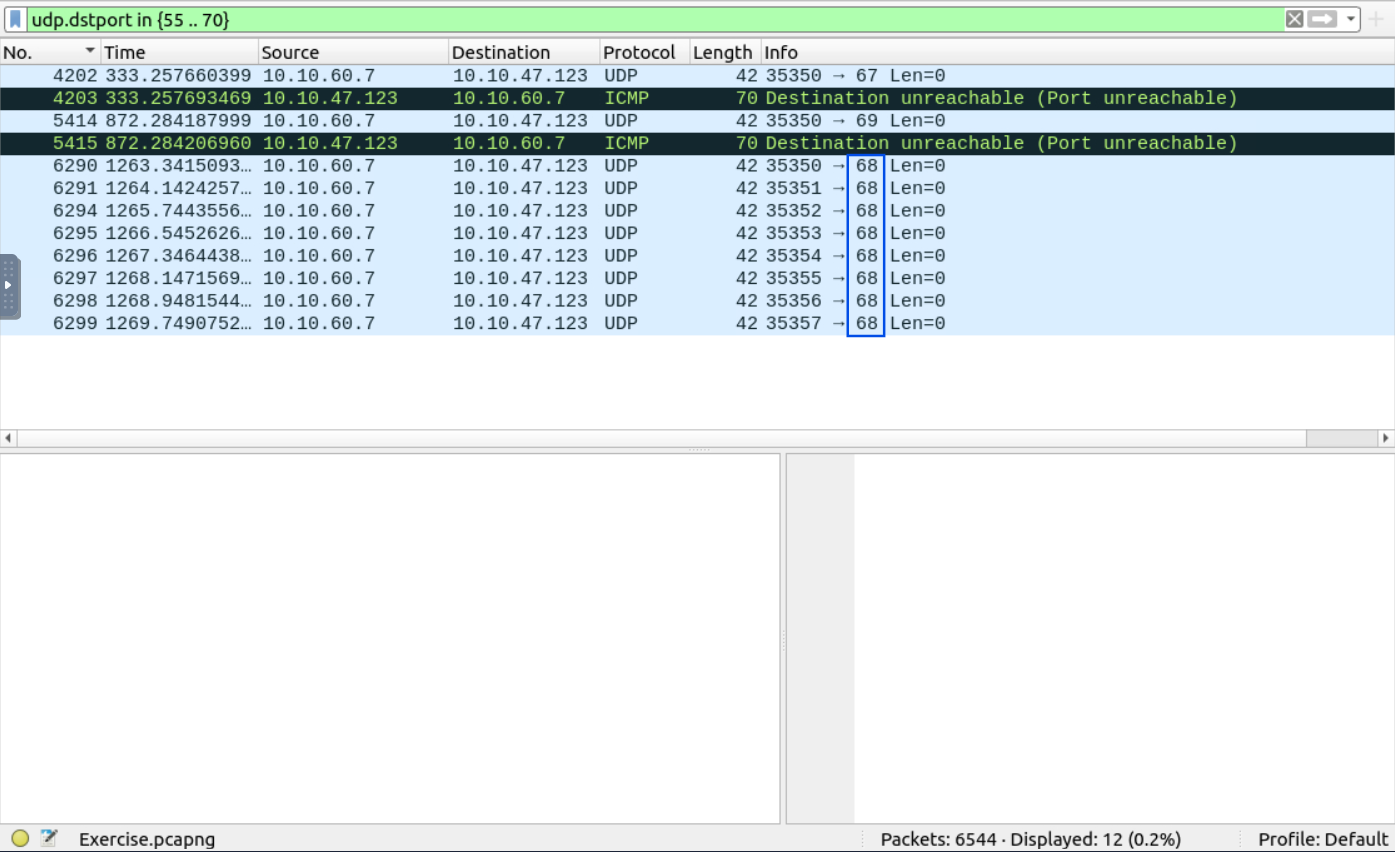
I filtered the traffic to focus on UDP packets within the 55–70 port range:
udp.dstport in {55 .. 70}
Among the filtered results, I observed that two out of the three ports returned “Destination Unreachable” messages. This left port 68 as the only open port.
Answer:
68
In this exercise, I used Wireshark to investigate traffic from a suspected Nmap scan. By applying a series of filters, I was able to identify TCP Connect and SYN scans, as well as analyze UDP traffic to determine closed ports and an open UDP port within a specific range. This exercise is a great example of how Wireshark can be used to effectively analyze network traffic and detect potential network scans.
Network Traffic Analysis and Forensics to Identify C2 Channels, ARP Spoofing, and Data Exfiltration Techniques
A Complete Guide to Solving TryHackMe’s Wireshark Traffic Analysis Room - A Step-by-Step Walkthrough of All Tasks and Insights
Identifying cleartext credentials inside packet captures and generating actionable firewall rules