

TryHackMe SOC Level 2: What Changed, and What It Says About the Future of the SOC Analyst Role
Exploring the new skills, technologies and investigative mindset behind TryHackMe's updated L2 curriculum


In this TryHackMe write-up, we analyze encrypted HTTPS traffic and walk through the process of decrypting TLS communications using Wireshark. The challenge focuses on identifying key handshake packets, decrypting HTTP/2 traffic with a key log file, and extracting hidden data from captured network traffic.
What is the frame number of the “Client Hello” message sent to “accounts.google.com”?
Process:
(http.request or tls.handshake.type == 1) and !(ssdp)
Then I went to Edit → Find Packet and searched for accounts.google.
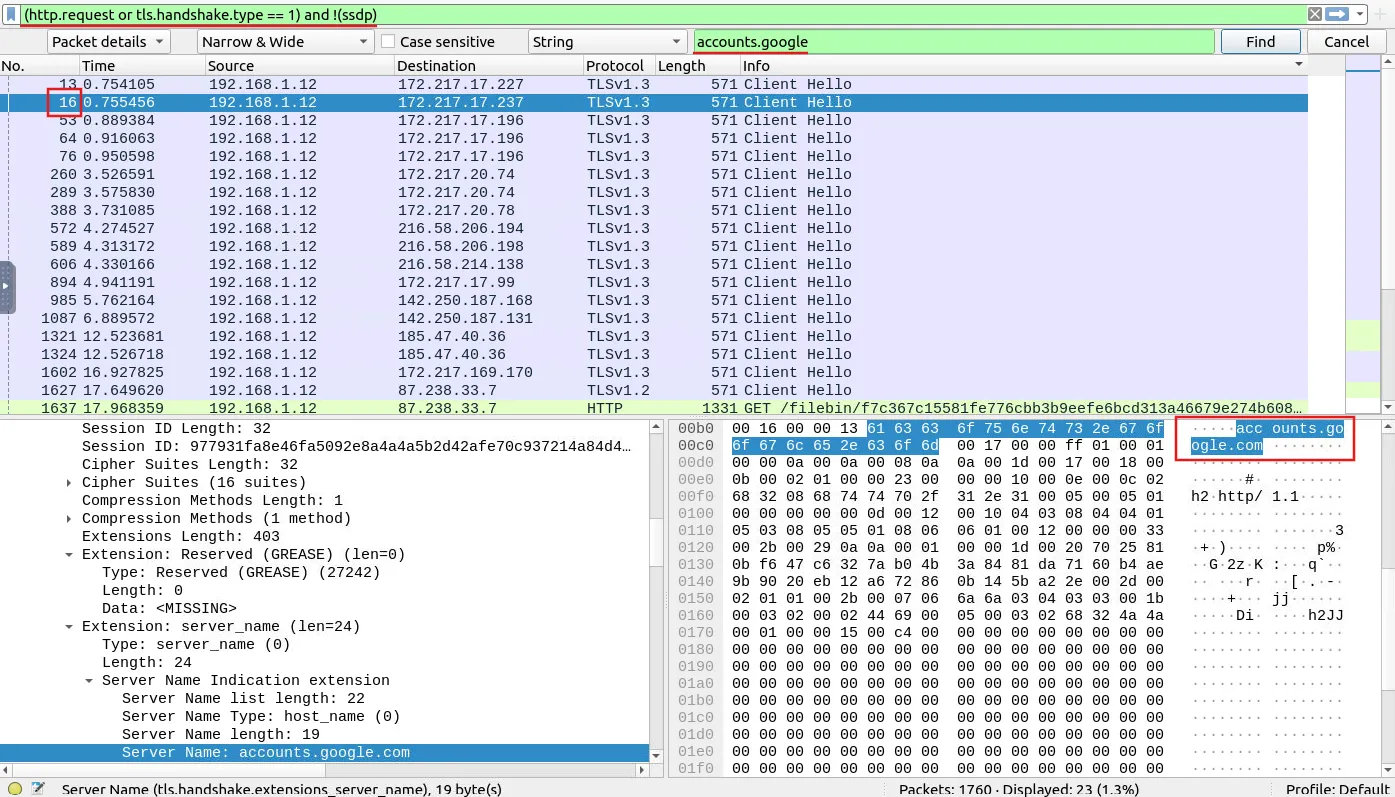
Answer: 16
Decrypt the traffic with the “KeysLogFile.txt” file. What is the number of HTTP2 packets?
Process:
I applied the KeysLogFile and filtered the traffic using http2.
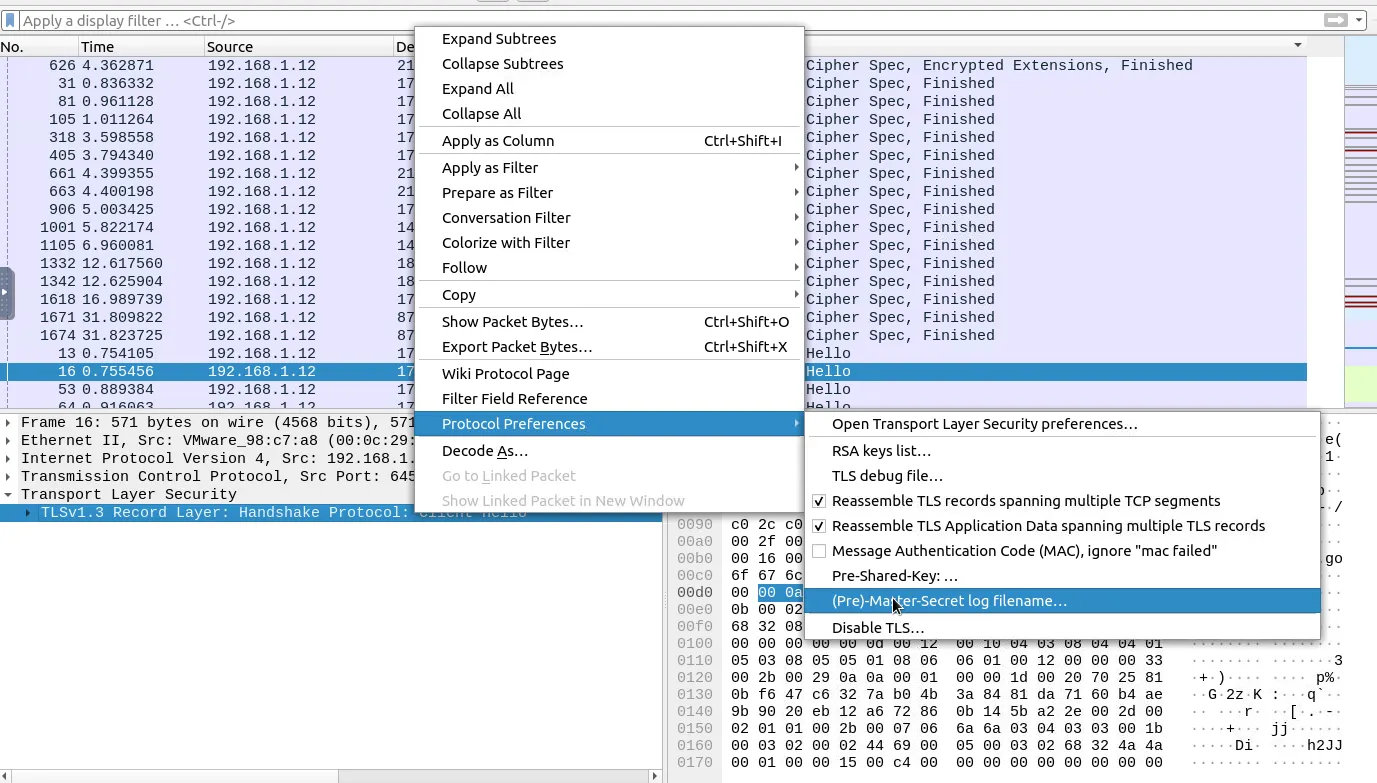
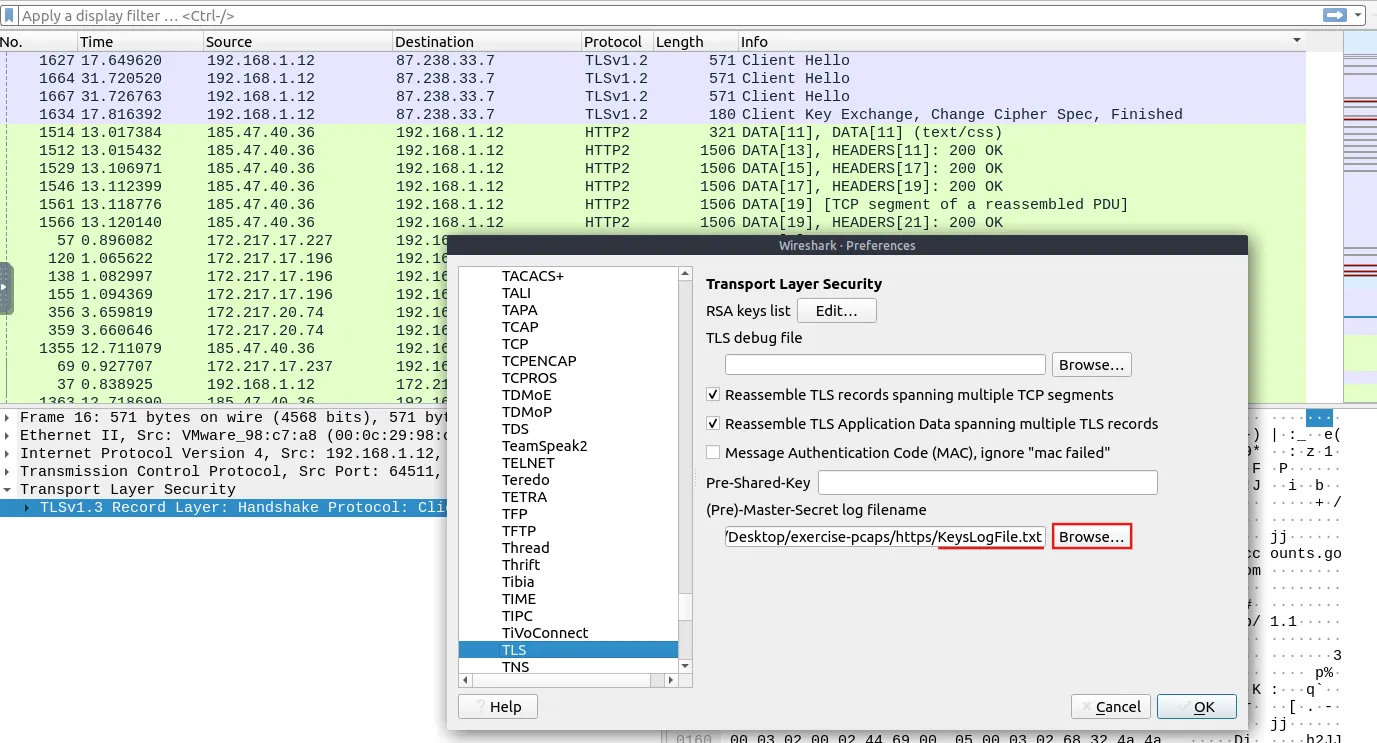
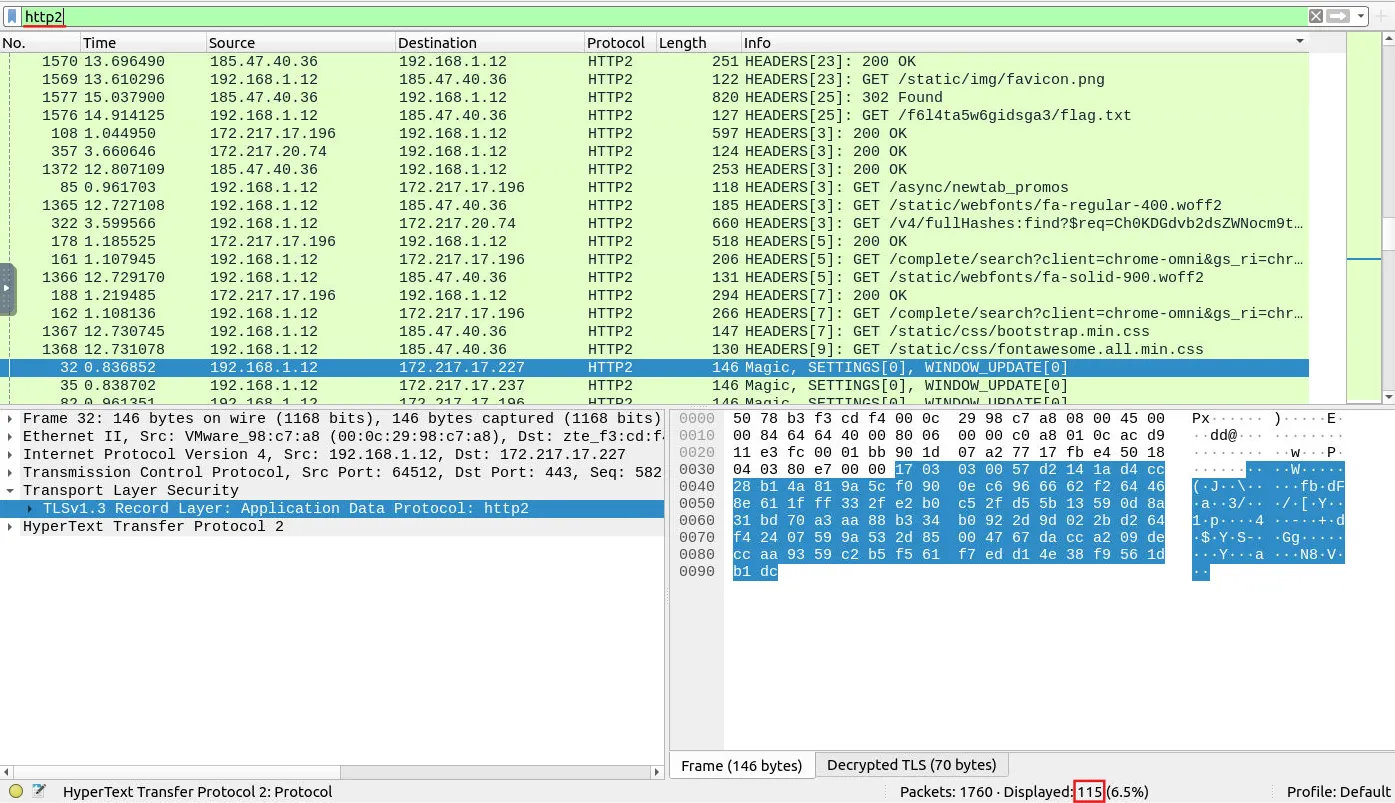
Answer: 115
Go to Frame 322. What is the authority header of the HTTP2 packet? (Enter the address in defanged format.)
Process:
I navigated to the specified packet number and looked for the authority header under HyperText Transfer Protocol 2.


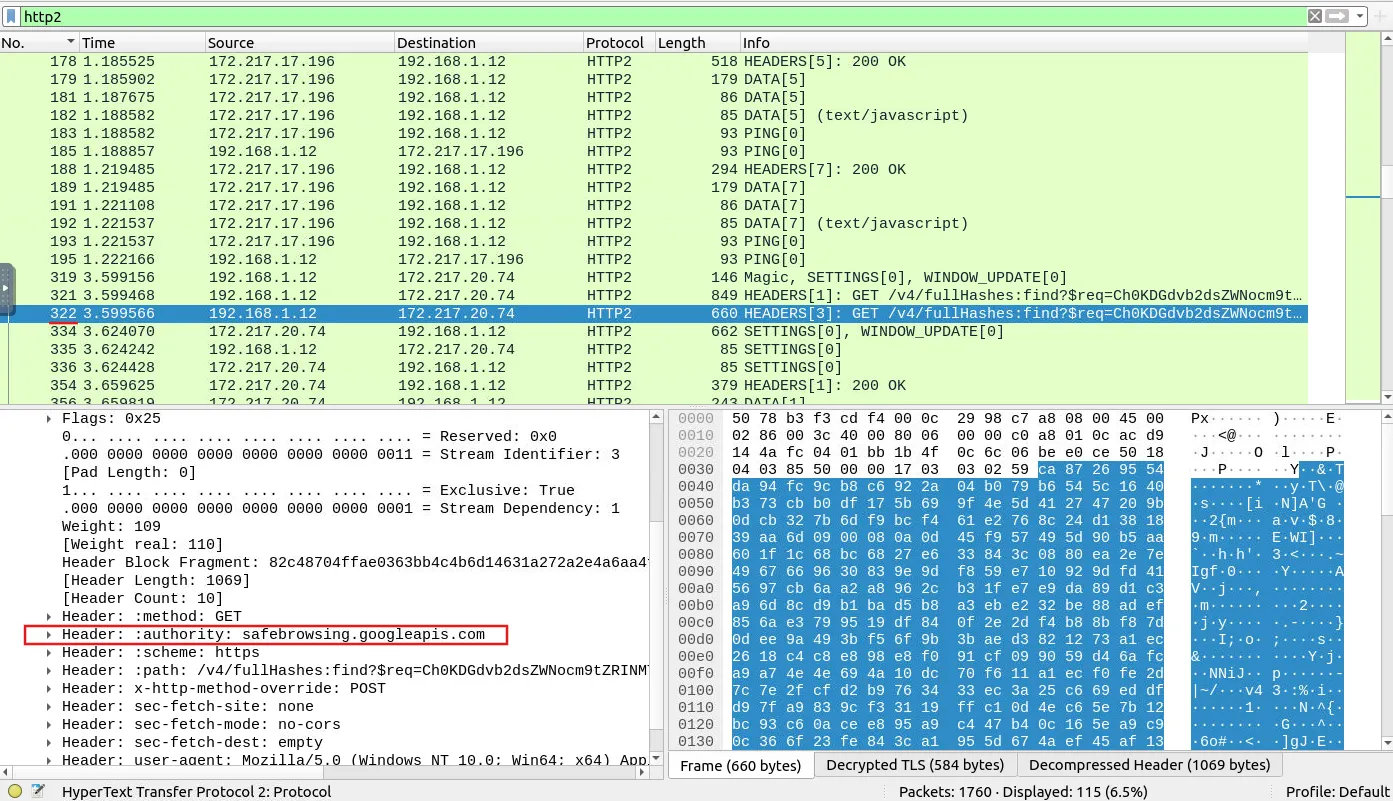
Answer: safebrowsing[.]googleapis[.]com
Investigate the decrypted packets and find the flag! What is the flag?
Process:
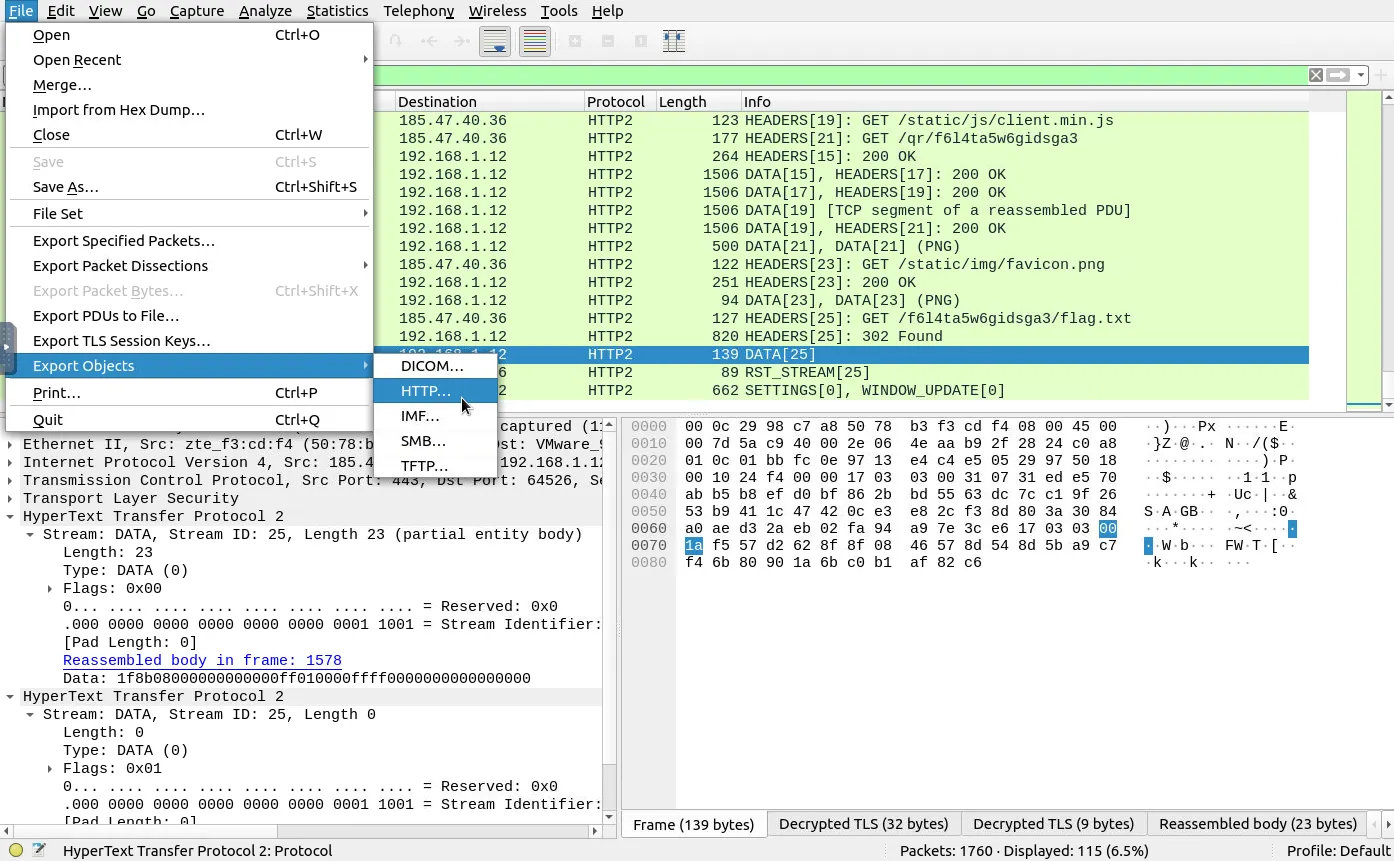
The provided tip to find the flag among all packets was: “You can export objects after decrypting the traffic.”
Based on this hint, I followed the standard process to export files involved in a transfer from the .pcap file.
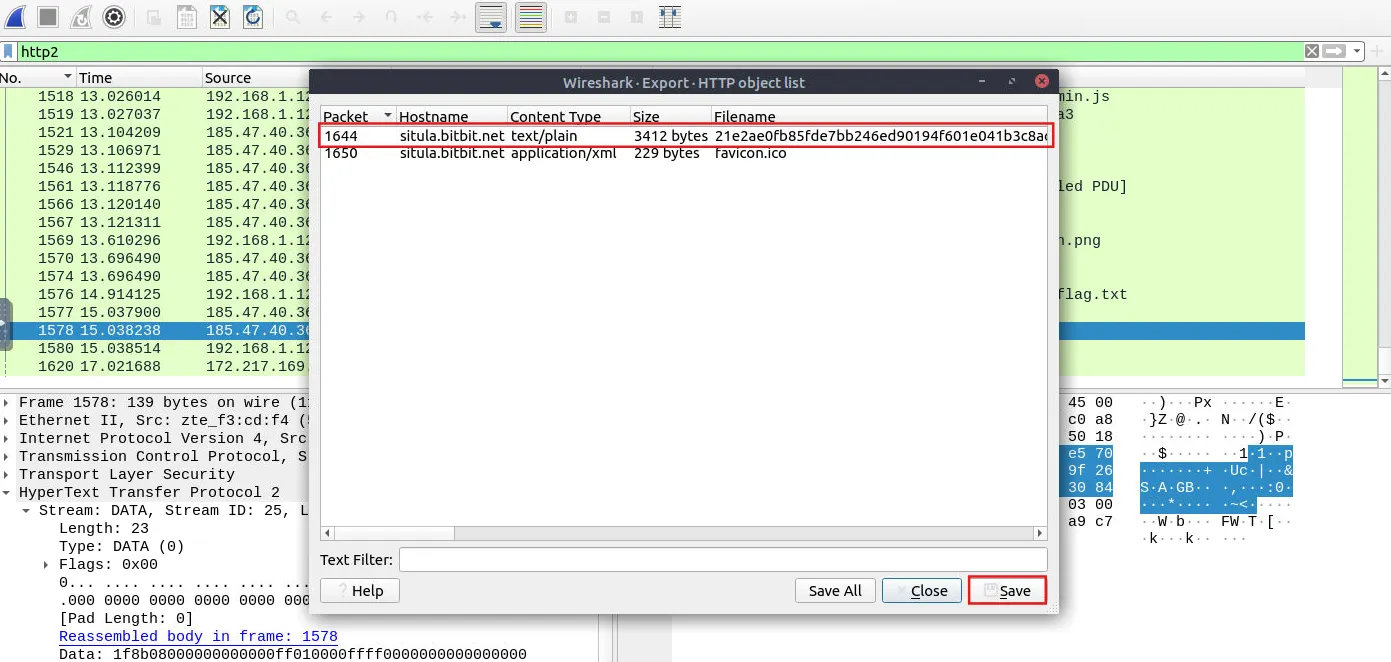
I navigated to File → Export Objects → HTTP…, selected the file containing text, and saved it.
After opening the exported file, I found the answer written inside.
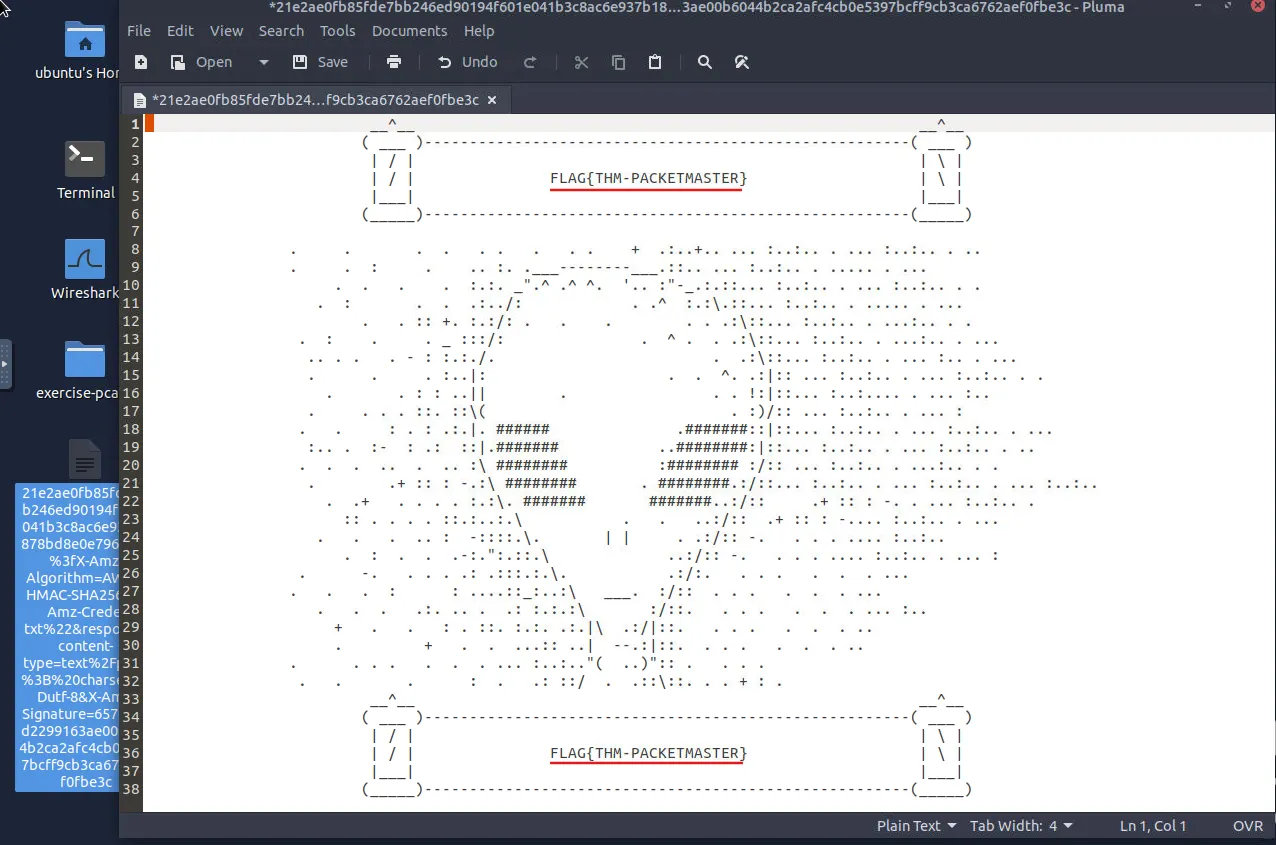
Answer: THM-PACKETMASTER
This room provides a solid introduction to HTTPS traffic analysis and TLS decryption using Wireshark. By applying key log files, filtering protocols, and exporting decrypted objects, we can effectively inspect encrypted communications and uncover hidden information within network captures.
Exploring the new skills, technologies and investigative mindset behind TryHackMe's updated L2 curriculum
Hands-on Splunk investigation covering ransomware deployment, persistence mechanisms, lateral movement, and AWS data exfiltration
Network Traffic Analysis and Forensics to Identify C2 Channels, ARP Spoofing, and Data Exfiltration Techniques