


Exposing a Network-Based Attack: TryHackMe First Shift CTF — Task 7: The Crown Jewel
Network Traffic Analysis and Forensics to Identify C2 Channels, ARP Spoofing, and Data Exfiltration Techniques


Exploring Network Traffic Analysis with Packet Captures
In the world of network security, analyzing packet captures is an essential skill for identifying issues, troubleshooting, and detecting malicious activity.
This article presents several practical examples of how to use Wireshark traffic analysis to answer specific questions about network activity, focusing on identifying hosts based on various protocols. These insights can aid in diagnosing issues, detecting unauthorized devices, and ensuring proper network configuration.
Process:
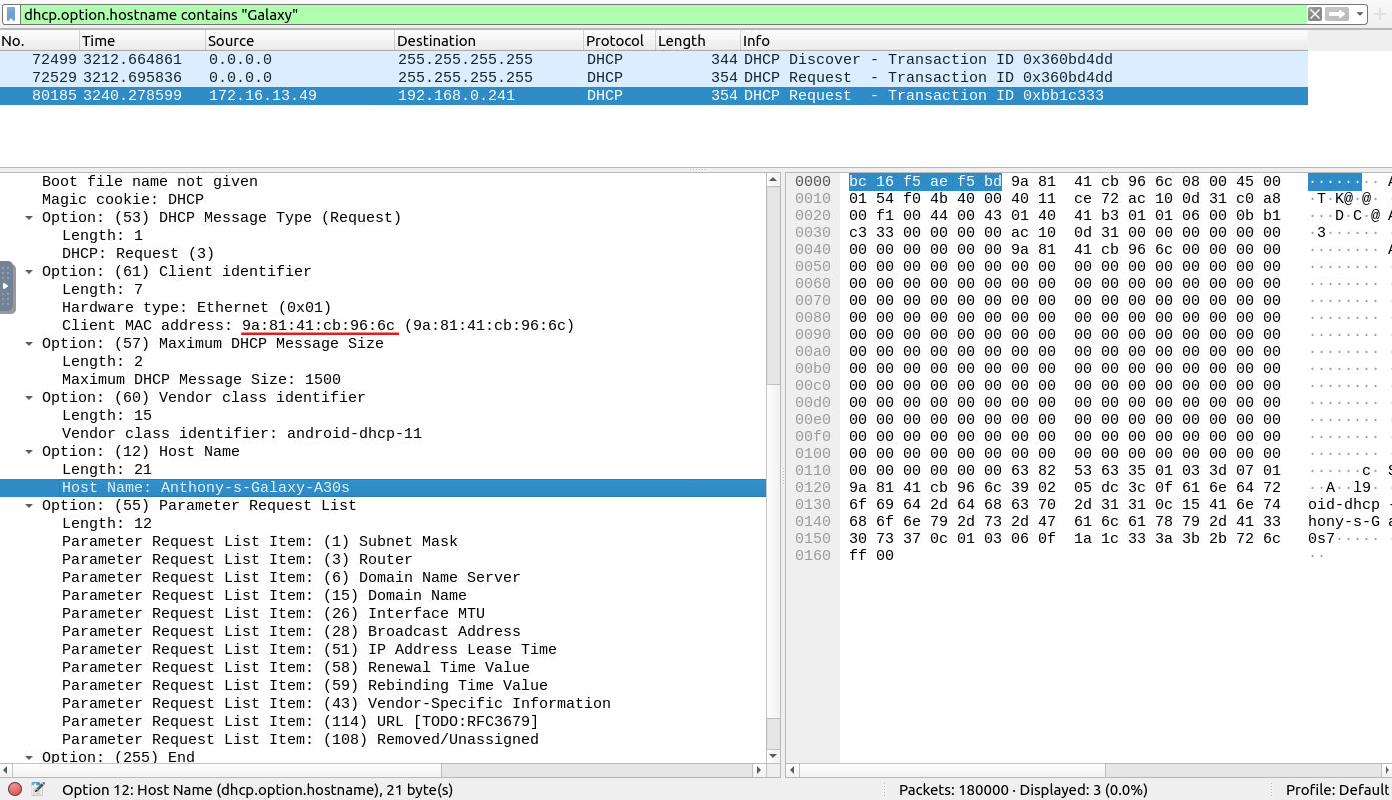
dhcp.option.hostname contains "Galaxy"
Answer:
9a:81:41:cb:96:6c
Process:
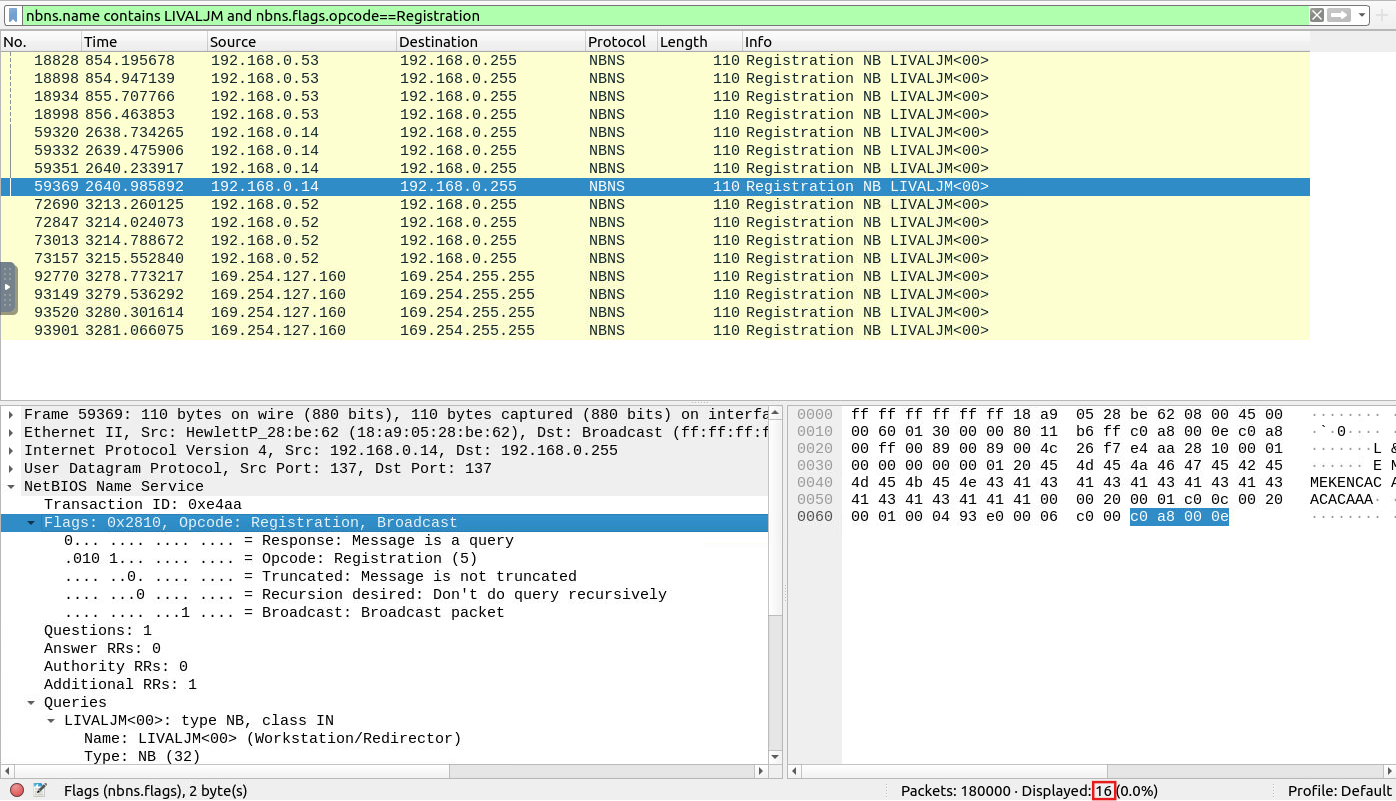
nbns.name contains LIVALJM and nbns.flags.opcode==Registration
Answer:
16
Process:
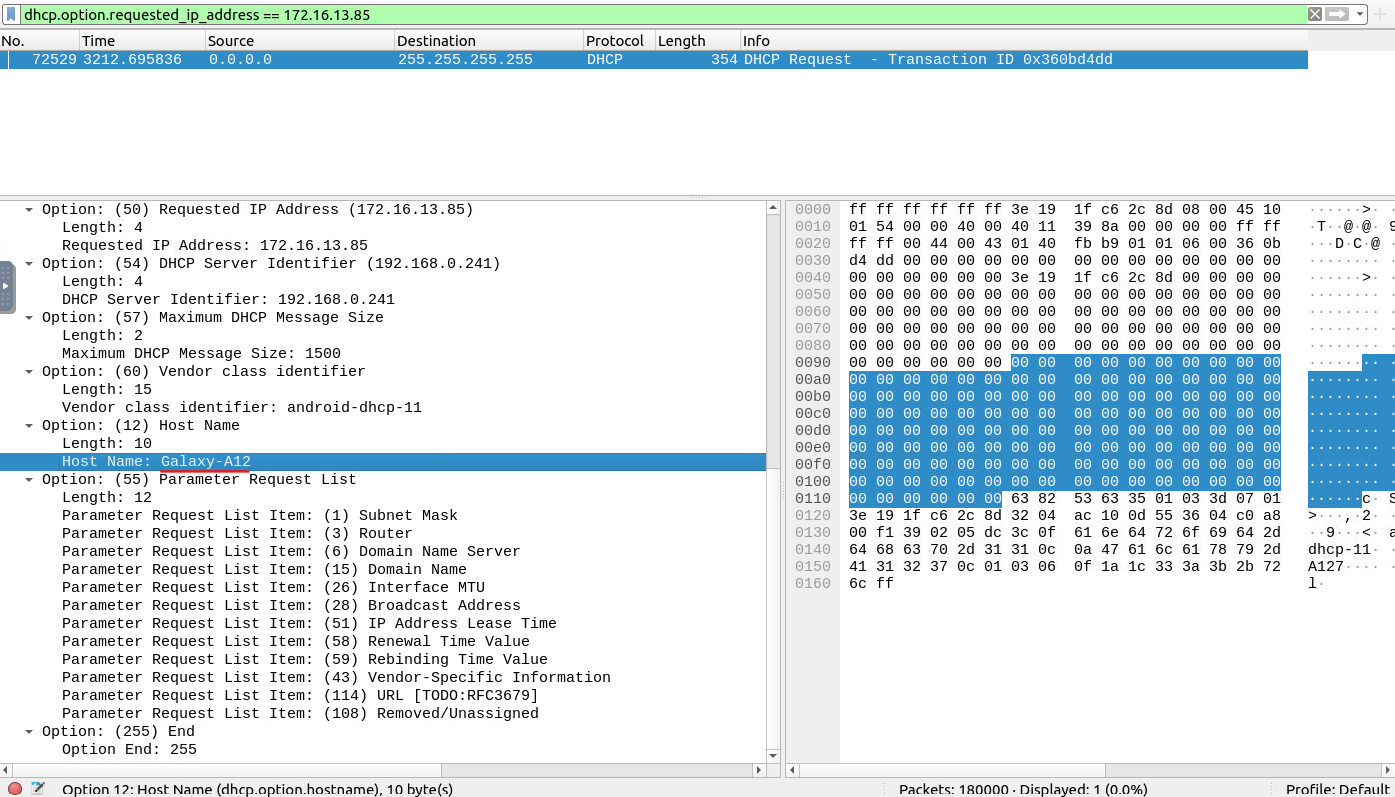
dhcp.option.requested_ip_address == 172.16.13.85
Answer:
Galaxy-A12
Process:
kerberos.SNameString == u5
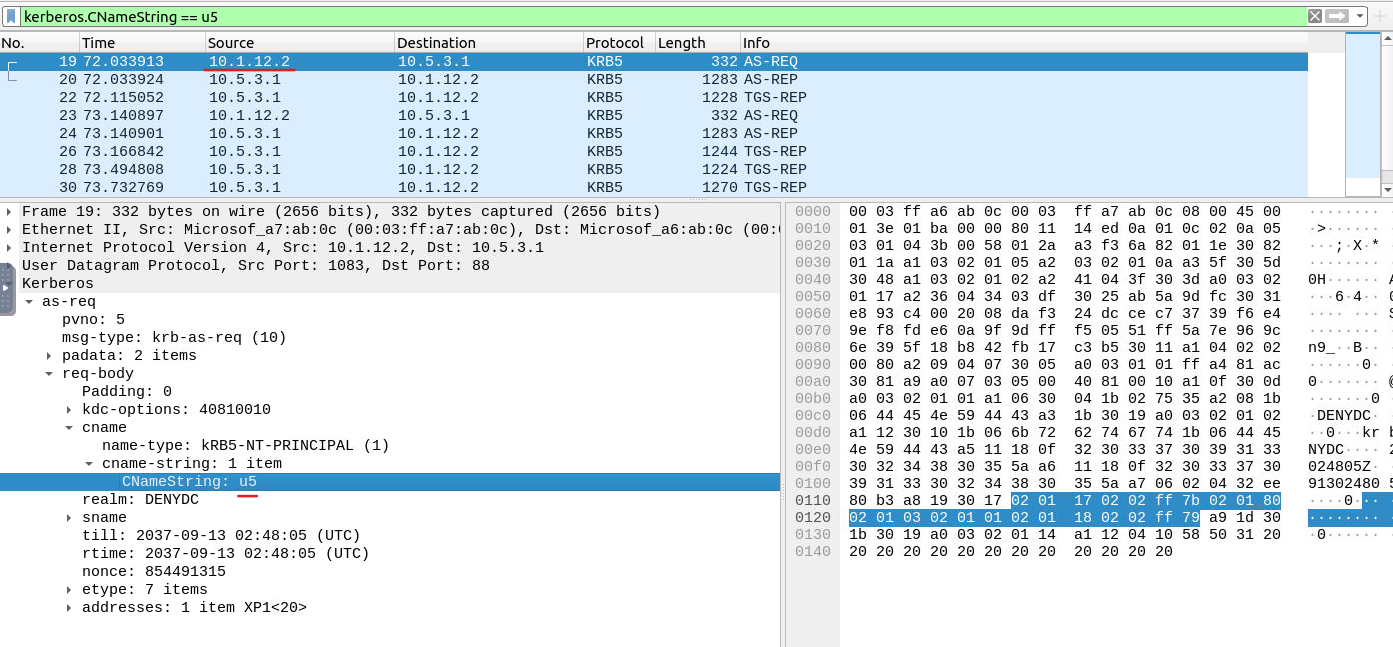
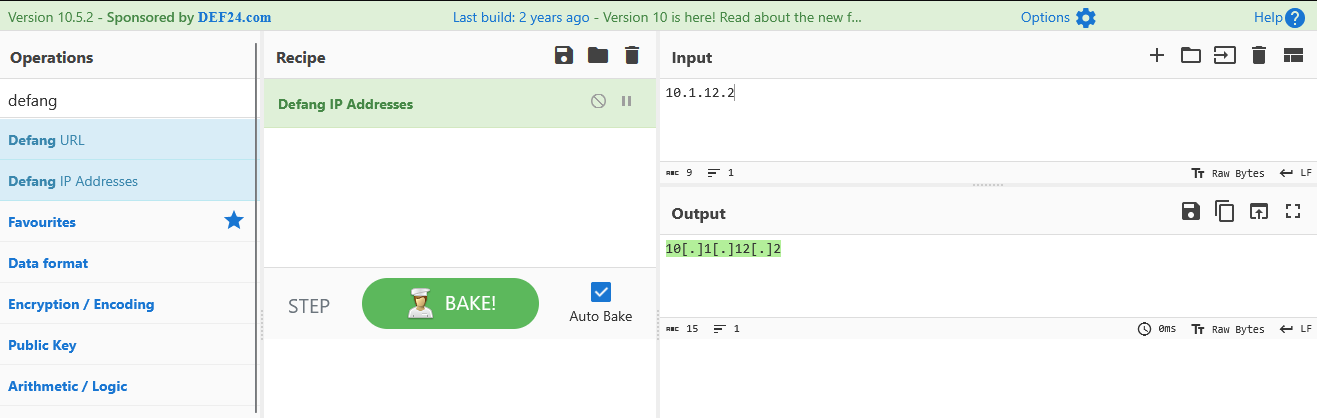
Answer:
10[.]1[.]12[.]2
Process:
kerberos.CNameString contains $
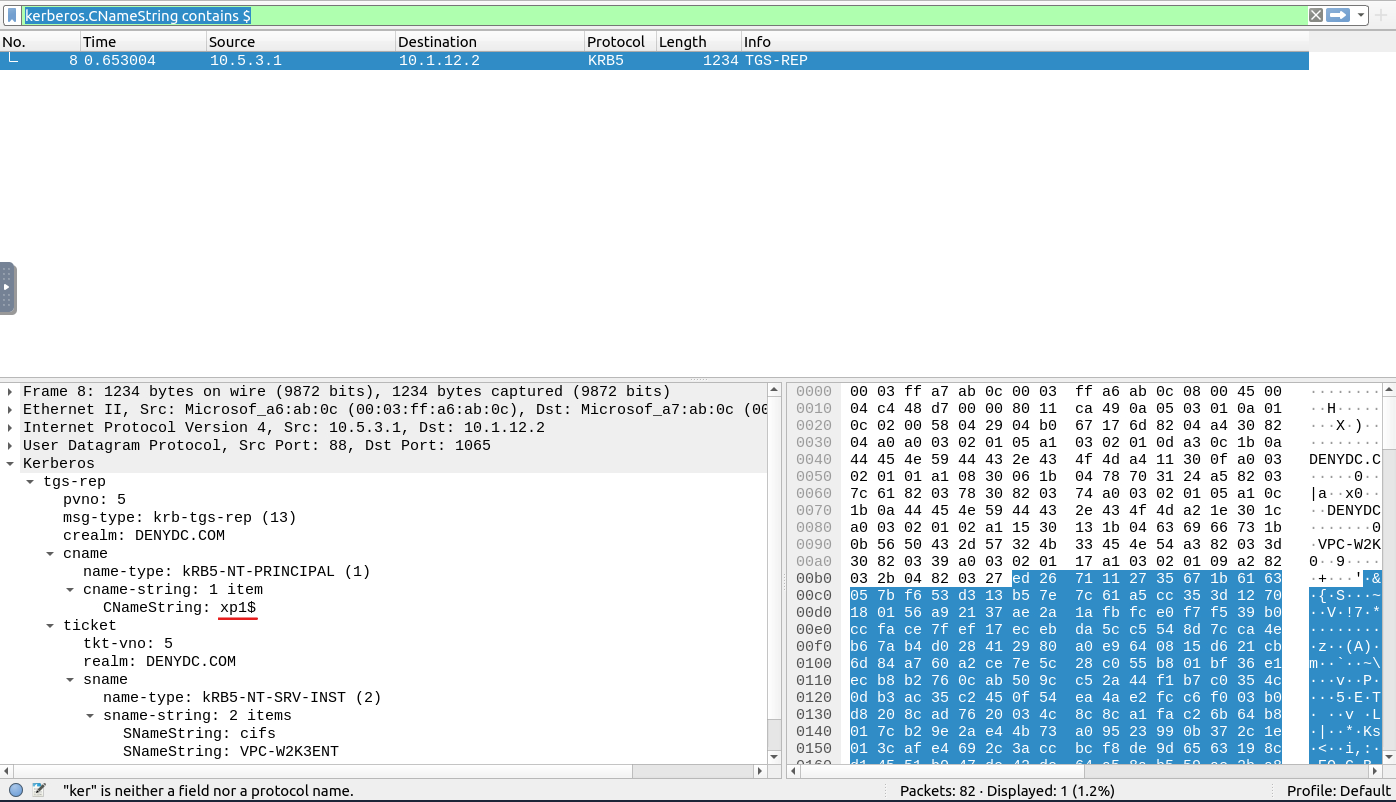
Answer:
xp1$
In network traffic analysis, extracting specific pieces of data such as IP addresses, MAC addresses, or NetBIOS requests can be essential for understanding and securing a network. By utilizing tools like Wireshark or other packet capture software, you can gain valuable insights into the behavior and configuration of devices on your network. Mastering these techniques will not only help you troubleshoot issues but also detect anomalies that could indicate potential security threats.
Network Traffic Analysis and Forensics to Identify C2 Channels, ARP Spoofing, and Data Exfiltration Techniques
A Complete Guide to Solving TryHackMe’s Wireshark Traffic Analysis Room - A Step-by-Step Walkthrough of All Tasks and Insights
Identifying cleartext credentials inside packet captures and generating actionable firewall rules