


TryHackMe SOC Level 2: What Changed, and What It Says About the Future of the SOC Analyst Role
Exploring the new skills, technologies and investigative mindset behind TryHackMe's updated L2 curriculum


This article walks through two consecutive Wireshark Room tasks focused on detecting anomalous network traffic. The first task explores tunneling techniques using ICMP and DNS, while the second analyzes cleartext FTP traffic to identify malicious behavior. Each question is approached methodically using packet filtering and stream analysis in Wireshark.
Use the “Desktop/exercise-pcaps/dns-icmp/icmp-tunnel.pcap” file. Investigate the anomalous packets. Which protocol is used in ICMP tunnelling?
Process:
After doing some quick research, I learned that attackers often encapsulate their payload within the data section of ICMP echo packets, encoding protocols such as TCP, HTTP, or even SSH into what appears to be normal ping traffic.
Since the payload seemed to be encrypted and the expected answer consisted of three letters, I started by filtering packet payloads for the most suspicious of the common three-letter protocols: SSH — and voilà!
icmp && data.len > 64 && frame contains "SSH"

Answer: SSH
Use the “Desktop/exercise-pcaps/dns-icmp/dns.pcap” file.Investigate the anomalous packets. What is the suspicious main domain address that receives anomalous DNS queries? (Enter the address in defanged format.)
Process:
To identify unusually long DNS queries while excluding multicast DNS traffic, I used the following filter:
dns.qry.name.len > 15 and !mdns
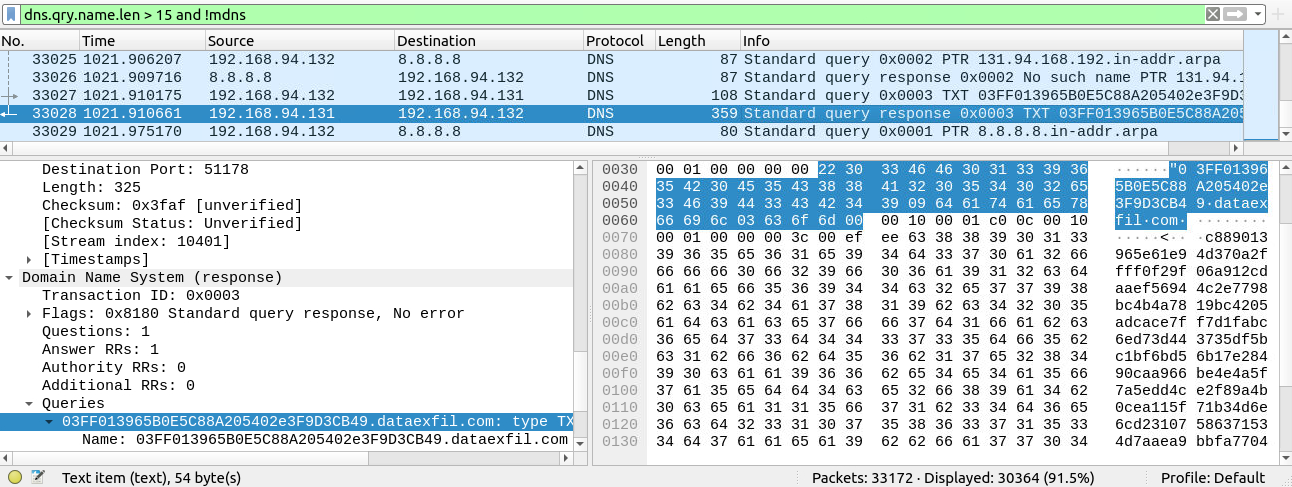
Answer: dataexfil[.]com
How many incorrect login attempts are there?
Process:
Using the FTP response code for authentication failures (“No login, invalid password”), I applied the following filter:
ftp.response.code == 530
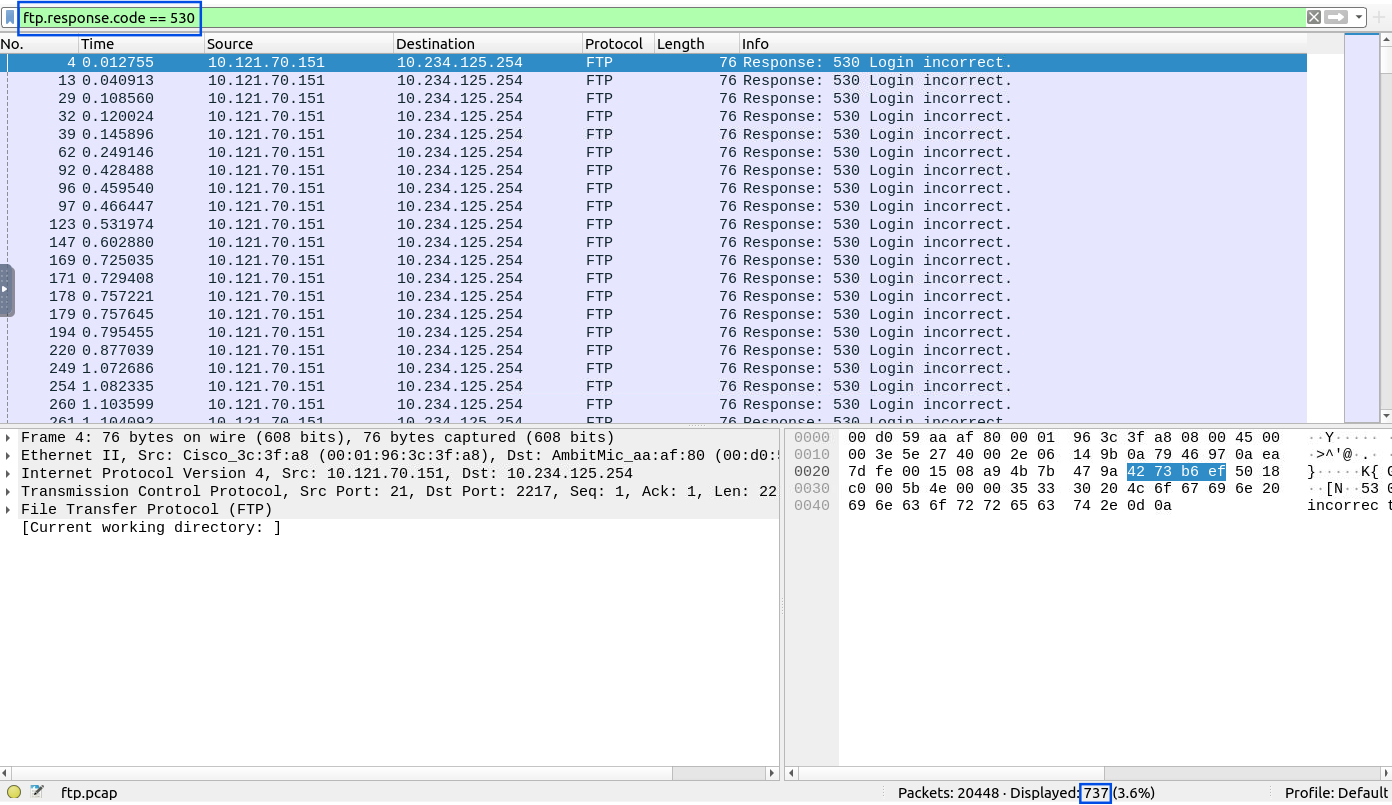
Answer: 737
What is the size of the file accessed by the “ftp” account?
Process:
I filtered for FTP response code 213, which corresponds to file status information:
ftp.response.code == 213
By following the resulting stream, I was able to see the accessed file along with its size.

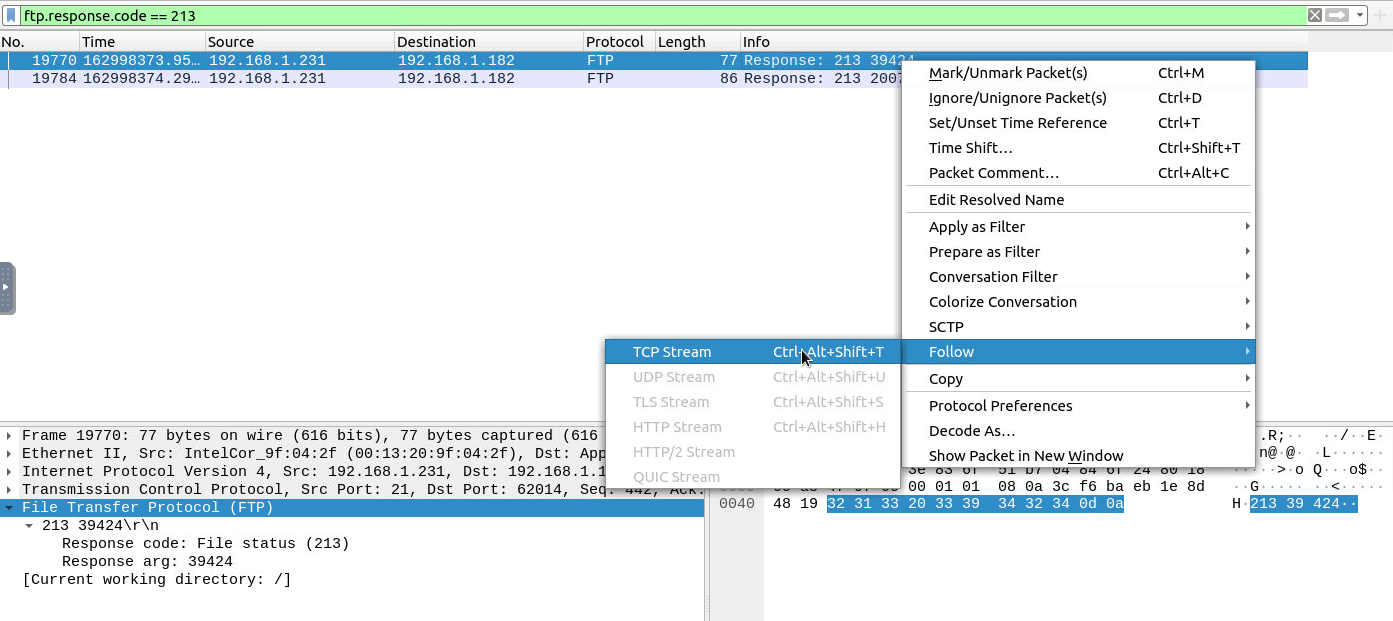
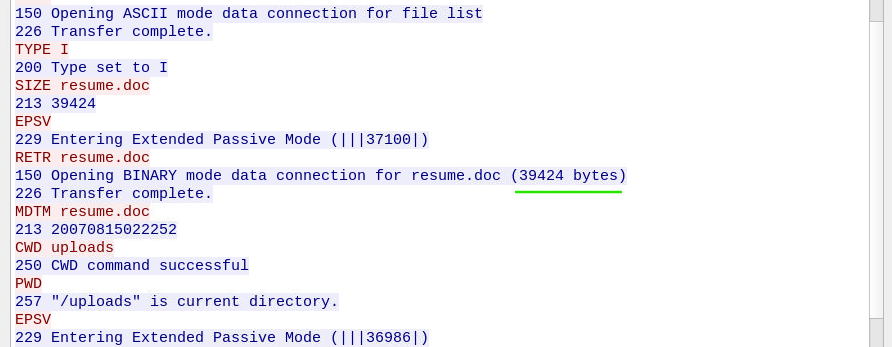
Answer: 39424
The adversary uploaded a document to the FTP server. What is the filename?
Process:
Following the same stream as before, I observed the message 226 Transfer complete. Just before and after this message, the filename was clearly visible. It is the same file referenced in the previous question.
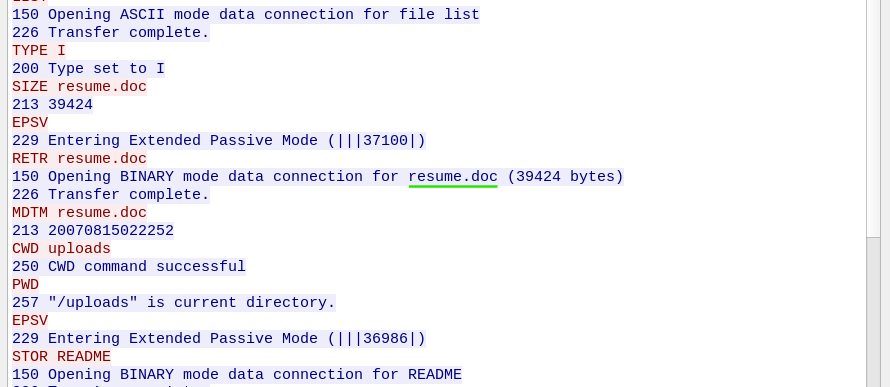
Answer: resume.doc
The adversary tried to assign special flags to change the executing permissions of the uploaded file. What is the command used by the adversary?
Process:
Continuing to analyze the same FTP stream, I found the following command:
SITE CHMOD 777 resume.doc
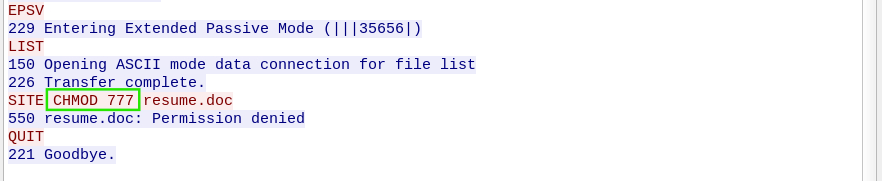
Answer: CHMOD 777
These two tasks demonstrate how tunneling and cleartext protocols can be abused by adversaries to exfiltrate data and maintain access to compromised systems. By applying targeted Wireshark filters and carefully following packet streams, it becomes possible to uncover hidden protocols, suspicious domains, and malicious file operations — even when attackers attempt to blend in with normal network traffic.
Exploring the new skills, technologies and investigative mindset behind TryHackMe's updated L2 curriculum
Root Cause Analysis, Fixes and Lessons Learned During My SOC Homelab Deployment
A Complete Write-Up Demonstrating Real SOC Investigation Methodology